
Commercial & Contract Glazing
Financials & Billing
Catch every change order, cost every job as it happens, and generate pay apps from the job instead of filling out manual forms.

Job Costing
See margin while the job is still running.
Committed costs post at PO and actuals post at payment, so you're watching margin erode in real time instead of finding out at closeout that a job lost money.
- Committed at PO, actual at payment
- Glass, metal, labor, and freight broken out
- Compare against the original budget live
.avif)

Change Orders
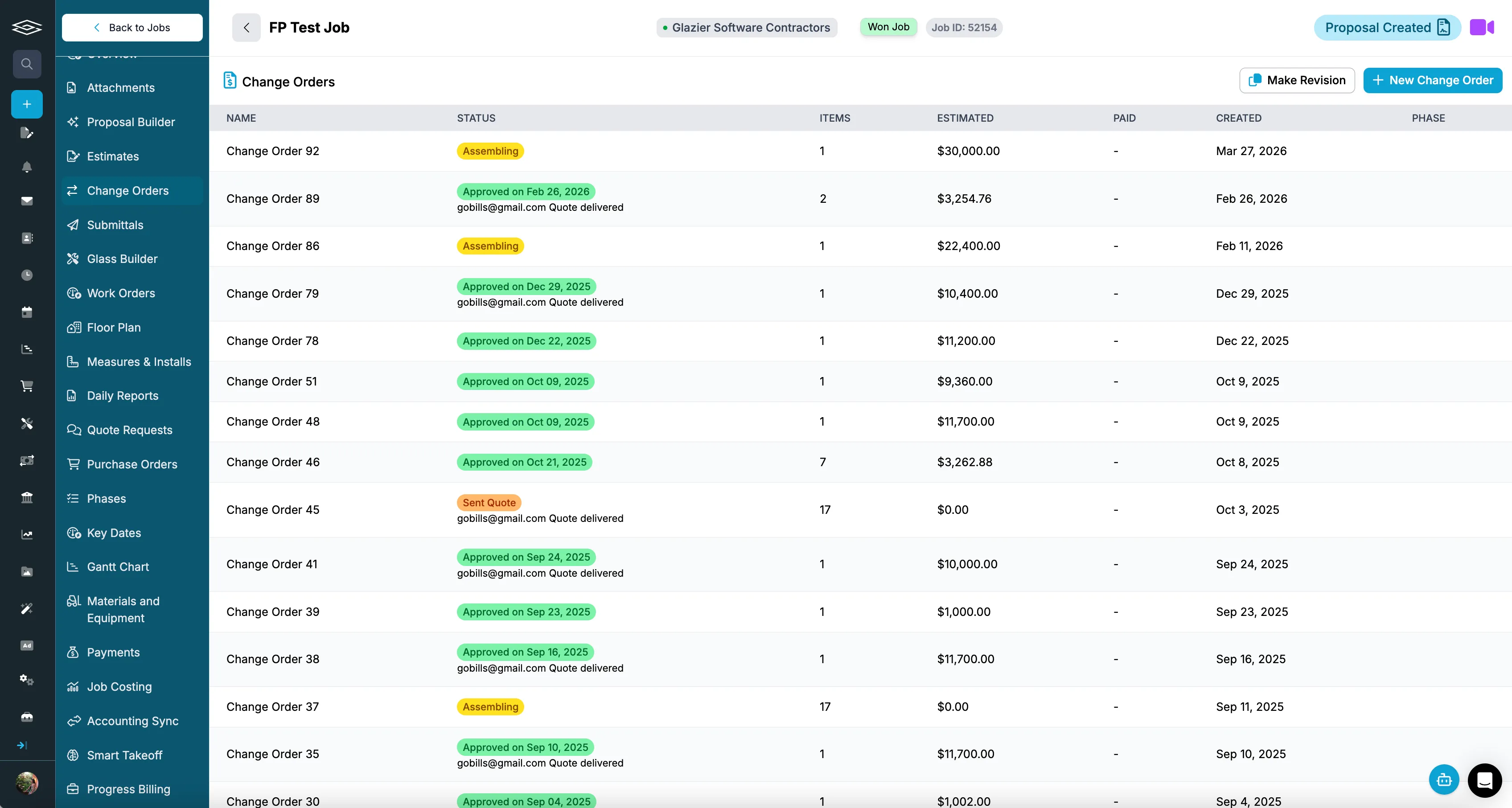
Track every change order through to billed.
Change orders are easy to write and easy to lose track of. Glazier tracks each one from issued to approved to completed so you know it actually got done — and, more importantly, that it actually got billed.
- Status tracked from issued through approved and completed
- Flags approved work that has not been billed yet
- Flows directly into your AIA billing and schedule of values

AIA & Progress Billing
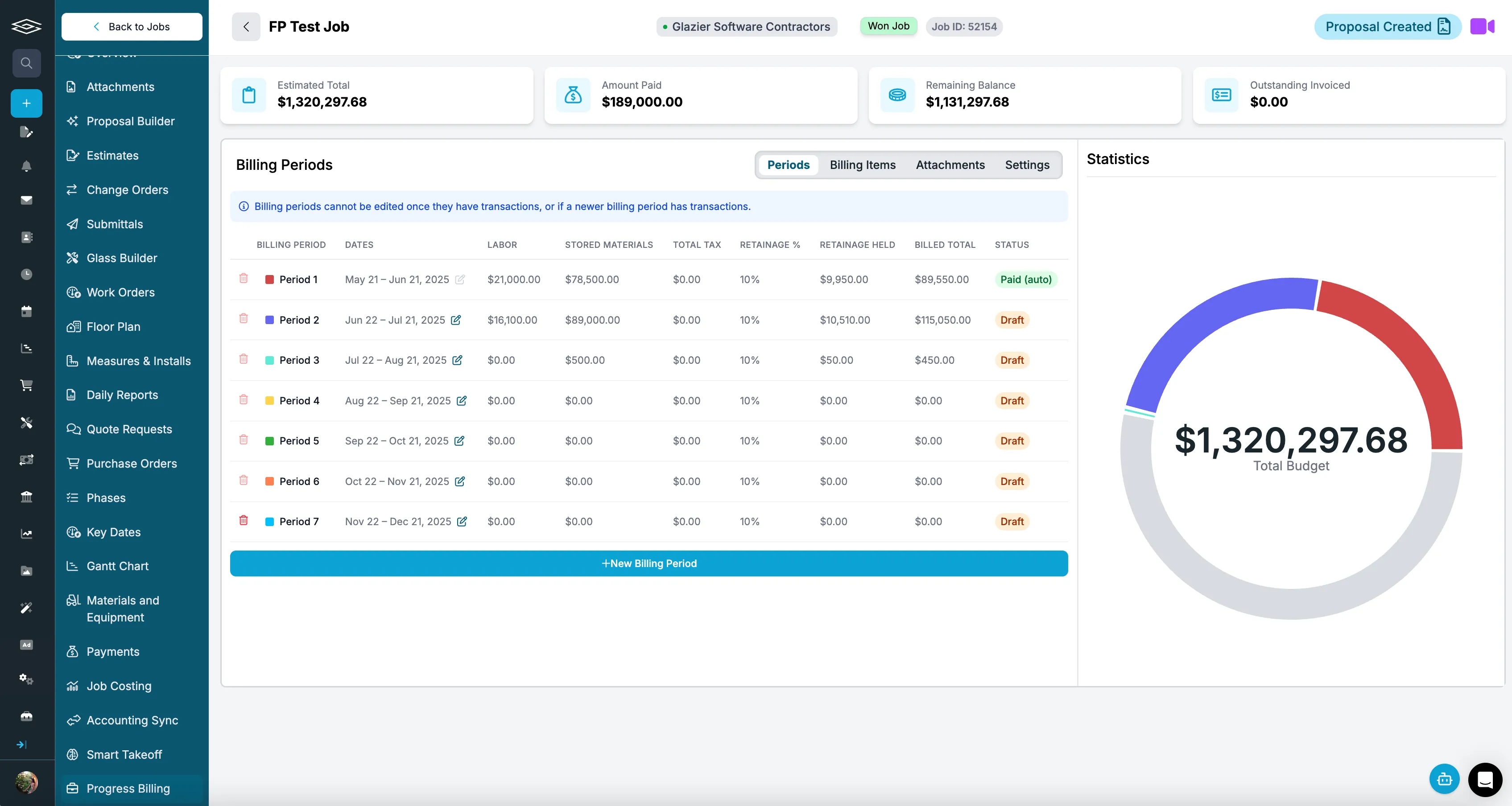
Pay apps generated from the job, billed as the work gets done.
Instead of pulling manual forms every month, your schedule of values and pay applications are built from the actual job data — billing against percent complete by phase, with retainage handled.
- G702 and G703 generated automatically
- Bill by phase and percent complete, tied to field-reported progress
- Schedule of values built from the estimate, retainage tracked per line

Accounting Sync
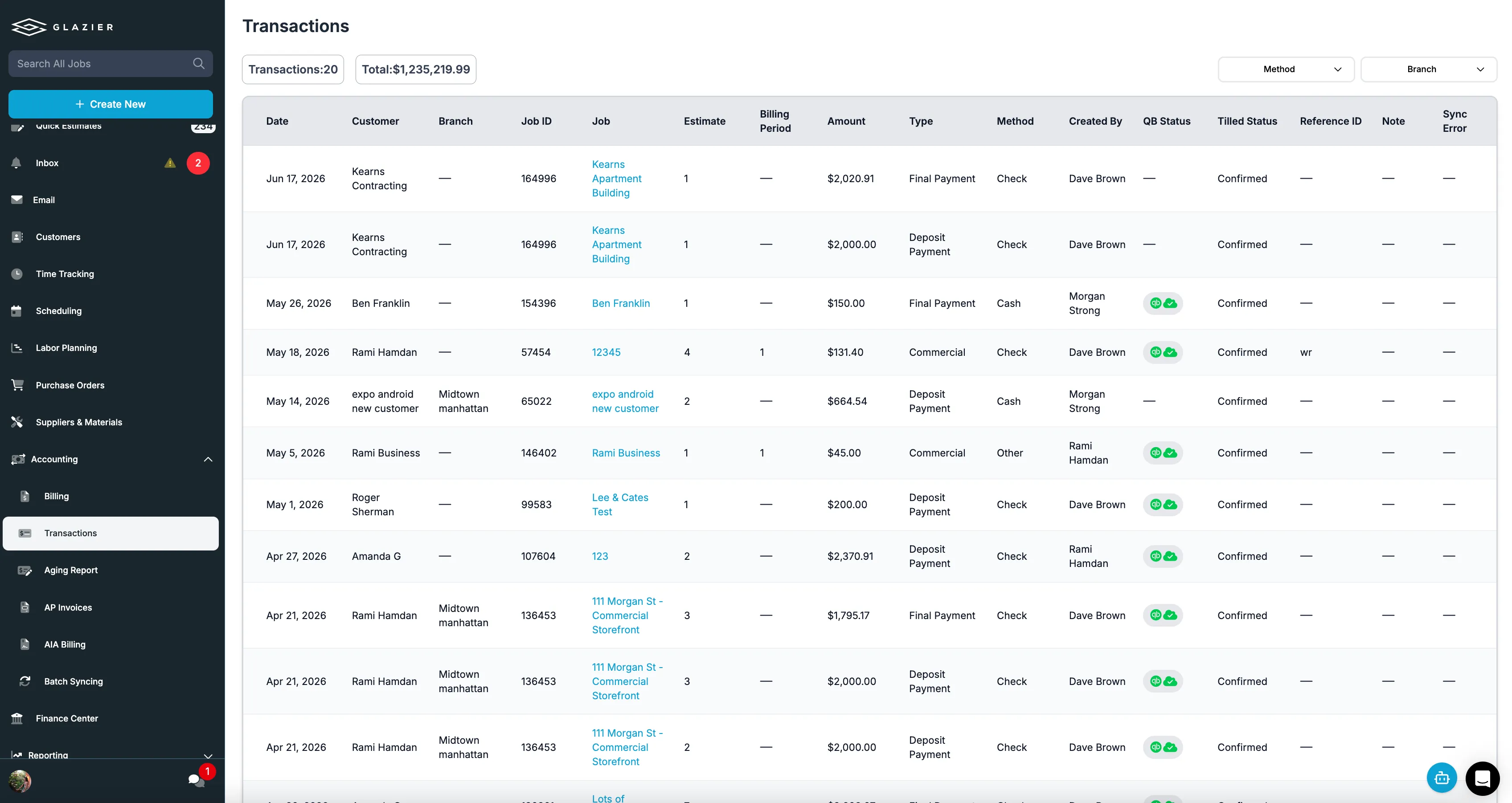
Real-time QuickBooks sync.
Invoices, payments, and line items stay in sync with QuickBooks Online or Desktop automatically. We keep your accounting accurate — we don't replace it.
- QuickBooks Online and Desktop
- Invoices, payments, and line items synced
- No re-keying between systems
The all-in-one platform built for glass & glazing — quoting to cash, powered by AI.