
Commercial & Contract Glazing
Project Management
Run every multi-month job against one source of truth: pipeline, POs, work orders, schedules, and daily reports, so you can answer "where does it stand?" without walking the shop.

Project Pipeline
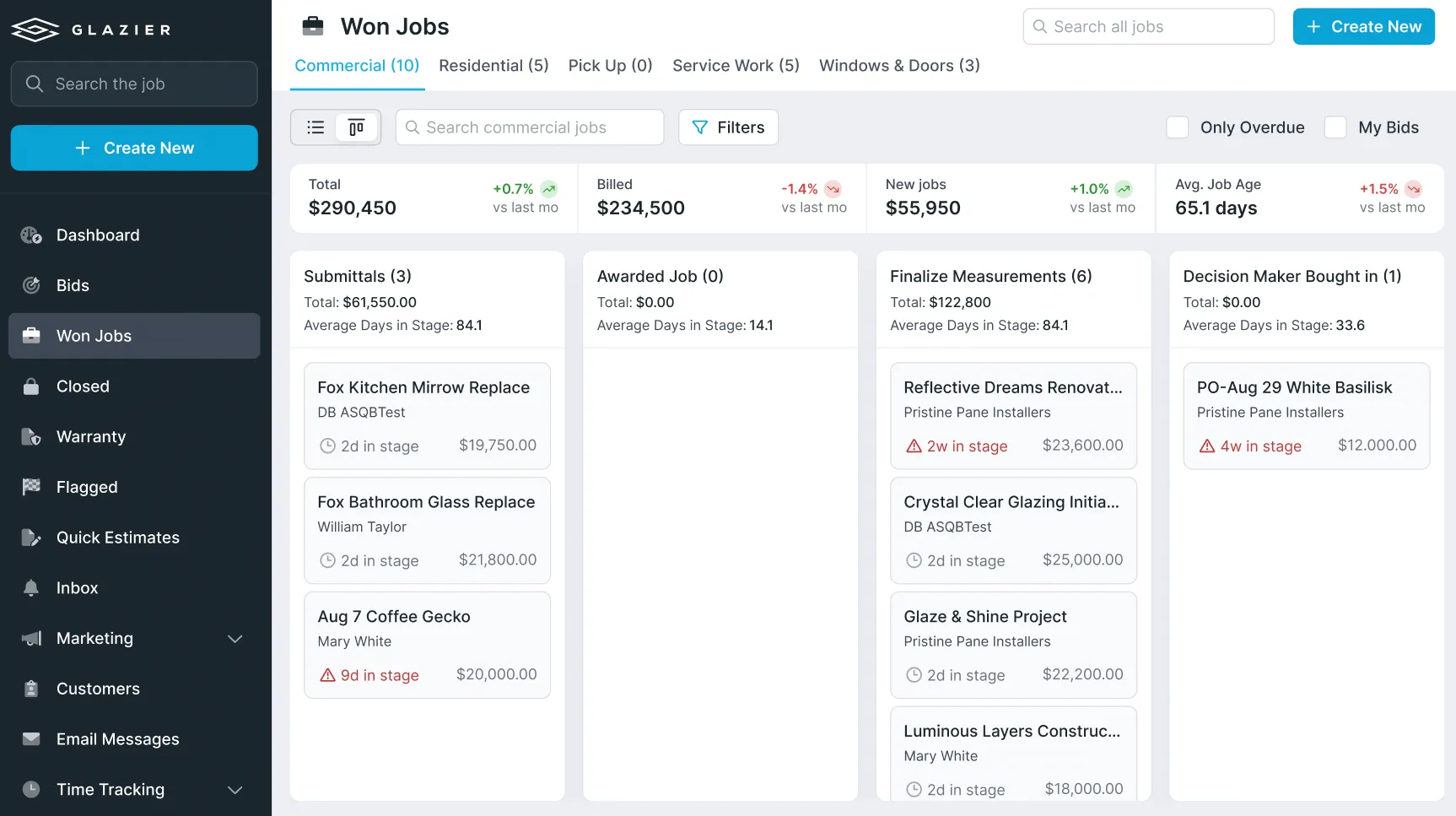
One pipeline so nothing falls through the cracks.
Where do my projects stand? Have we ordered? Are we waiting on supplier quotes? Glazier puts every project in one pipeline so you can see exactly where everything lives.
- Every active project and its current stage
- See what is ordered and what is waiting
- Nothing lost between departments

Work Orders
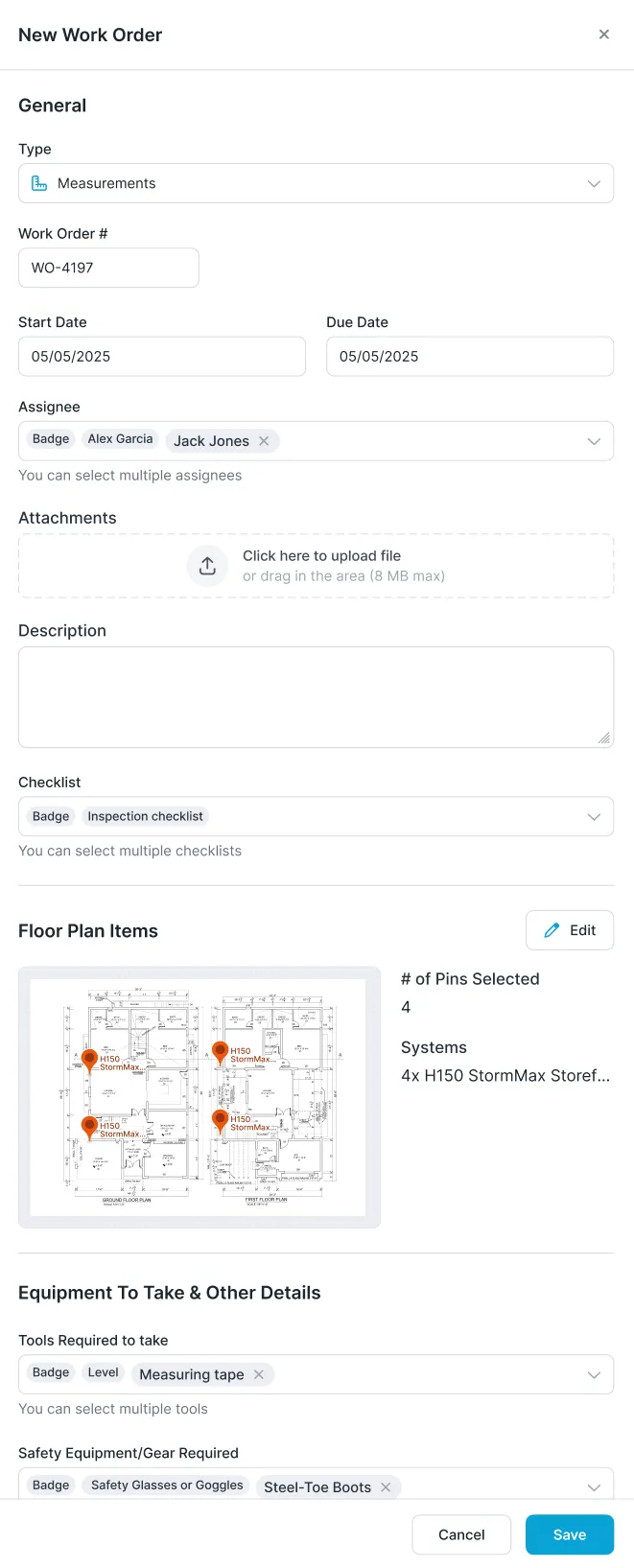
Digital work orders that tie to everything else.
Paper work orders get lost and connect to nothing else in your system. Glazier work orders are embedded — tied to your floor plan, your openings, and your schedule, and fully trackable.
- Ties openings to the schedule and floor plan tool
- Work and to-do lists, customizable with your own instructions
- Print a paper backup when you want one

Material Management & Pick Lists
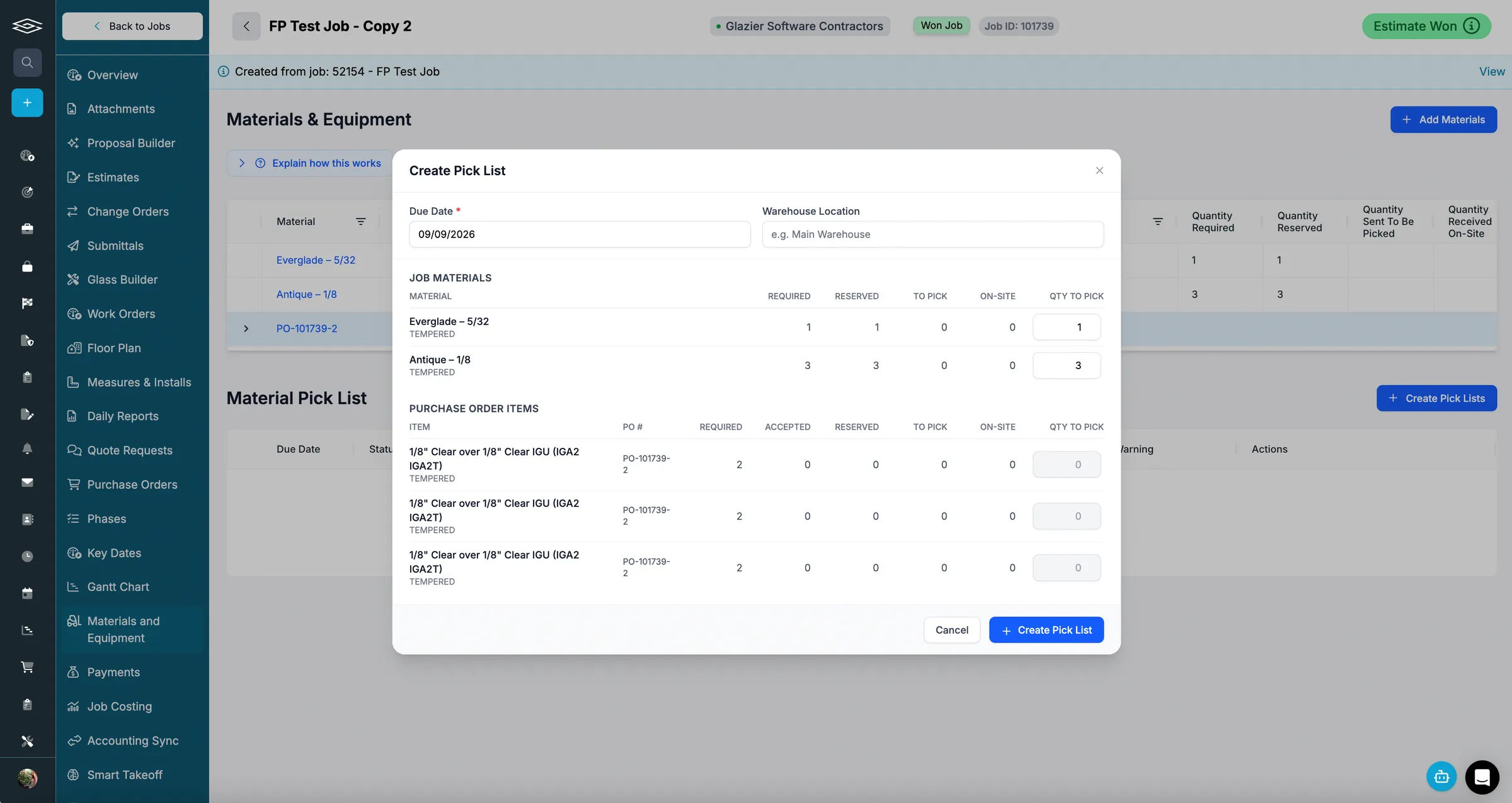
Know what arrived, what is reserved, and what is on the truck.
Tracking what material arrived, what is reserved for a job, and what still needs to be loaded is usually manual and error prone. Glazier ties reserved material and POs directly to pick lists for your shop crew.
- Shop crew knows exactly what to load and when
- Checklists for loaded and delivered to site
- Office sees arrived, reserved, loaded, and mobilized

Inventory Management
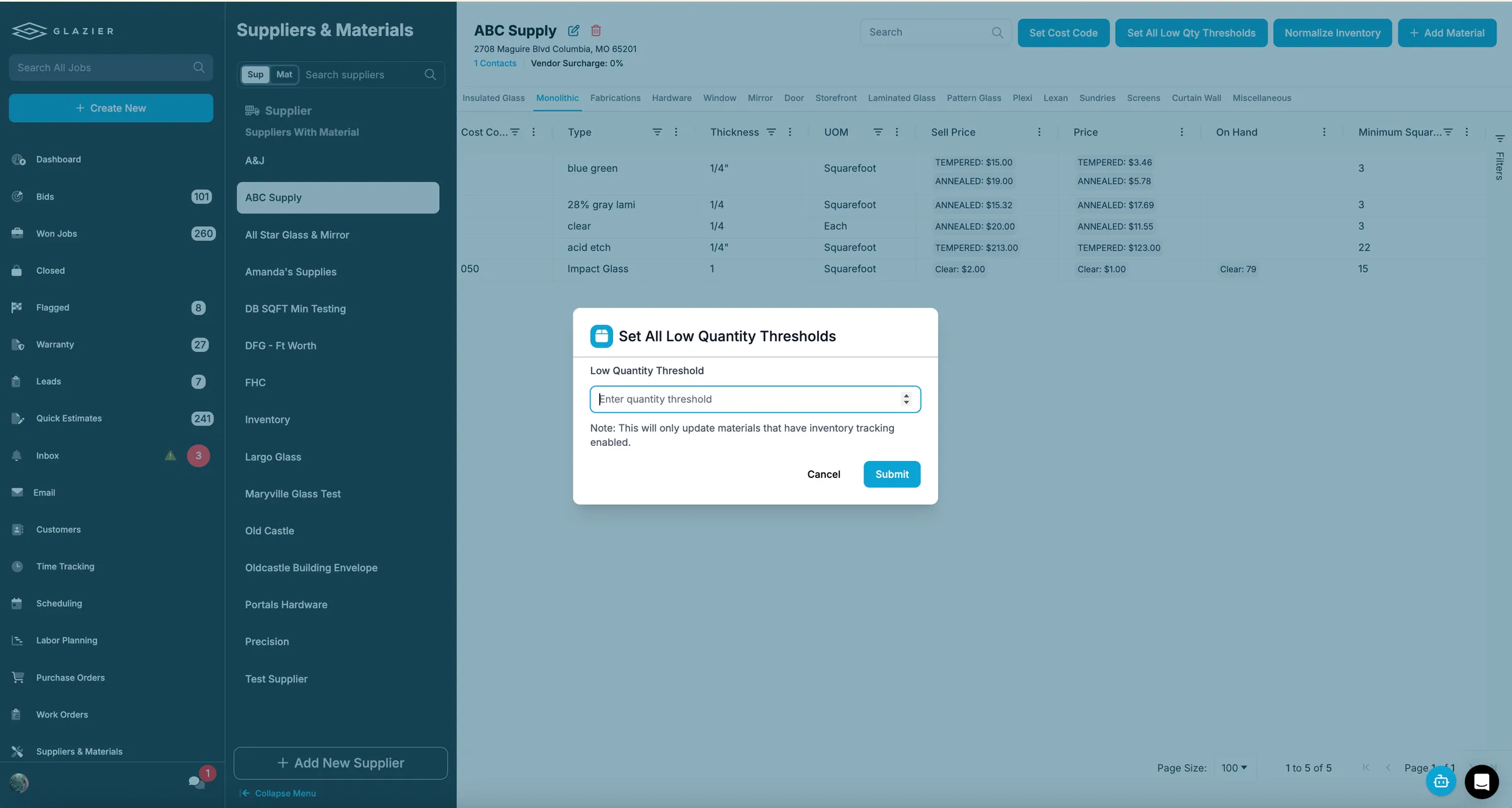
Stop reordering material you already have.
What is still sitting in the shop that could be used on a job instead of being reordered? Glazier lets you reserve inventory to a specific job and warns you before you run short.
- Reserve inventory to a specific job
- Feeds directly into pick lists
- Low-inventory notifications and minimum thresholds

2-Way Email
Marry your inbox to the job.
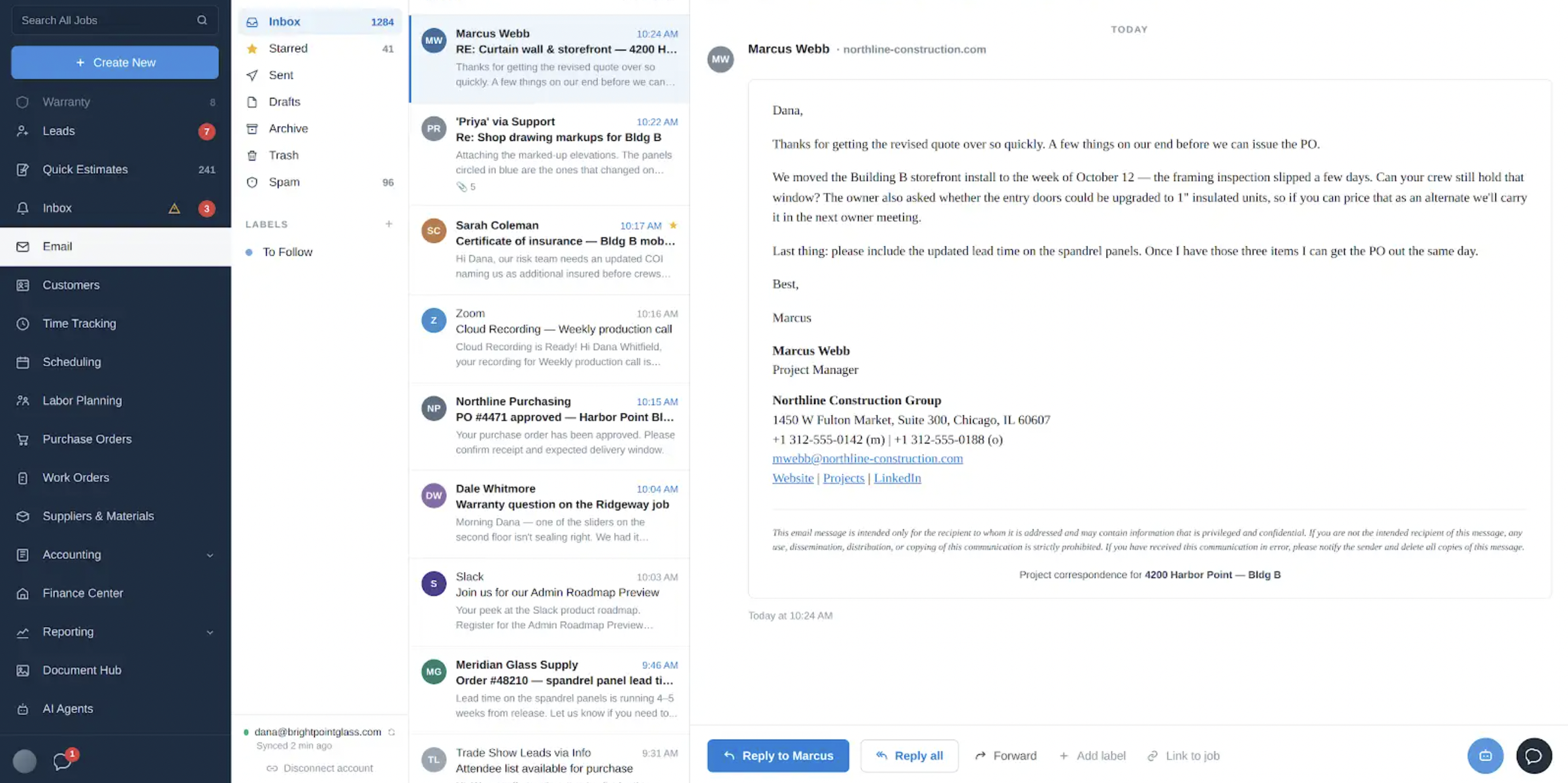
A lot of a project manager’s job still happens in email. Glazier hooks your inbox up directly so what happens in email and what happens on the job stay connected.
- Send and receive from inside Glazier
- AI ties each email to the right job
- Notifications for approvals, change orders, and PO confirmations

Floor Plan Tool
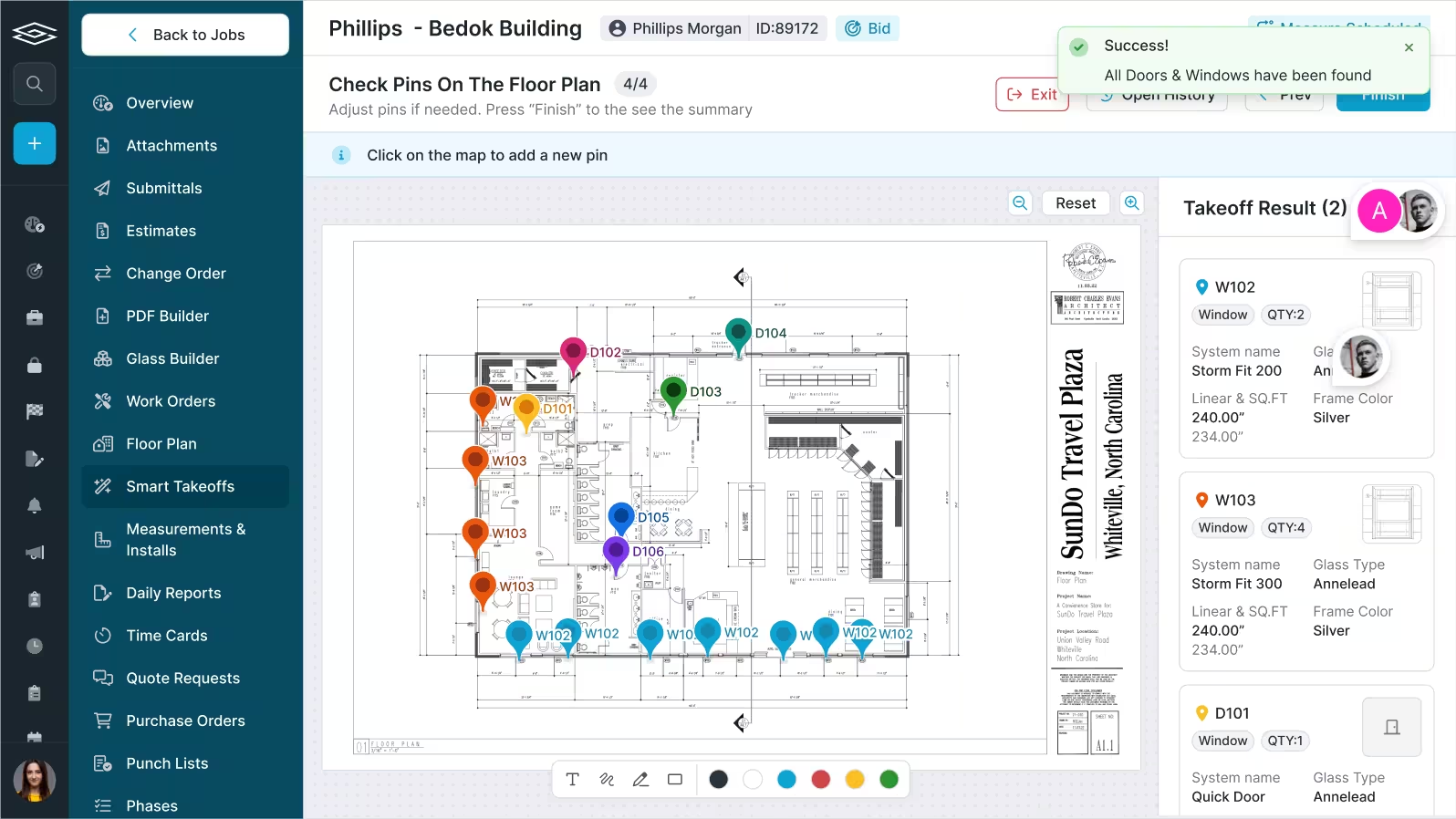
Track every opening as its own mini project.
Project management is usually a spreadsheet, if you are lucky — and you only learn a frame type is running long when it is already too late. The floor plan tool shows real-time progress between office and field.
- Each opening tracked framed, glazed, and complete
- Field pulls the floor plan up on tablets
- Color-coded by completion — no phone calls or text chains

Purchase Order Tracking
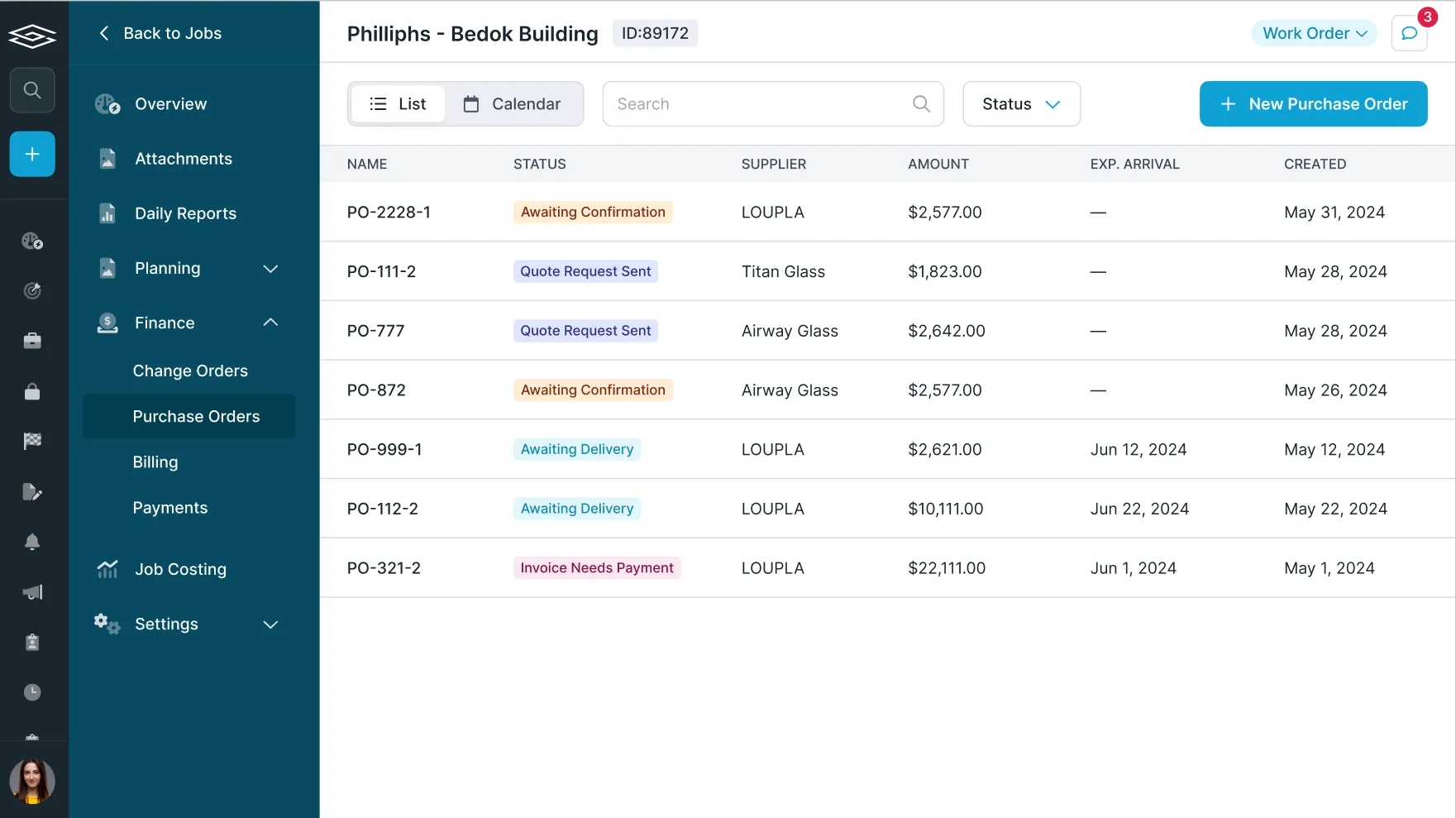
Every PO tracked, not just filed in a folder.
Most shops manage POs by email and drop them in a folder with no way to track status. On a large project with hundreds of POs, that causes serious downstream delays.
- Send and confirm with arrival dates
- Field receiving workflow for check-in and QA
- Upload invoices and sync to QuickBooks; plan POs against install dates

Daily Reports
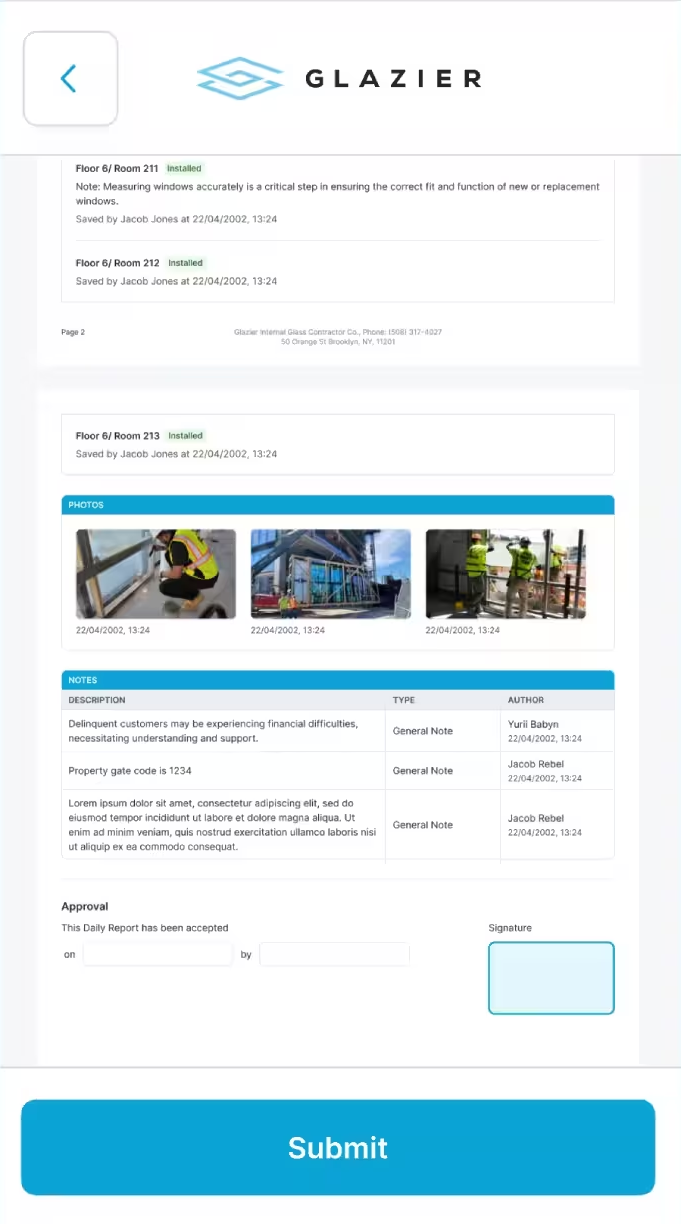
Dailies that protect you later.
Field reporting scattered across text, email, and paper means no accountability — and no record when litigation comes up two years later about what happened on a given day.
- Create your own digital format and checklist
- Techs or foremen generate a clean PDF from field activity
- Signed off on site, with photos, as a defensible record
The all-in-one platform built for glass & glazing — quoting to cash, powered by AI.