
Commercial & Contract Glazing
Scheduling, Labor Planning & Timelines
Build an accurate timeline from the job itself, plan crew load months out, and dispatch straight from the floor plan.

Gantt Chart
Your whole project on an accurate timeline.
On jobs that run for months or years, staying on time means knowing how long each piece actually takes — frame A at two guys for two days, frame B at two guys for three. Glazier builds the timeline from your job automatically.
- Generated from openings, systems, phases, and labor
- See when things run behind, not after the fact
- Accurate representation for accurate planning
Phases & Key Dates
Organize long projects into phases that hold.
On longer jobs you need to know which openings belong to the north wing versus the south wing, and tie POs and change orders to the right phase. Key dates act as to-dos so nothing is forgotten.
- Tie openings, POs, and change orders to a phase
- Key dates that work as to-dos for your team
- Key date templates for the things you do on every job
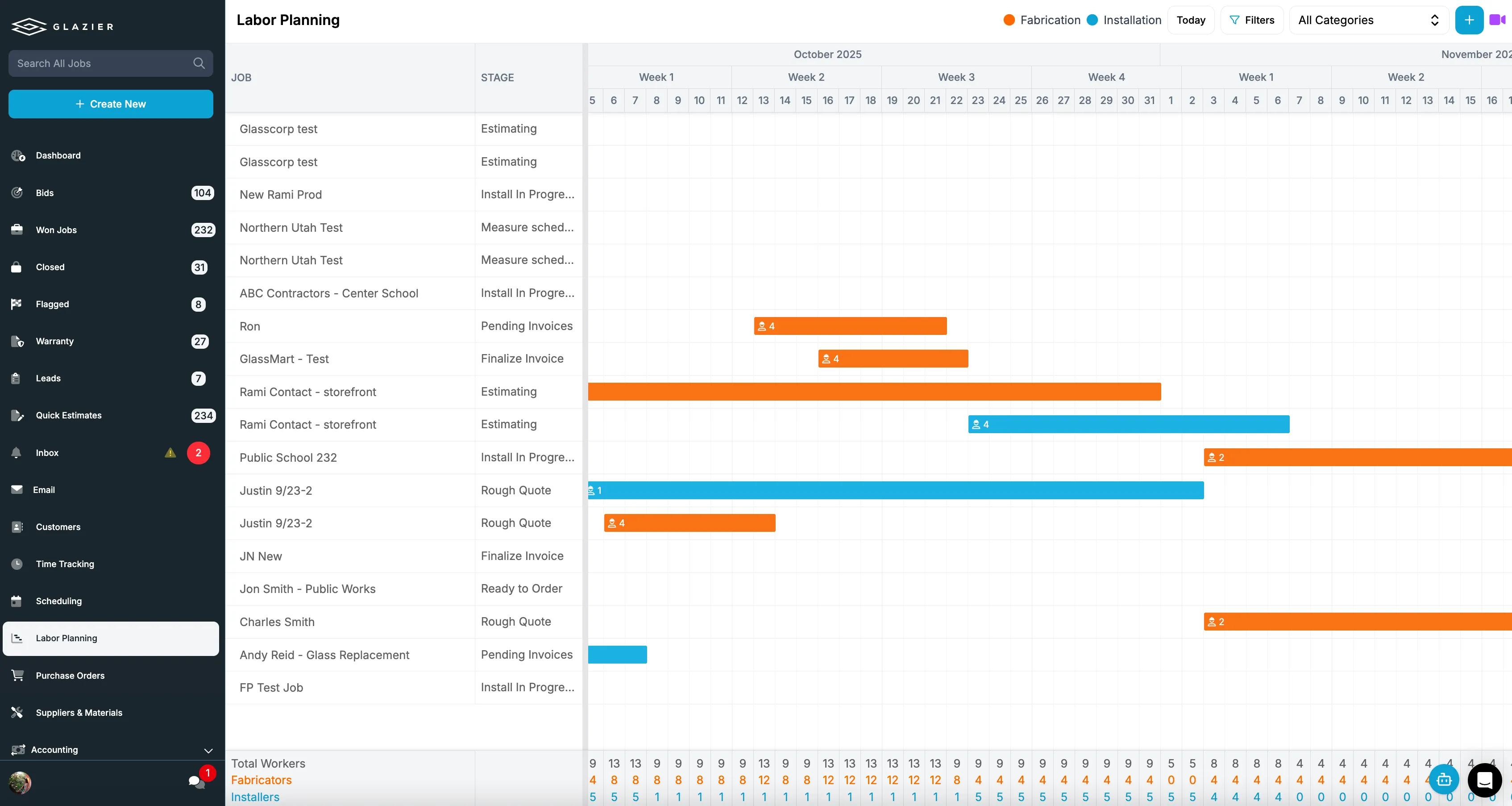
Labor Planning
Stop negotiating crew counts in a spreadsheet.
Five PMs in a room arguing over how many guys they need and when — usually in a spreadsheet, usually settled by whoever is friendliest with the GC. Labor planning replaces that with a real picture.
- Allocate technicians and shop crew per job
- Drag and drop to see total labor load over time
- See when you can take more work or need to sub out

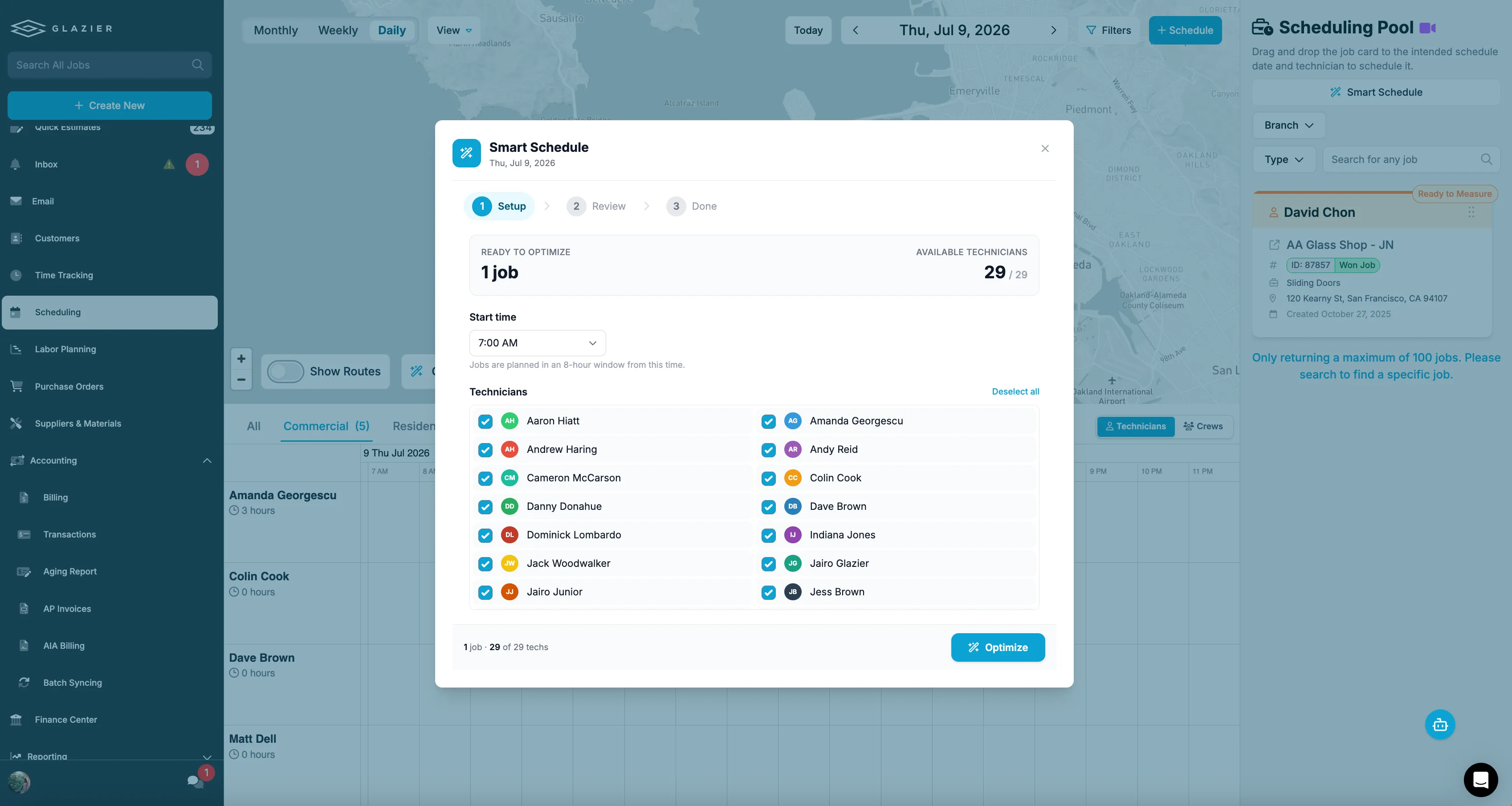
Smart Scheduling
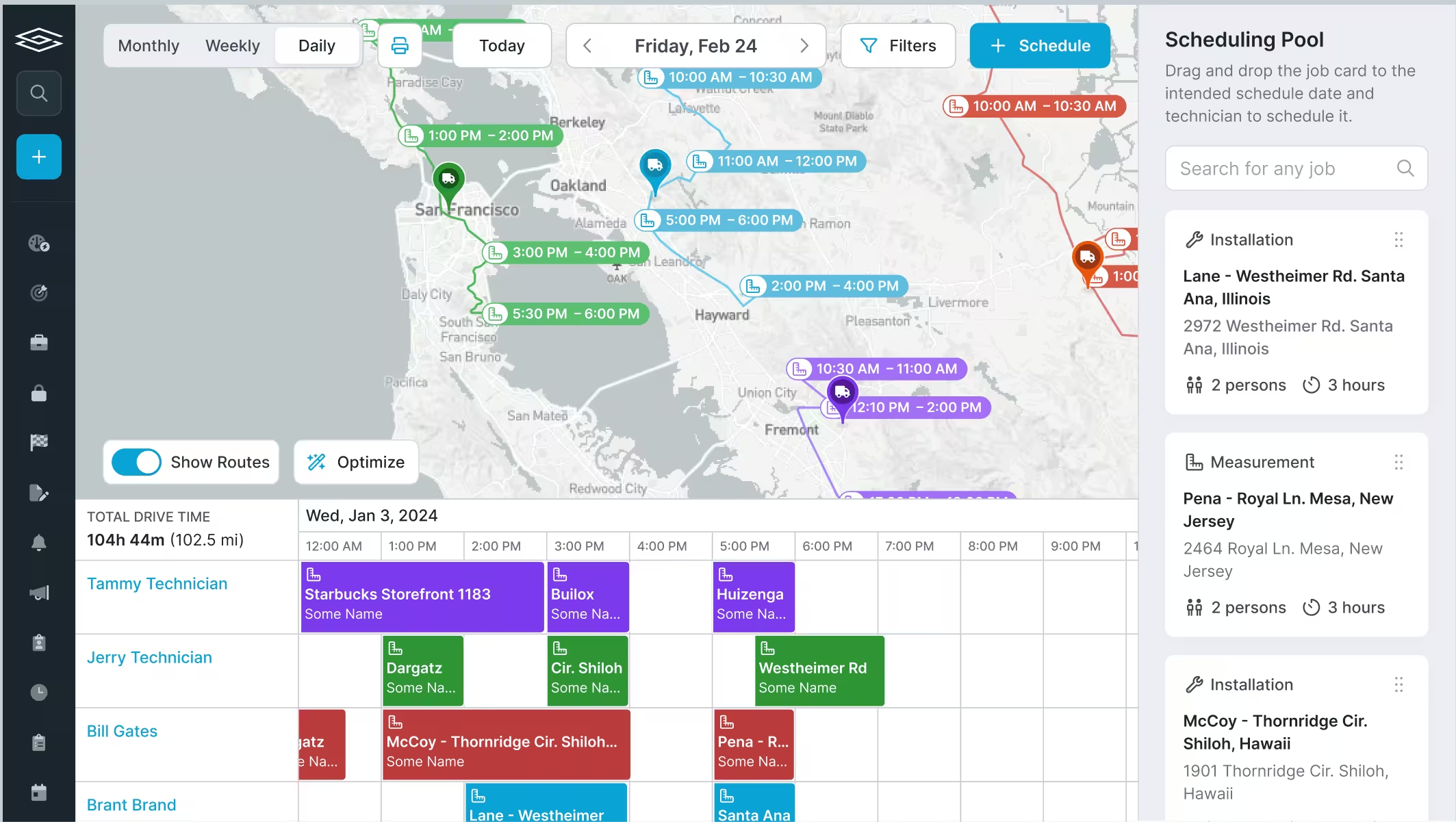
Dispatch from the job, not a disconnected app.
Most shops dispatch technicians in a separate tool, creating one more disconnected system. In Glazier everything is connected — schedule straight from the floor plan, Gantt, or work order.
- Assign real technicians from the floor plan, Gantt, or work order
- Google integrated and tied to their phones with all job documents
- AI route optimization for service and smaller jobs
The all-in-one platform built for glass & glazing — quoting to cash, powered by AI.