
Management
Glass Fabrication Software for Glazing Contractors
Glass fabrication software for glazing contractors who fabricate in-house: schedule shop work, reserve material, build pick lists and hand off to install.
8
min read
•
October 10, 2026
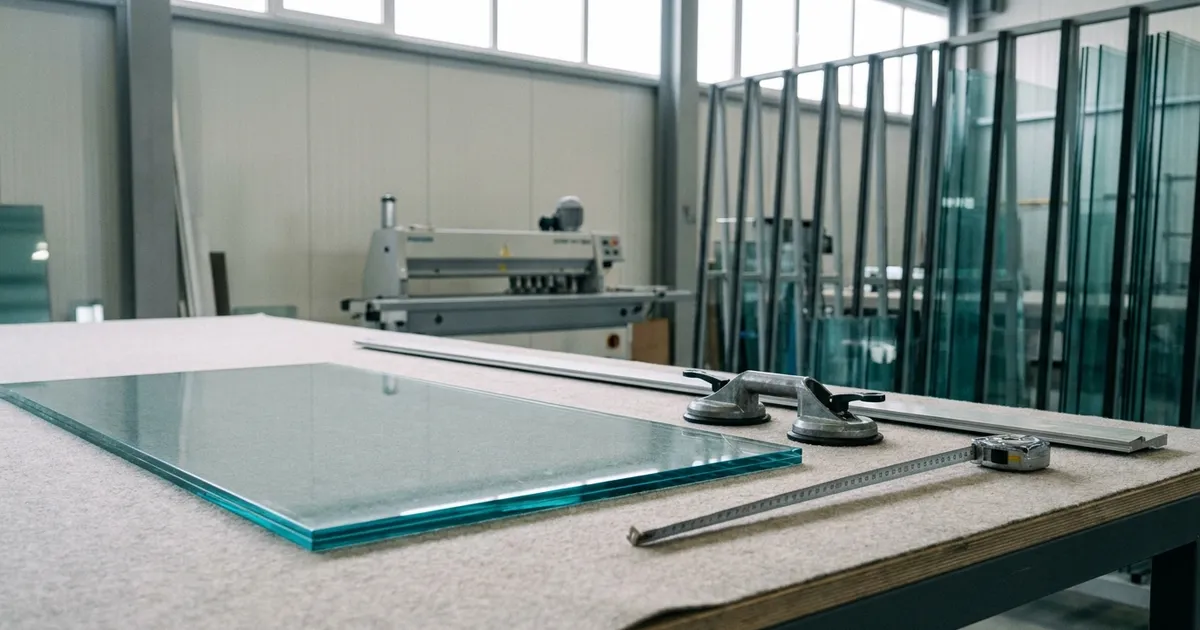
Glass fabrication software helps a glazing contractor run its own shop like the rest of the job. The shop cuts, assembles and prepares material for installs, so its work needs a schedule, a materials list and a clear "done."
Most contractor shops still track fabrication on paper work orders. The office cannot see what is finished, and the crew finds out on site that a part never made it onto the truck.
At Glazier, we build software for glass and glazing businesses. This guide covers what your shop needs tracked, and how we handle it.
What is glass fabrication software for a glazing contractor?
Glass fabrication software, for a glazing contractor, is the part of your job system that runs the shop. It schedules shop work, ties it to the right job and material, and reports when it is done so the install can go ahead.
That is different from software for a glass plant. If you produce insulated units or tempered glass for other companies, you need production software built for a manufacturing line. This guide is for contractors who fabricate for their own jobs: storefront frames, shower enclosures, mirrors and cut-to-size glass.
What your shop needs tracked
A fabrication job passes through the same steps every time. Here is what each one needs from your software.
| Step | What the software must track | What goes wrong without it |
|---|---|---|
| Drawings | The shop drawings for this job | The shop builds from an old revision |
| Material in | What arrived, its sizes and any breakage | Broken glass is found the day it is needed |
| Material reserved | Which stock belongs to which job | Material is used twice or reordered by mistake |
| Shop schedule | What is due, and in what order | The shop works on whatever is on top of the pile |
| Labor | Hours spent on each job | You cannot tell which jobs made money |
| Pick and load | What goes on the truck for each job | Missing parts are found on site |
| Completion | When the shop work is done | The install is booked before the shop is ready |
Shop drawings and work orders
The shop needs the right drawing for the right job. A paper work order that points to a drawing in someone's inbox invites the wrong revision.
Fabrication tracking starts with a work order that carries the drawings, the openings and the due date in one place.
Receiving material
Glass breaks in transit, and sizes come in wrong. If receiving happens on a sheet of paper, nobody in the office knows until the shop goes to use it.
Record what arrived, check sizes and note breakage at the truck. Our guide to tracking purchase orders covers the ordering side of the same problem.
Reserving material to the job
Your shop holds stock: extrusions, hardware, cut glass and offcuts. Without reservations, two jobs can count on the same material, or you reorder something that is already on the rack.
Reserve material to a specific job when it arrives, and set minimum levels so you know before you run short.
Scheduling shop work
Glass shop fabrication is work with a deadline, but it often has no slot on the schedule. Installs and measures get booked, and the shop fits in around them.
Schedule fabrication like an install. Each task has a date, an owner and a place in the order, worked back from when the crew needs the material on site.
Pick lists and loading
A pick list tells the shop exactly what to load for each job. Built from the material reserved to that job, it turns "I think that's everything" into a checklist.
Check each item off as it is loaded. Missing parts show up in the shop, where they cost minutes, not on site, where they cost a trip.
Completion and handoff
The install crew needs to know the shop is done. When fabrication completion is recorded on the job, the office can book the install with confidence, and the crew arrives to finished work.
Why paper work orders and whiteboards stop working
A whiteboard can run a small shop for a while. It stops working as you add jobs, crew and suppliers.
- The office cannot see the shop. Someone walks back to ask whether the frames are done.
- Hours are guessed. Shop labor is never tied to a job, so job costing is wrong.
- Material gets double-counted. Two jobs plan on the same stock, and one comes up short.
- The truck leaves short. Nobody checked the load against the job.
Picture a storefront install booked for Thursday. On Wednesday afternoon, the shop discovers one lite arrived broken two weeks ago. Nobody recorded it at receiving, so there is no time to reorder, and the crew and the customer both lose a day.
How we handle shop fabrication in Glazier
Here is how we run shop fabrication for glazing contractors. We schedule fabrication like any other work: it is scheduled like a measure or install, the shop has the context it needs to get the job done, and completion is reported for the downstream steps.
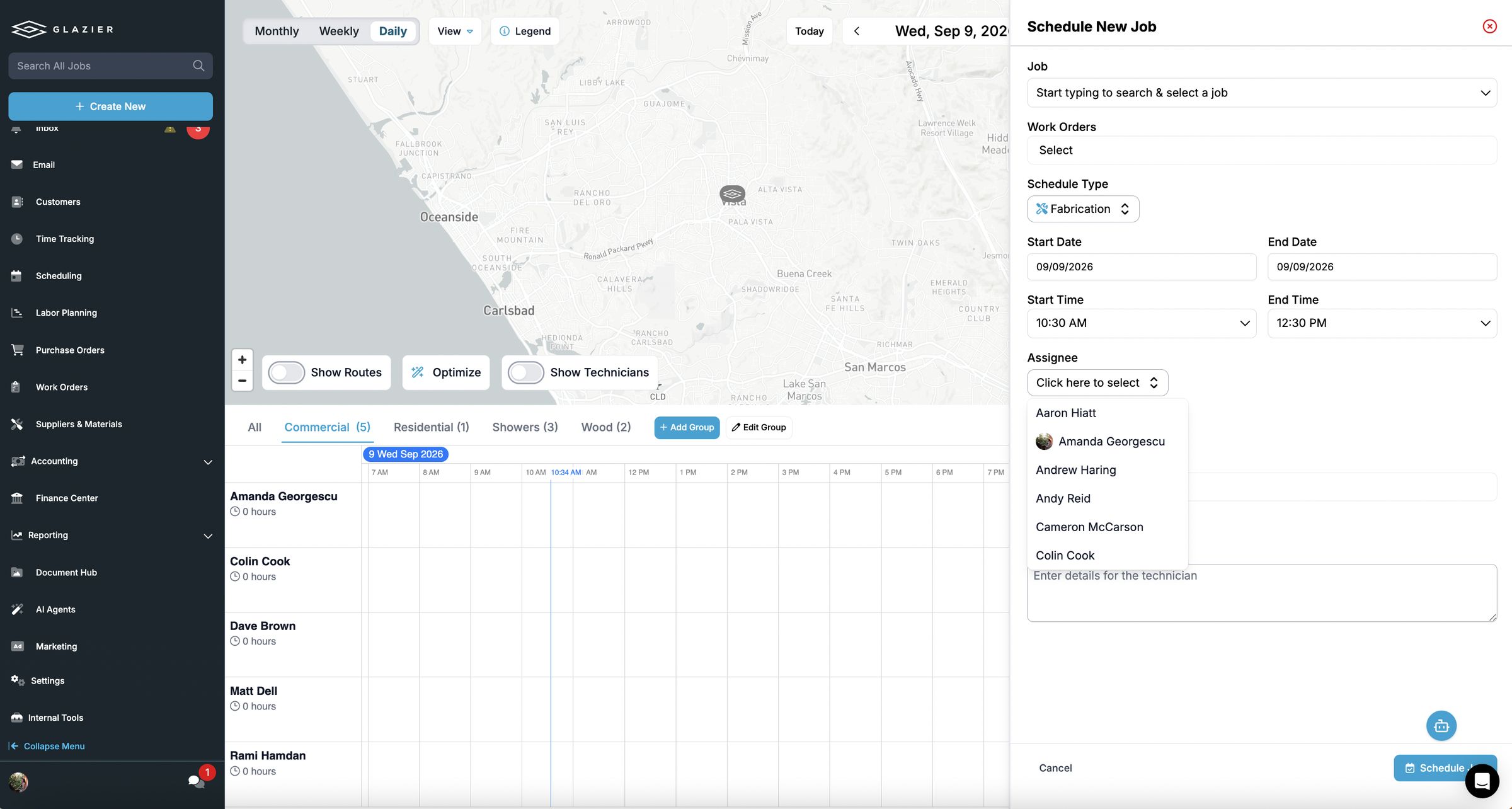
Here is what that covers in the shop:
- Drawings on the work order. Our technician schedule ties each task to the floor plan and the exact shop drawings the crew needs.
- Receiving at the truck. Record breakage, check sizes and receive in real time, and upload packing slips and bills of lading.
- Material reserved to the job. Reserve inventory to a specific job, with low-inventory notifications and minimum thresholds. The office sees what has arrived, what is reserved, what is loaded and what is mobilized.
- Pick lists from reserved material. Pick lists are generated from reserved material and purchase orders and checked off as items are picked and loaded, so fewer missing parts are discovered on site.
- Shop hours on the right job. Time tracking feeds real-time job costing tied to your cost codes and exports to your payroll solution.
- Checklists per work type. Build custom checklists so the shop records what the job needs, the same way every time. Glass for doors, shower enclosures and sliding patio doors must meet the federal safety glazing standard, 16 CFR 1201, so the checklist for that work can record the glazing type before the lite leaves the shop.
The Thursday install, run in Glazier
Take that Thursday storefront install again. The broken lite was recorded at the truck two weeks earlier, the reorder went out the same day, and the pick list on Wednesday shows every item reserved and ready to load.
Every job also shows where it stands, from pre-construction through fabrication, shipping, on site and installed, so nobody walks the shop to find out. Residential and service shops get the same fabrication workflow, where the shop sees what is due and in what order.
To see a fabrication job go from received material to a loaded truck, book a demo.
What to look for in glazing shop software
When you compare systems, ask to see one fabrication job run end to end.
- Fabrication on the schedule. Shop work should be scheduled like installs, with dates and owners.
- Drawings attached to the work. The shop should never hunt for the current revision.
- Receiving with breakage. Damage and wrong sizes should be logged at the truck.
- Job-level material reservations. Stock should belong to a job before it is used.
- Pick lists from reserved material. Loading should be a checklist, not memory.
- Labor tied to jobs. Shop hours should reach job costing without re-entry.
- Completion that reaches the office. The install should be booked off a recorded "done."
A shorter version
Glass fabrication software for a glazing contractor schedules shop work like an install, ties it to the job's drawings and material, and reports when it is done. Look for receiving with breakage, material reserved to the job, pick lists built from that material, and labor tied to job costing. We built Glazier to run the shop on the same job record as the quote, the purchase order and the install.
Want to see how Glazier handles shop work? Book a demo.
Frequently Asked Questions
What is glass fabrication software?
Glass fabrication software tracks the work a glass shop does before an install: cutting, assembling frames, building shower enclosures and preparing material. For a glazing contractor, it schedules that shop work, ties it to the job and its material, and reports when it is done so the install can be booked.
Do glazing contractors need fabrication software or manufacturing software?
It depends on what the shop makes. A contractor fabricating for its own jobs needs fabrication tracked inside its job system, alongside quotes, purchase orders and installs. A plant producing insulated units or tempered glass for other companies needs production software built for manufacturing lines.
How do you schedule shop fabrication?
Schedule fabrication the same way you schedule a measure or an install: as a task on the job with a due date, an assignee and the drawings attached. Work back from the install date, so the shop knows what is due and in what order.
How do you stop missing parts on install day?
Reserve material to the job when it arrives, build a pick list from that reserved material, and have the shop check off each item as it is loaded. Missing parts then show up in the shop, not on site.
Explore Our Success Stories
Streamline your glazing operations.
Book a demo today and find out how Glazier can transform your glass business.
The all-in-one platform built for glass & glazing — quoting to cash, powered by AI.