
Management
Glass Scheduling Software: How Glazier Schedules Every Crew
Glass scheduling software has to plan around the glass, not just the crew. Here is how Glazier ties the measure, glass order and crew schedule to one job.
11
min read
•
October 11, 2026
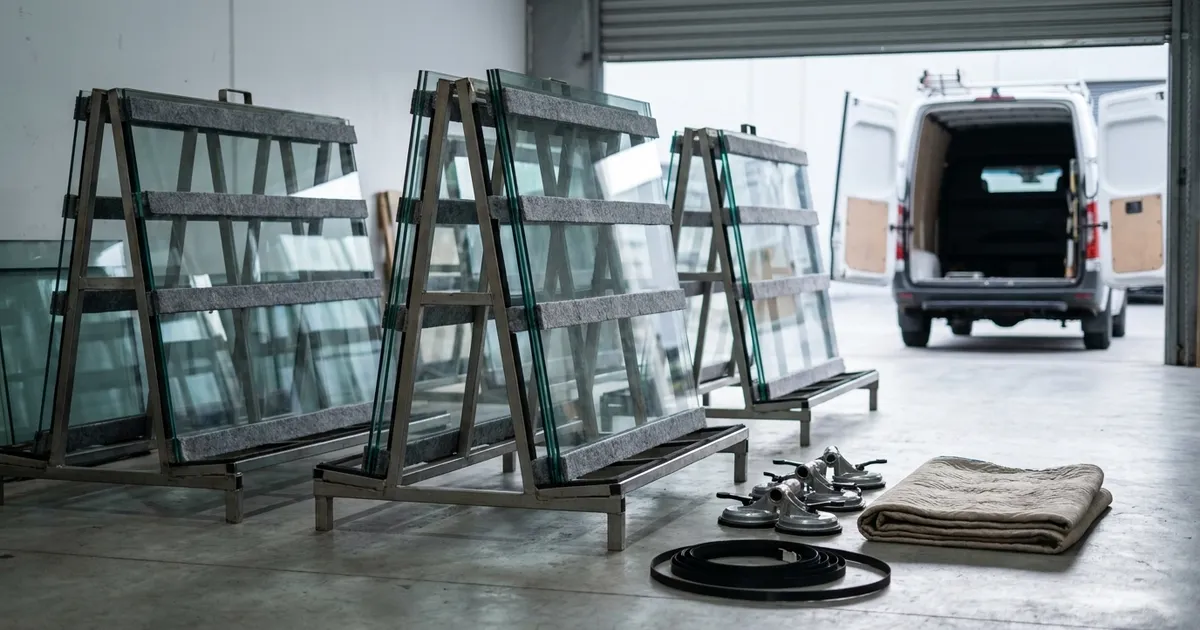
Glass scheduling software is for glass shops and glazing contractors whose install dates depend on a panel that has not been made yet. Glazier ties the measure, the glass order and the crew schedule to one job. The install date comes from what is confirmed, not from what someone typed onto a calendar.
What to look for in glass scheduling software
Check that the software does these seven things.
The schedule knows about the glass. If the material order and the install date live in different systems, nothing can warn you when one moves. Glazier tracks every purchase order on the job, and we wrote about tracking purchase orders without losing your mind.
A job owns its visits. Measure, order, fabricate, install. Glazier's measure workflow and install workflow are linked on the same job.
Dispatch happens where the job lives. Glazier schedules from the floor plan, the Gantt chart or the work order, not from a separate app.
Field sees what the office sees. Changes reach the techs' phones the moment you make them.
The measure reaches the installer. Every measured opening becomes a pending install with the full record attached.
You can see capacity, not just bookings. Glazier's labor planning shows crew load months out.
The shop is scheduled too. Fabrication goes on the schedule like a measure or an install.
How Glazier handles glass scheduling
In Glazier, the install date is the end of a chain: measure, purchase order, delivery, crew. Here is how each link works.
The measure: captured once, trusted by the installer
A re-measure costs a panel, not an hour. It usually happens because the numbers were mistranscribed from a paper sheet, or a detail nobody asked for was never collected.
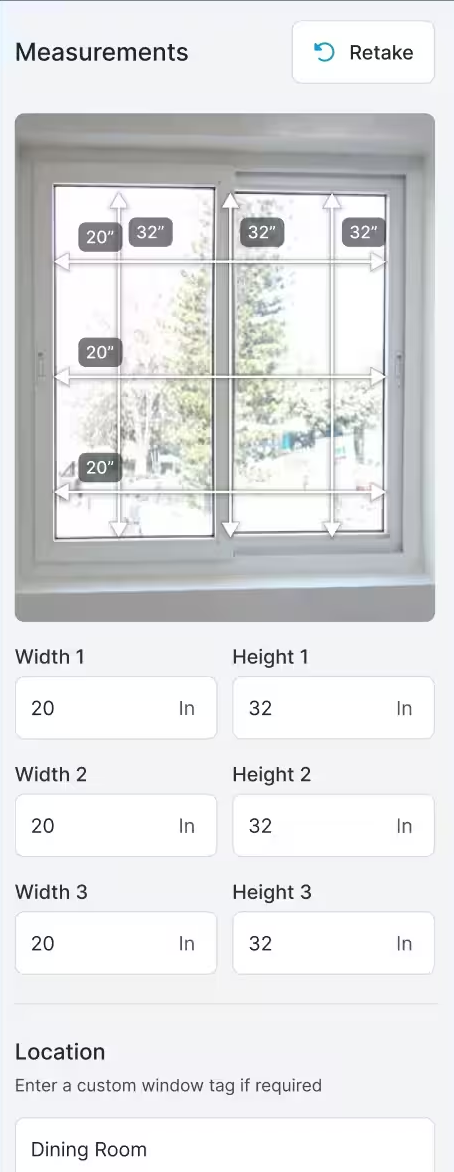
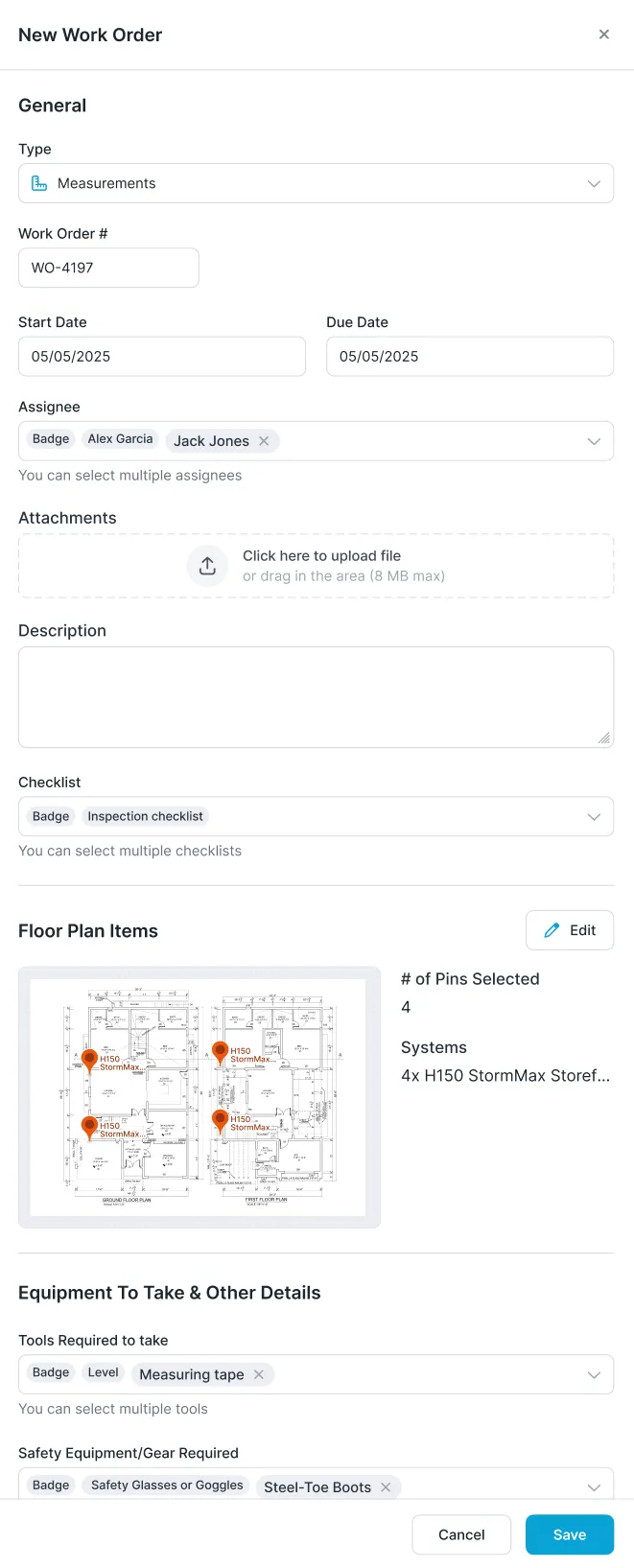
In the measure workflow, the tech enters widths and heights opening by opening on the phone, with a photo and a location such as "Dining Room." On commercial jobs, the measure is a work order that carries your checklists and the floor plan pins for the openings.
The glass order: purchase orders on the job
Most shops manage purchase orders in email and a folder. On a large project, a PO that nobody can track is the reason an install date slips.
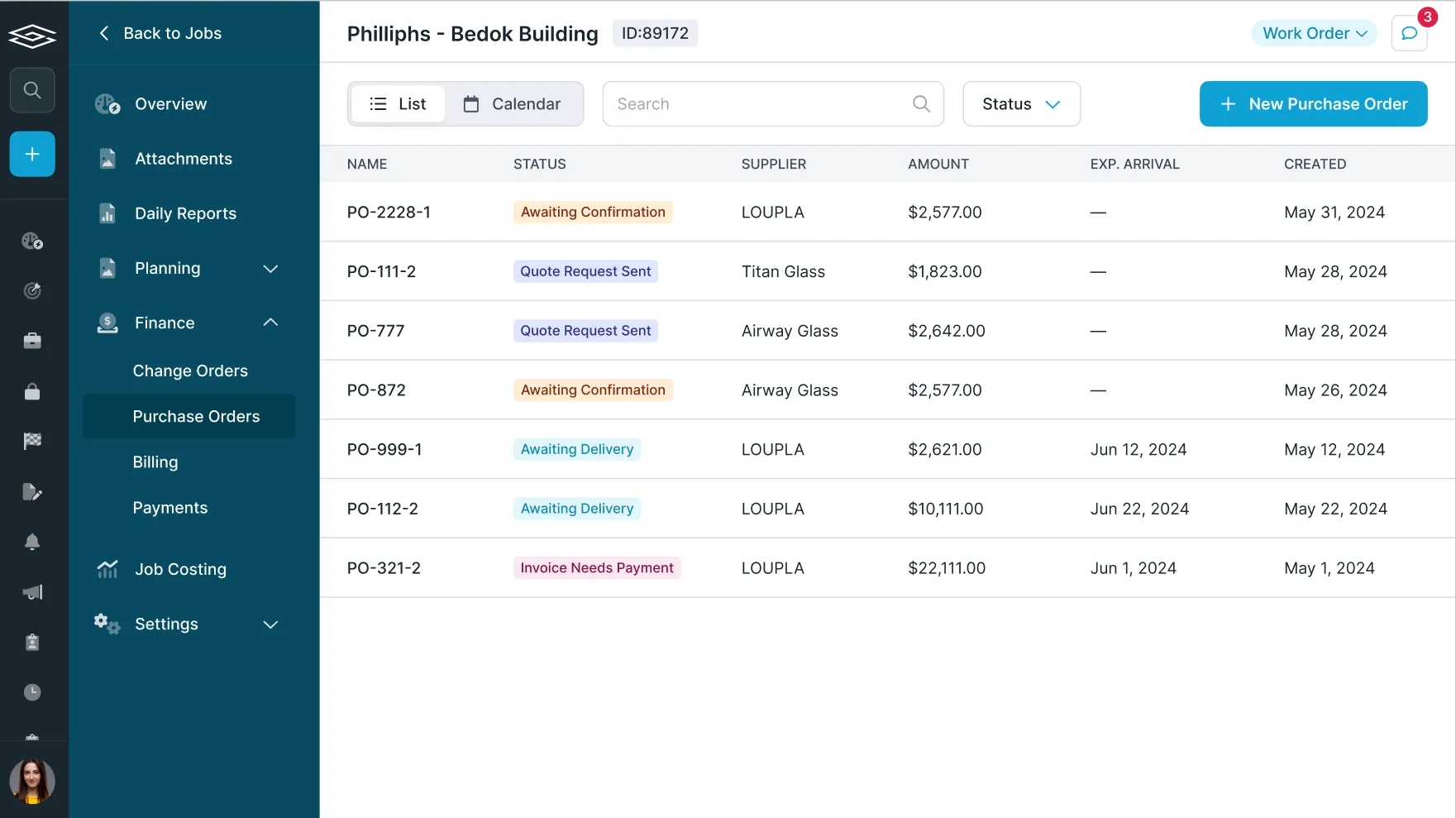
Glazier's purchase order tracking lists every PO on the job with its supplier, status and expected arrival. On residential and service work, you create the PO from the job with a click, so the glass sizes captured at the measure are not retyped. See purchase orders on residential jobs.
The install: everything from the measure travels with it
The installing tech is often not the tech who measured. If the measure notes sit in one appointment and the install opens another, the installer starts from nothing.
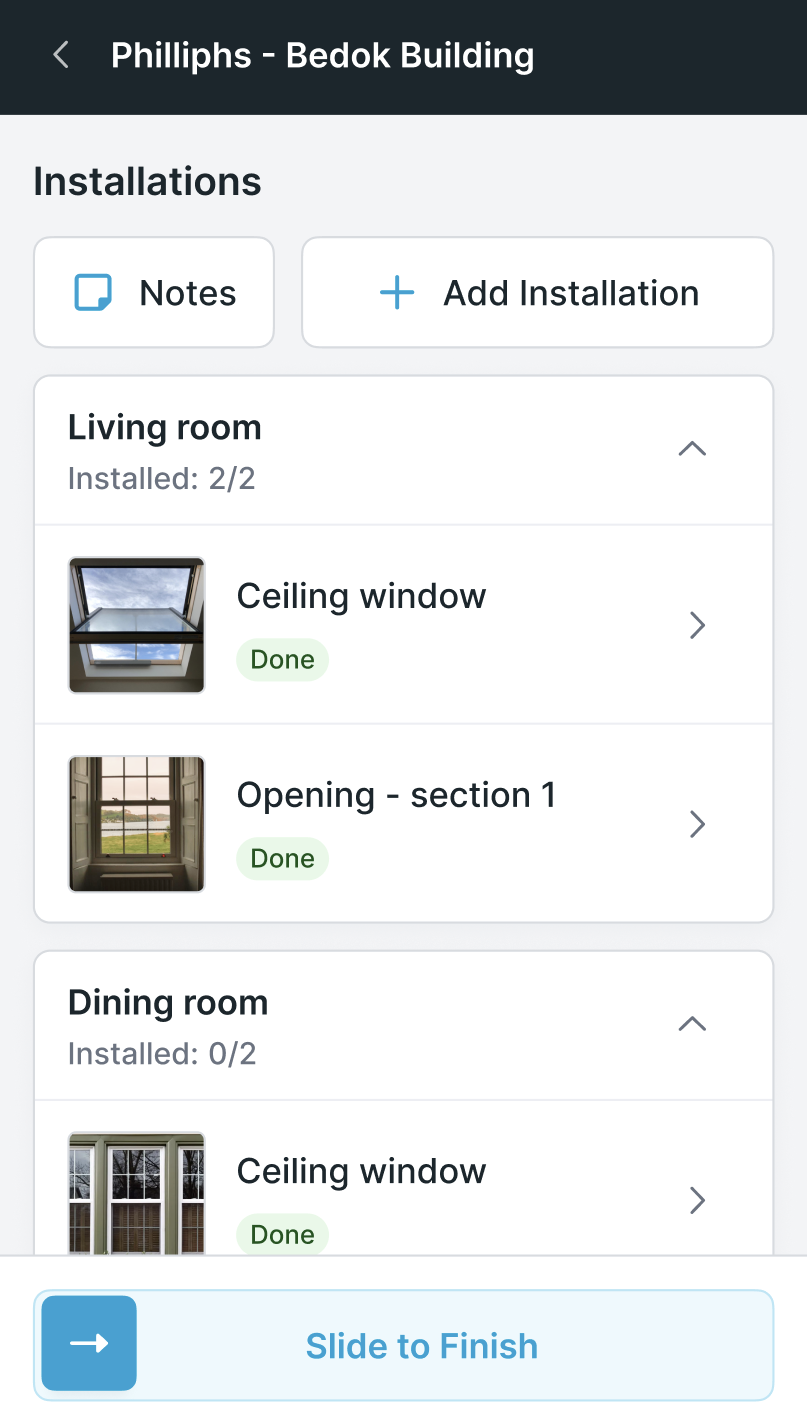
The install workflow links the measure to the install, so every measured opening becomes a pending install with the full record attached. On the phone, the installer sees each room and each opening, marks it done and finishes the job when the last one is in.
Putting the job on the schedule
A glass job has several kinds of work: measure, fabrication, install. A calendar that treats them as unrelated appointments loses the order between them.
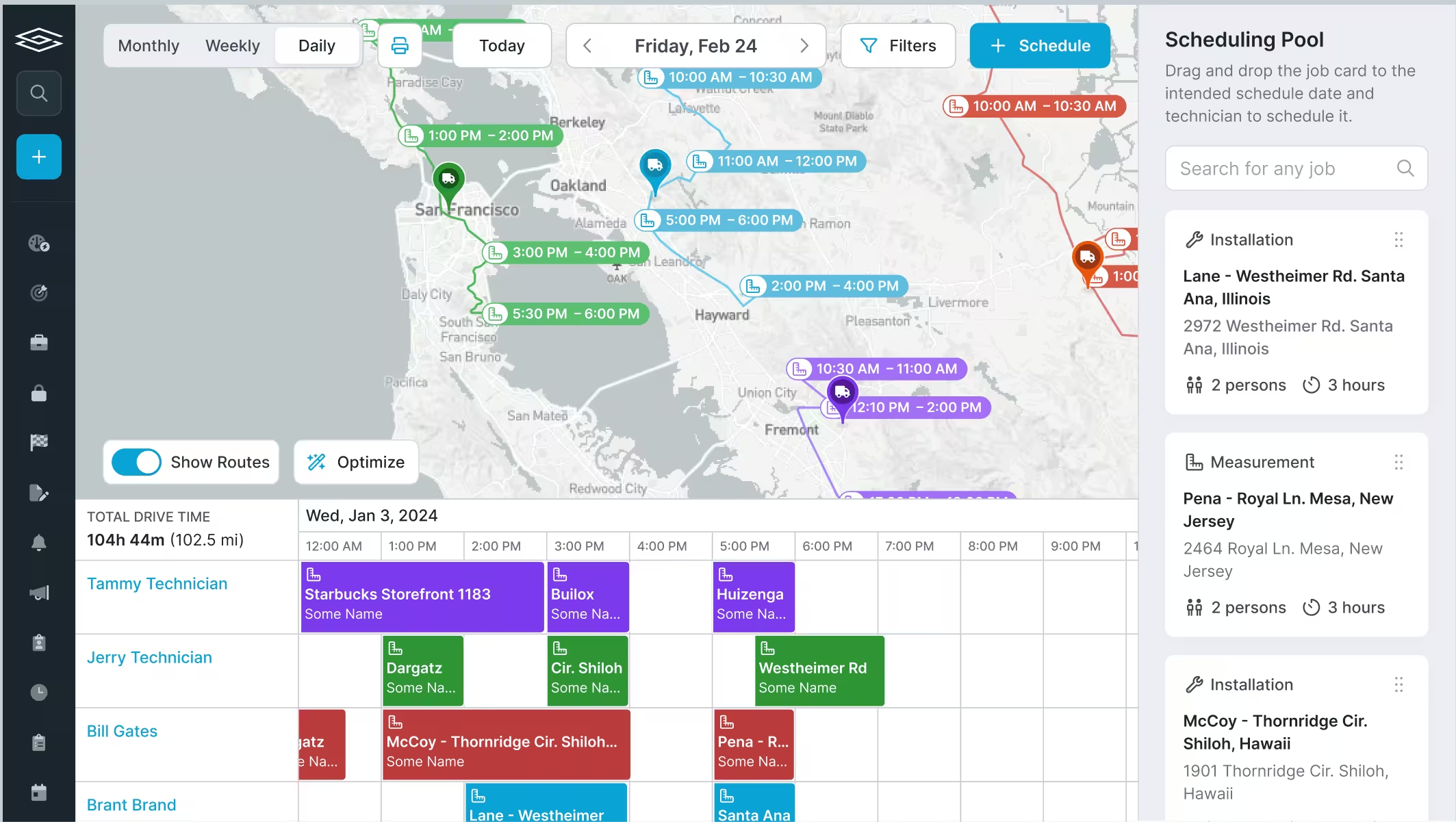
In Glazier, you schedule from the job. Drag a job card from the scheduling pool onto a date and a technician, or open the Schedule panel and pick the job, the work order, the schedule type, the dates and times and the assignee.
On commercial work, you can also schedule from the floor plan, the Gantt chart or the work order. The field sees every change the moment you make it, as described under smart scheduling for residential and service work.
The shop: scheduling fabrication
When the shop cuts or assembles the glass, the office needs to know when it will be ready. If fabrication lives on a whiteboard, the install date is a guess.
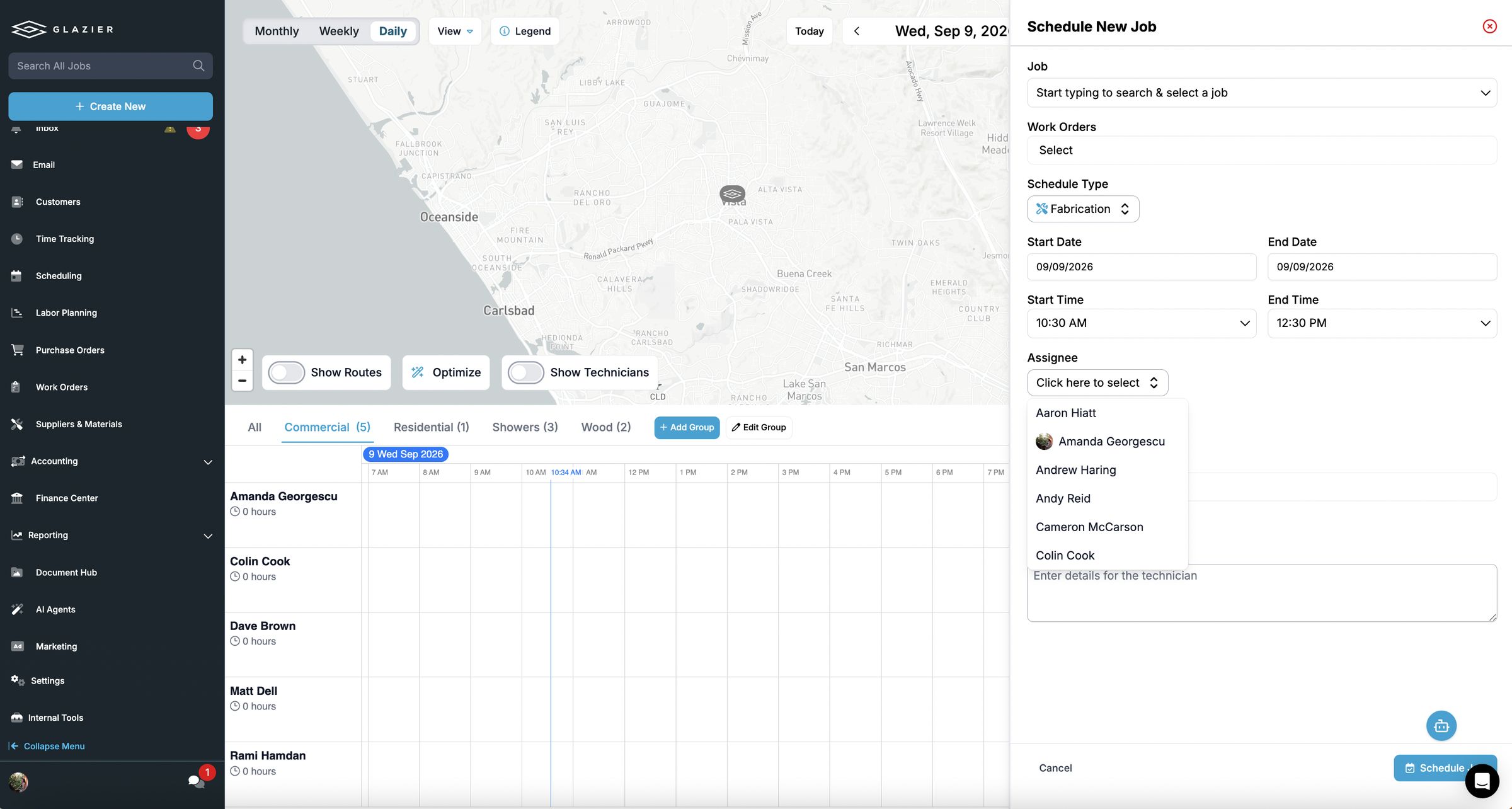
The fabrication workflow schedules shop work the same way as a measure or install. In the Schedule panel, you set the schedule type to Fabrication, choose the dates and times and pick who does it.
Smart Scheduler: the right tech, route and day
Once the dependencies are clear, a full residential day still has to be sequenced. Doing it by hand across a map takes time.
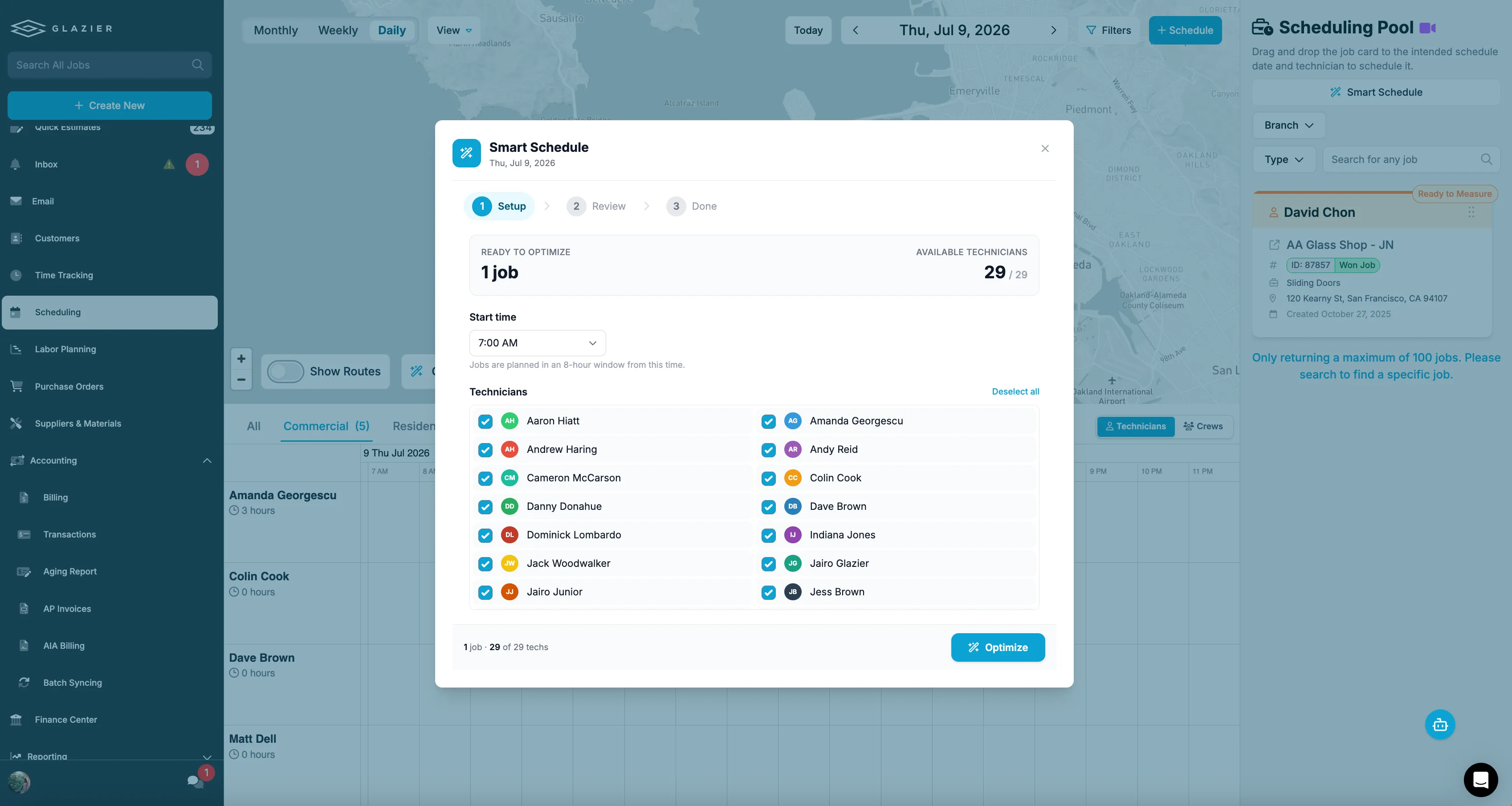
Glazier AI's Smart Scheduler suggests the right tech, route and day to fit more jobs in. In the Smart Schedule window, you choose a start time and the technicians available that day, then press Optimize. You then review the plan before it is set.
Long commercial jobs: Gantt chart, phases and labor
On a job that runs for months, you need to know how long each piece takes and how many people it needs. Settling that in a spreadsheet usually comes down to whoever argues best.
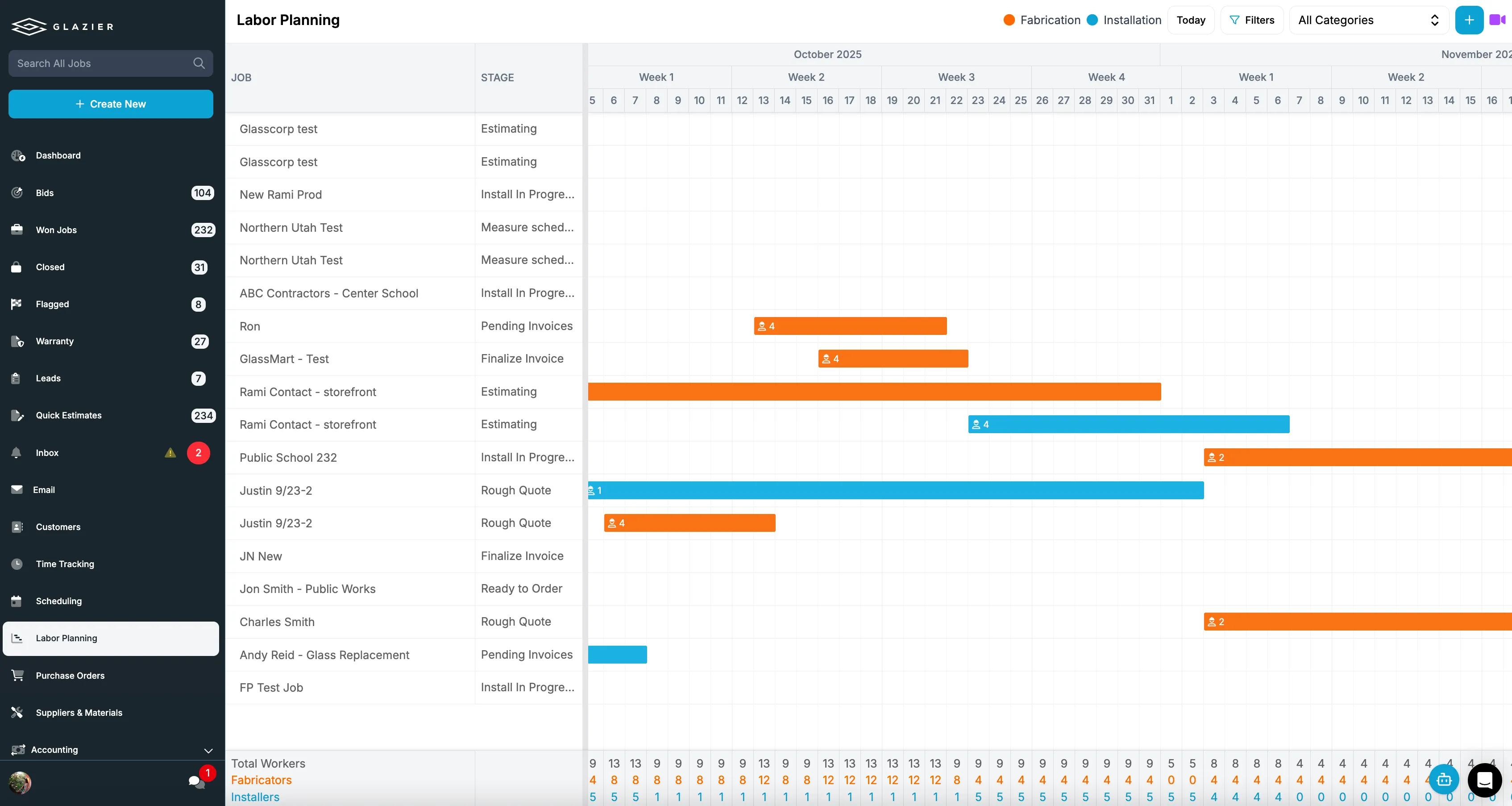
Glazier builds the Gantt chart from your openings, systems, phases and labor. Phases and key dates split the job into the north wing and the south wing, and tie POs and change orders to the right phase. Labor planning shows fabrication and installation crew load by week.
A commercial storefront job, step by step
Picture a storefront job: twelve openings, a three-day install for a crew of two installers, and glass ordered from one supplier.
- The PM measures the twelve openings and builds the job. The openings sit on the floor plan, and the install appears on the Gantt chart as three days for two installers.
- The PM sends the purchase order for the glass. The PO shows Awaiting Confirmation until the supplier confirms, then Awaiting Delivery with an expected arrival date.
- The PM schedules the install for the Thursday after that arrival date. The crew sees it on their phones.
- Two days before the install, the supplier moves the delivery by four days. The PM updates the PO's expected arrival and moves the install on the Gantt chart. The crew's phones show the new dates the moment the change is saved.
- The two installers are free in the days the install moved out of, and the PM can use them on other work in labor planning.
The outcome: the crew never loads a truck for glass that has not arrived, and the change was made once, on the job.
Want to see a twelve-opening storefront job go from the measure to the install in one record? Book a Glazier demo and see the whole job in the product.
Why generic scheduling tools mis-model a glass job
Calendar-first tools ask when. The real scheduling question in a glass shop is what has to be true first.
Three dependencies sit in front of most install dates:
- The measure is done and the numbers are trusted, because a re-measure costs the whole panel, not an hour
- The glass is ordered, acknowledged by the supplier, and carries a delivery date you actually believe
- A crew with the right lift, suction cups and glazing gear is free on that date
Software that models only the third one will show you a full, healthy-looking week that cannot happen. That is the part worth dwelling on: it does not look broken.
Crews assigned, calendar solid, nothing red. The failure surfaces on the morning nobody can install anything, which is far too late to re-sequence around it.
So ask any vendor a specific question during the demo: show me what the software does when a supplier pushes a delivery by four days. If the answer is that somebody notices and drags an appointment, you are buying a calendar with a login.
The two-visit problem
Nearly every glass job is at least two visits. Someone measures, someone installs. Residential service work frequently adds a third for a callback, a hardware swap, or a screen that came in wrong.
Generic field service tools treat those as unrelated appointments that happen to share a customer. The consequences show up quietly:
- The install gets booked before the measure has been entered, because nothing enforced the order
- The measure notes live in one appointment and the installer opens the other
- A canceled measure leaves an install on the board with nothing behind it
What you want instead is a job that owns its visits. The install date is a property of the job and inherits the constraints of everything upstream of it, rather than being an independent entry on a calendar that happens to carry the same address.
What a reschedule actually costs
Shops tend to price a moved install as a lost half day. The direct costs are larger and most of them are invisible on a calendar.
- The crew. Two or three people, mobilised, sometimes with a rented lift booked for a window that no longer matches the work.
- The glass. Fabricated panels have to go somewhere. Handling and re-handling is where breakage happens, and a broken panel restarts the entire lead time.
- The GC relationship. On commercial work your install sits inside somebody else's sequence. Moving it can push a trade behind you, and that is remembered at the next bid.
- The billing. Progress billing is tied to work in place. A slipped install can move a pay application into the following month, which is a cash flow event rather than a scheduling one. That is worth understanding properly if you bill against G702 and G703 forms—we covered the mechanics in what AIA billing is and how it works.
Many commercial jobs bill on the AIA G702 payment application, filed with a G703 continuation sheet that breaks the contract sum into a schedule of values.
A tool that cannot show you which jobs are at risk before the day arrives is not saving you any of that.
Scheduling, dispatch and project management are not the same purchase
The terms get used interchangeably in sales conversations, and they describe three different jobs.
- Scheduling decides what happens on which day. It is a planning function and it is mostly about constraints.
- Dispatch is the same day's execution: who is going, are they moving, what changed this morning.
- Project management is the commercial layer above both—submittals, phases, progress, retainage, the paperwork the GC expects.
A residential service shop running eight trucks needs dispatch to be excellent and can survive a thin project layer. A commercial glazier on a twelve-month curtain wall package needs the opposite. Most shops do some of both, which is the real reason single-purpose tools tend to get abandoned six months in.
Buy for the mix you actually run, not for the half of the business that is easiest to demo.
To see your own jobs scheduled around the glass, book a Glazier demo.
Frequently Asked Questions
What is glass scheduling software?
Glass scheduling software plans and assigns the field work in a glass or glazing business: measures, installs, service calls and callbacks. What distinguishes it from general field service scheduling is that it accounts for the material. An install cannot be scheduled reliably until the glass has been measured, ordered and confirmed for delivery, so the scheduling tool has to know about the order rather than only about the crew.
Why is scheduling harder for glass companies than for other trades?
Because the job depends on a fabricated item that does not exist when the job is sold. Most trades can schedule against crew availability, since the materials are stocked or readily bought.
In glass, the panel is cut to a measurement taken on site and comes with a supplier lead time, so the install date is the output of a chain rather than a free choice. It also means a single supplier delay can invalidate a week of otherwise correct scheduling.
Can you run glass scheduling in a general field service tool?
You can, and many shops do until it stops working. The pattern is consistent: the calendar function is fine, the material dependency is absent, so the schedule drifts out of sync with reality and staff quietly rebuild it in a spreadsheet or a group chat. The cost is not usually a dramatic failure, it is a permanent layer of manual reconciliation that never shows up as a software problem.
What is the difference between scheduling and dispatch?
Scheduling decides which jobs happen on which day, working from constraints such as measures, material delivery and crew capacity. Dispatch handles the execution of that day: who is going where, whether they are running late, and what changed this morning. Some businesses need one far more than the other, and a demo that blurs them will not tell you which you are buying.
How does scheduling affect billing on commercial glazing work?
Progress billing is tied to work in place, so the schedule directly determines what can be billed in a given period. If an install slips past a cut-off, the associated value moves into the next pay application, which affects cash flow rather than just the calendar. On commercial jobs billed against AIA G702 and G703 forms, keeping the schedule and the billing period aligned is part of getting paid on time.
Explore Our Success Stories
Streamline your glazing operations.
Book a demo today and find out how Glazier can transform your glass business.
The all-in-one platform built for glass & glazing — quoting to cash, powered by AI.