
Management
Glazing Field Operations Software: How Glazier Runs Crews
What glazing field operations software must do for measure, install and service crews: schedules, job time, checklists and the handoff to the office.
11
min read
•
October 12, 2026
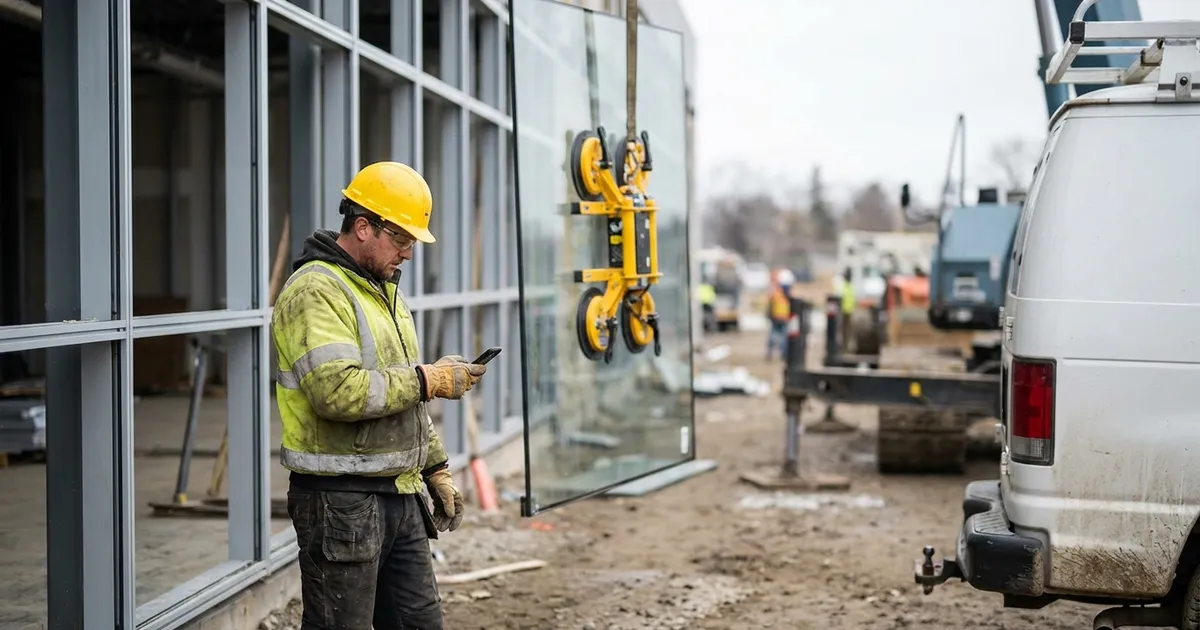
Glazing field operations software puts the whole field job on the phone your crew already carries: the schedule, the work order, the measure, the install, the hours and the payment. Glazier does that for commercial and residential crews, in the same system as the quote, the order and the invoice. Below is what to look for, and how Glazier handles each stage of the field.
What to look for in glazing field operations software
Ask any vendor to show you these on one of your own jobs. Each one is something Glazier does.
- A schedule that reaches the phone. Smart scheduling is Google-integrated and tied to your crews' phones, and changes push to the crew right away.
- A work order the crew can use. A digital work order carries the checklist, the scope, photos and customer details. Commercial crews also get the floor plan and shop drawings.
- Checklists that decide what gets captured. Custom checklists with required fields, built per type of work.
- A measure that travels to the install. The measure workflow feeds the install workflow, so any tech can pick the job up.
- Material and shop work in the same app. PO receiving at the truck, fabrication scheduled like any other work and pick lists.
- Hours and payment from the field. Geolocated time tracking tied to the job and field payments taken at the door.
How Glazier handles field operations
We built Glazier so the field and the office work from one job record. Here is how each stage works, with a four-window replacement as the example near the end.
Scheduling: who goes where, and the crew sees the change
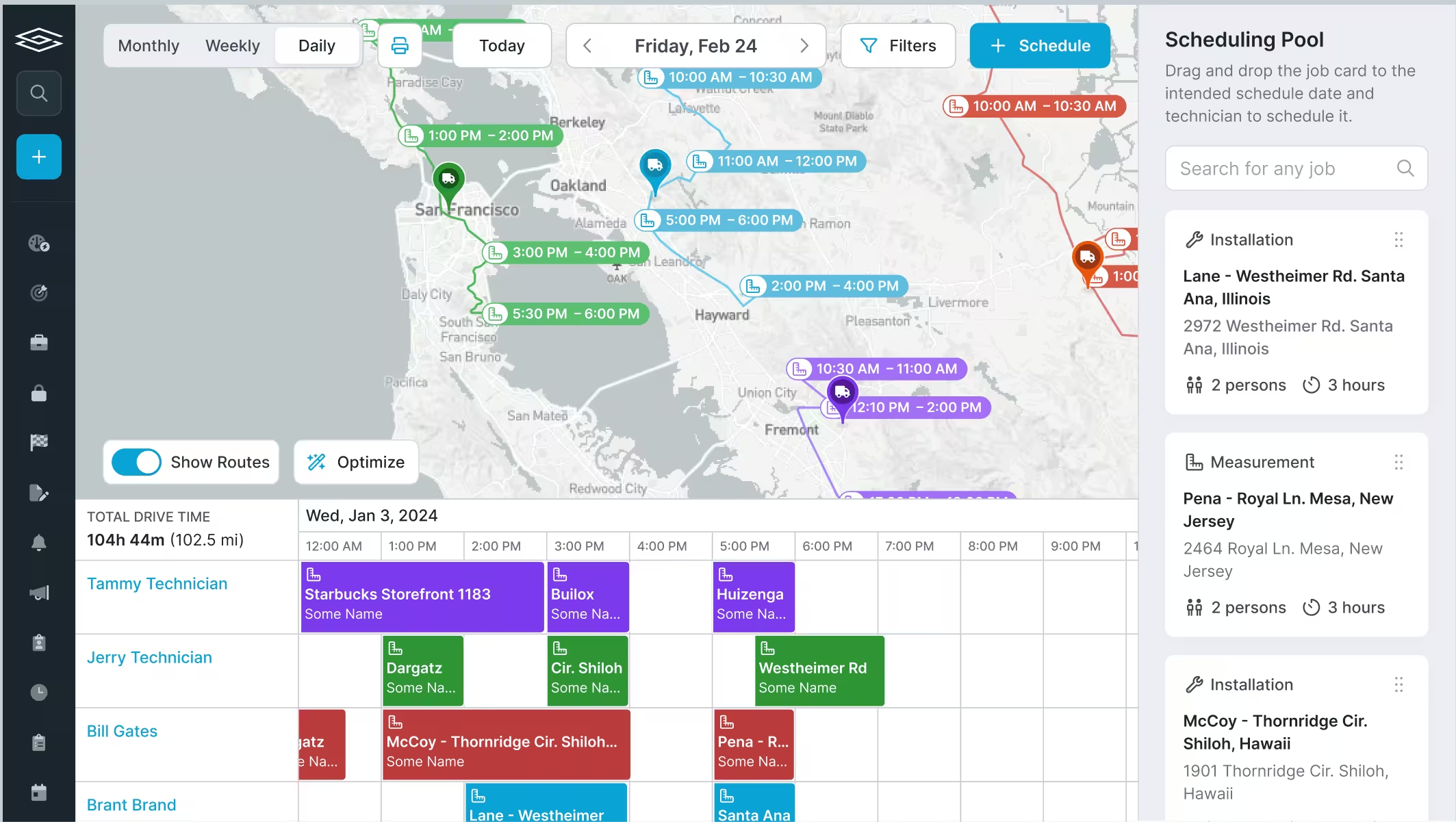
Dispatch in a separate tool is one more system to keep in sync. In Glazier you assign real technicians from the work order, the Gantt or the floor plan. The schedule is Google-integrated and tied to the crew's phones, with the job documents attached.
For service and smaller jobs, AI route optimization cuts drive time. On longer commercial projects, labor planning shows how many technicians and shop crew each job needs.
The work order: everything the crew needs on one record
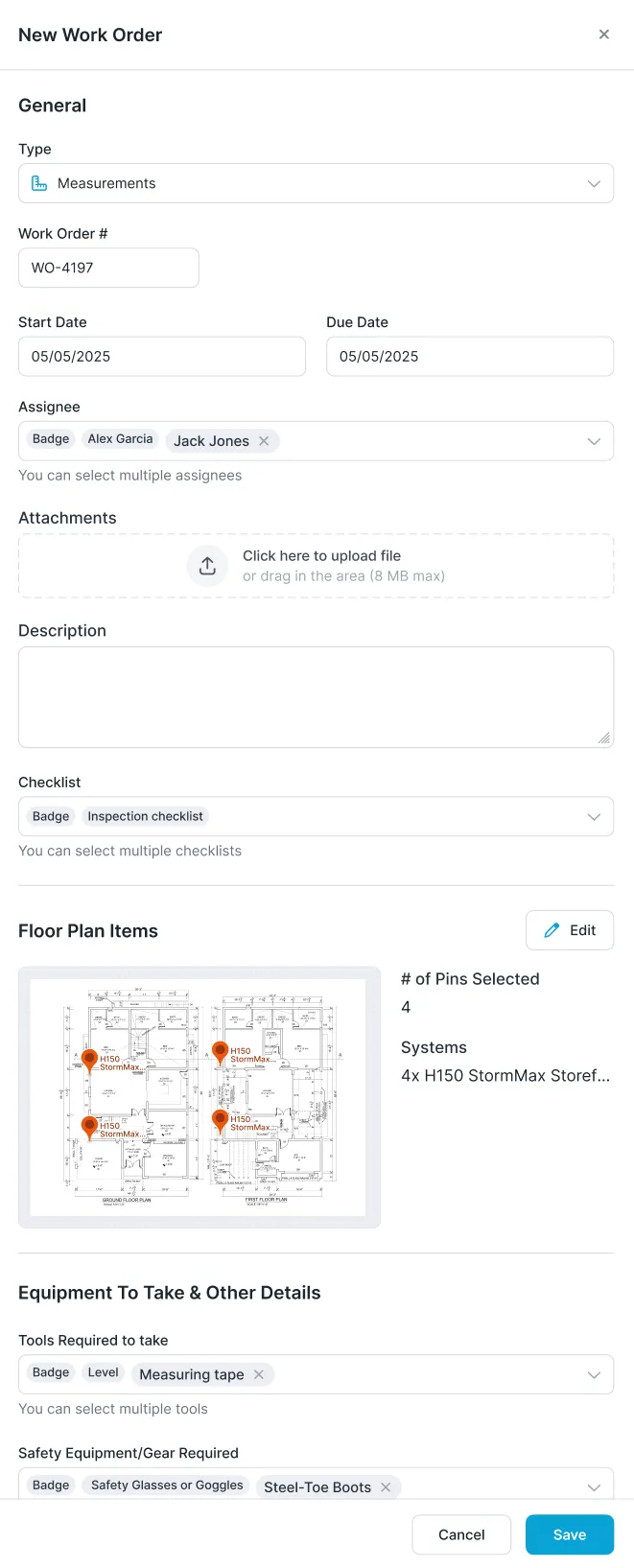
Paper work orders get lost and tell the tech half of what they need. Glazier work orders are digital and carry your checklists and measure sheets, the scope, photos and the customer's details. You can print a paper backup when you want one.
For commercial crews, the technician schedule ties the job to the floor plan and the exact shop drawings, and shows where they are going and who the site contact is.
Measure: capture it digitally, quote from it
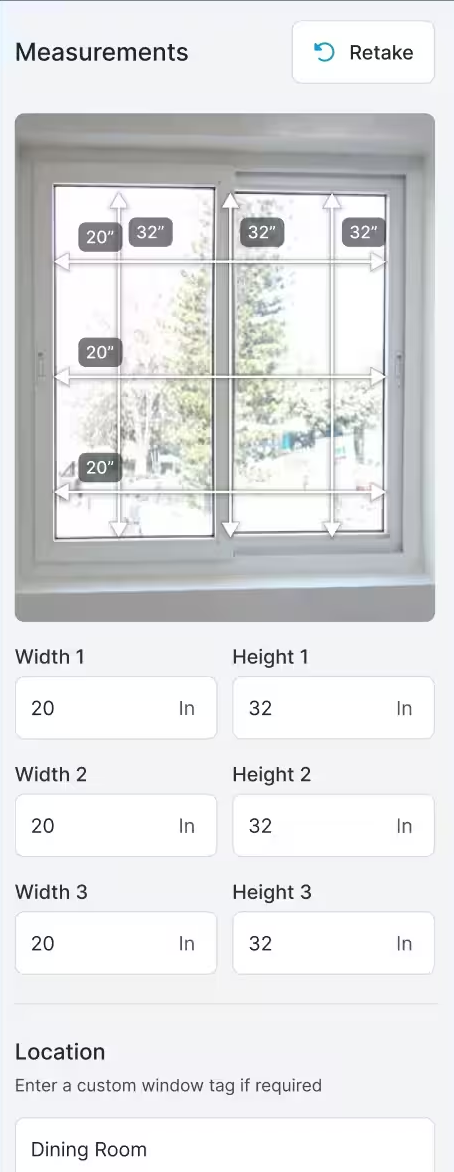
A tech who measures on paper misses details nobody told them to collect, cannot quote on site and drives home, where the numbers get mistranscribed. With the measure workflow, measurements and photos are captured on the phone and linked to real pricing.
The measure converts to an estimate and then a quote, and the quote goes out the same day with no revisit. For showers and odd conditions, the field drawing tool lets the tech sketch on the phone, so no paper has to make it back.
Checklists: tell the field exactly what to capture
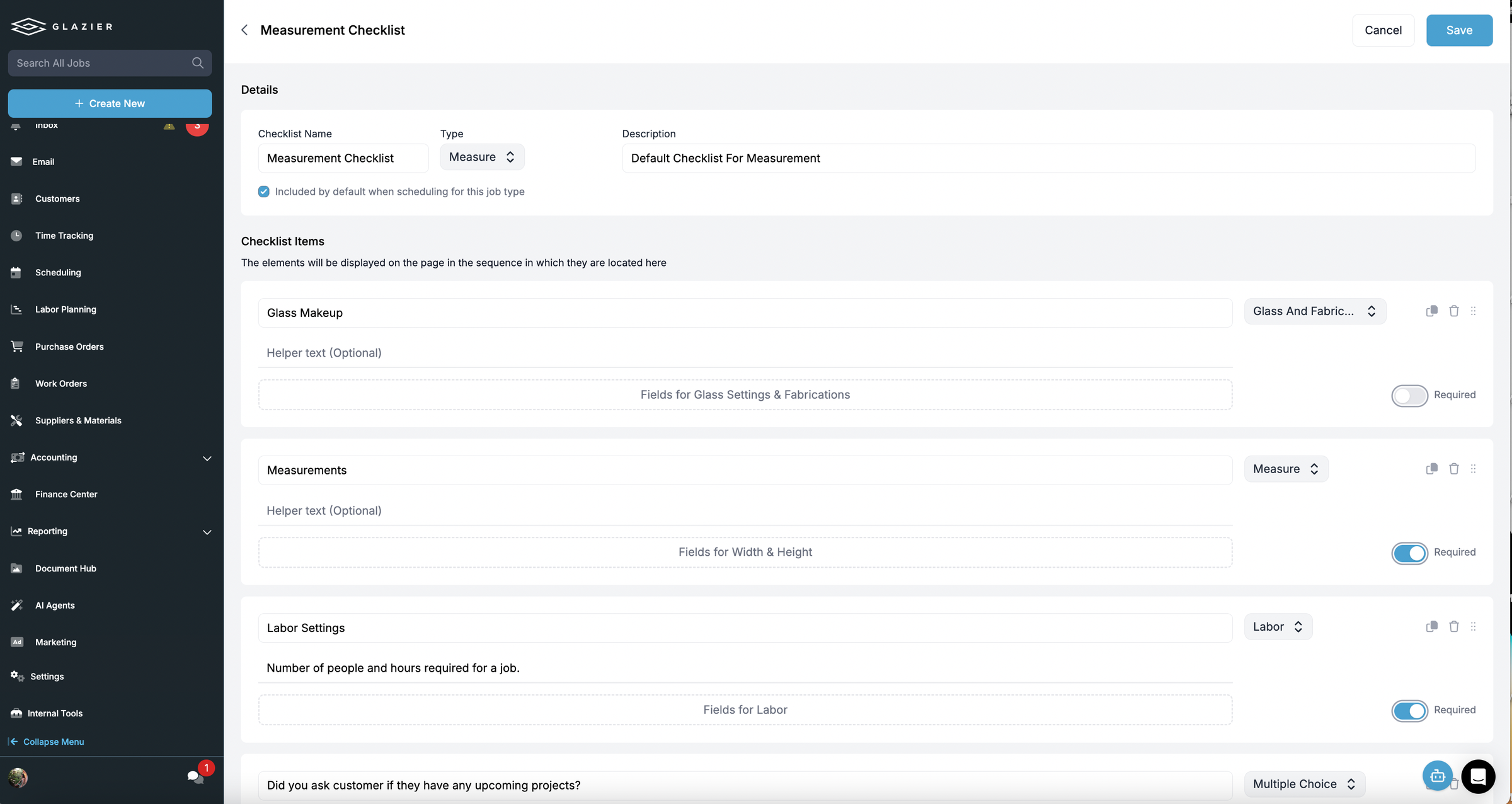
Every revisit is a truck, a tech and half a day you do not get paid for. Custom checklists are forms you build for measures and installs, and the tech has to complete them in the field. Required fields mean nothing gets skipped, so the information comes back complete the first time.
Commercial crews get the same checklists, built per type of work. Each checklist can be set to come along by default when you schedule that type of job.
Install: the measure travels with the job
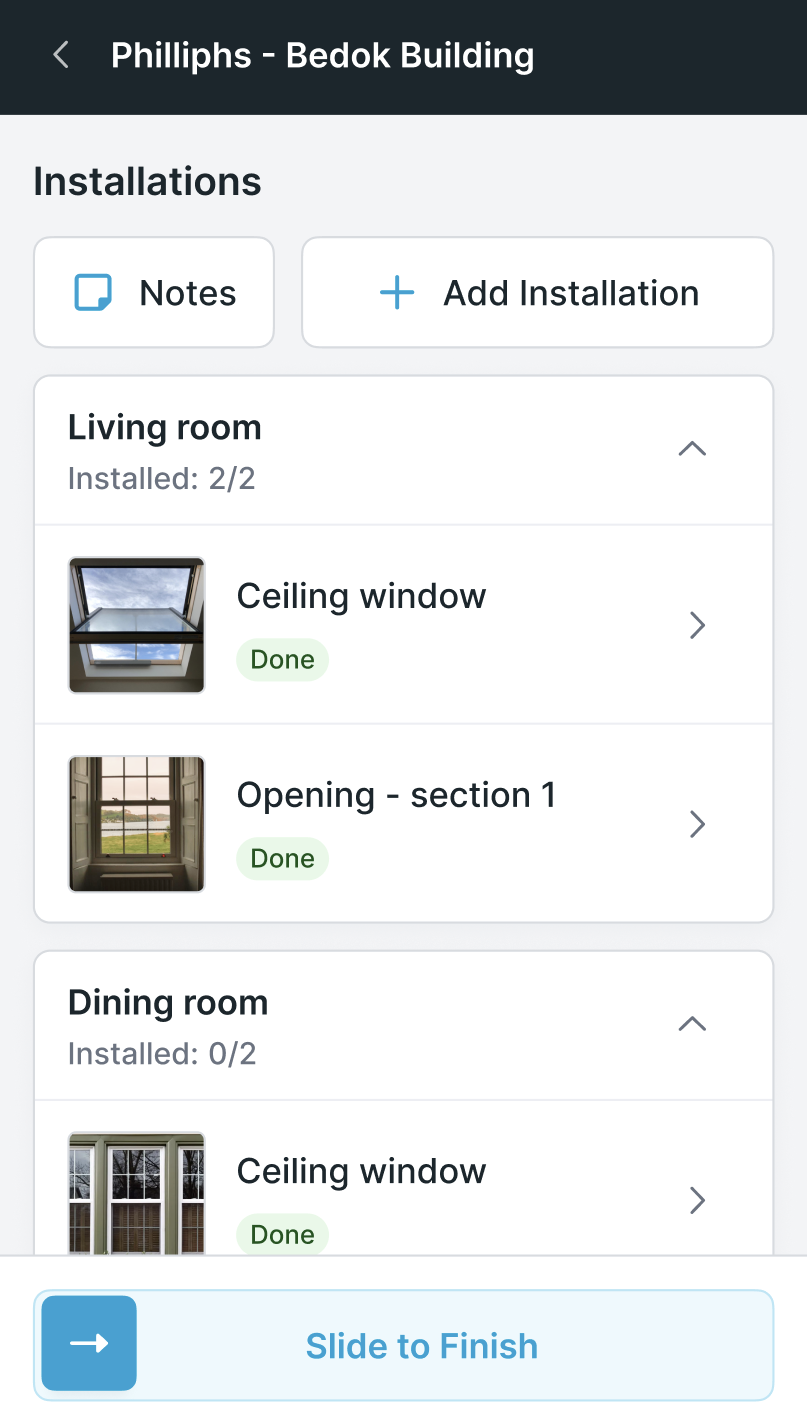
The installing tech is often not the one who measured. Glazier links the measure to the install, so every measured opening becomes a pending install with the full record attached. Any tech can pick the job up with full context.
You can require photos of completed installs before the job closes out.
Receiving material: check it at the truck
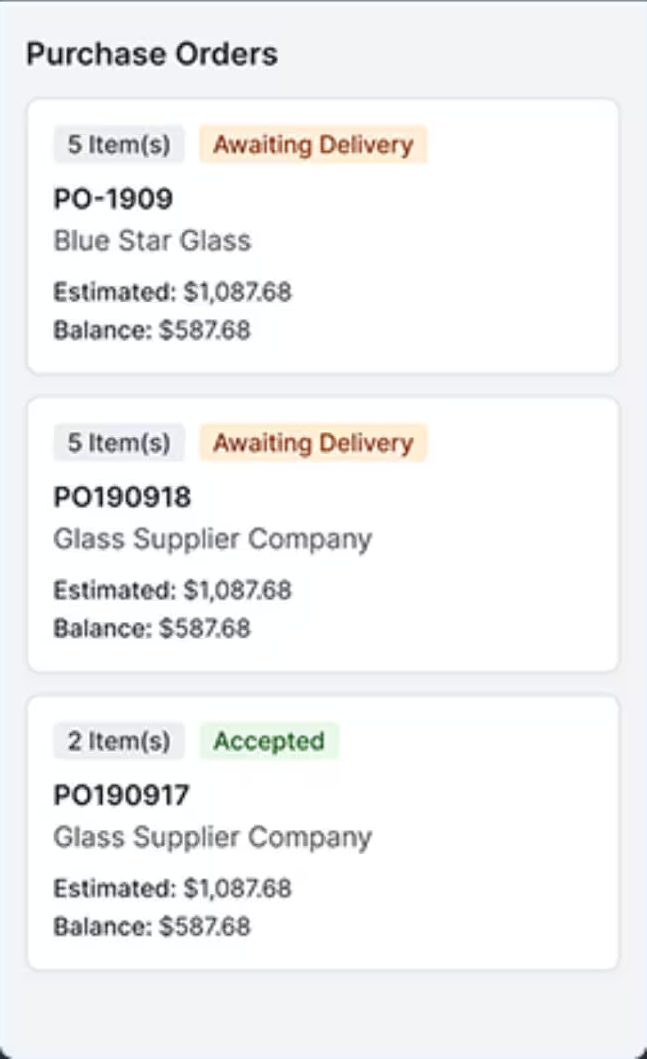
Receiving on paper sheets leaves nobody sure what is arriving or when. In Glazier the person at the truck sees exactly what is scheduled to arrive and when. They record breakage, check sizes and receive in real time, and they can upload packing slips and bills of lading.
Shop work: fabrication and pick lists
Fabrication tracked on paper makes it hard to know when shop work will be finished. Glazier schedules fabrication the same way as a measure or install. The shop sees what is due and in what order, and completion is reported for the steps that follow.
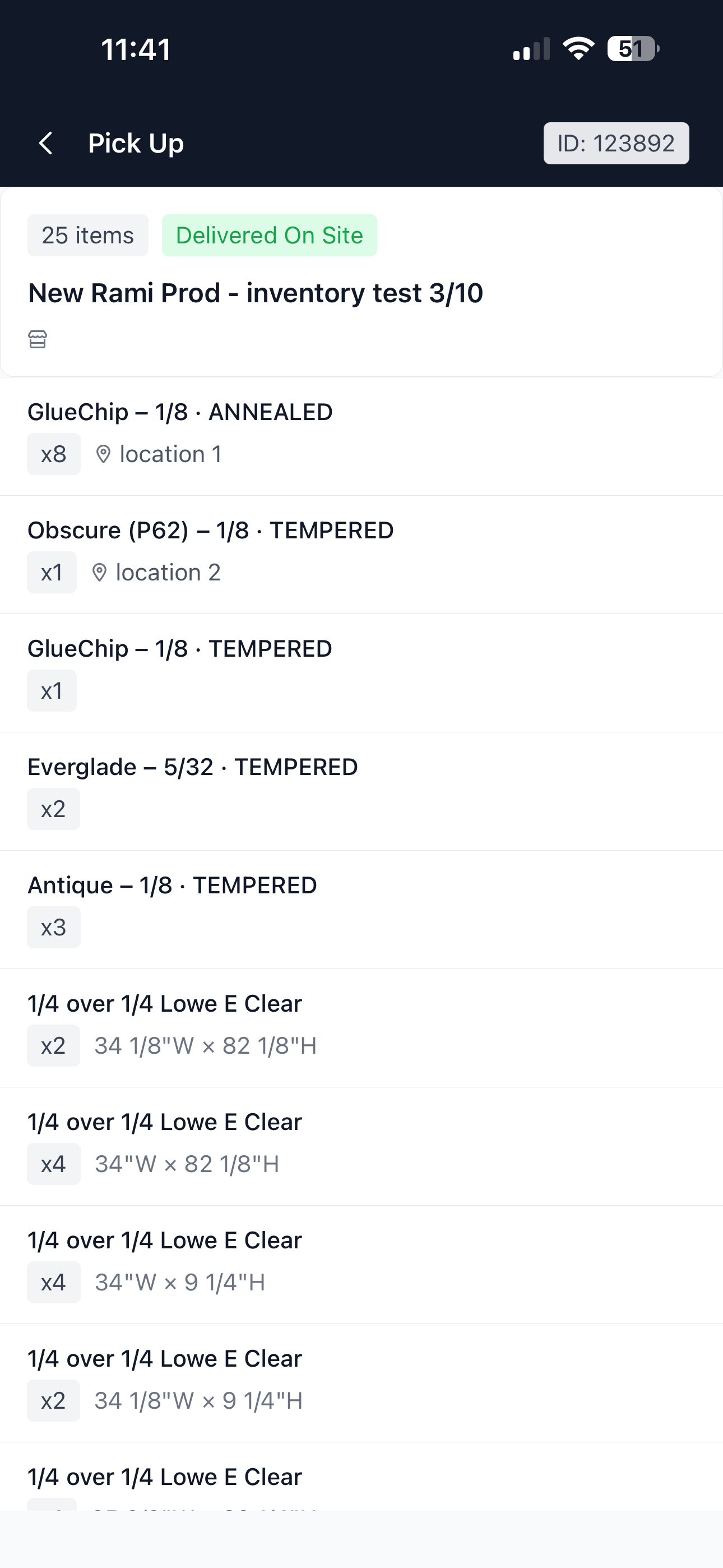
Pick lists are generated from the material reserved for the job and its POs. Shop techs check items off as they are picked and loaded, so fewer parts go missing on site.
Time: hours on the right job
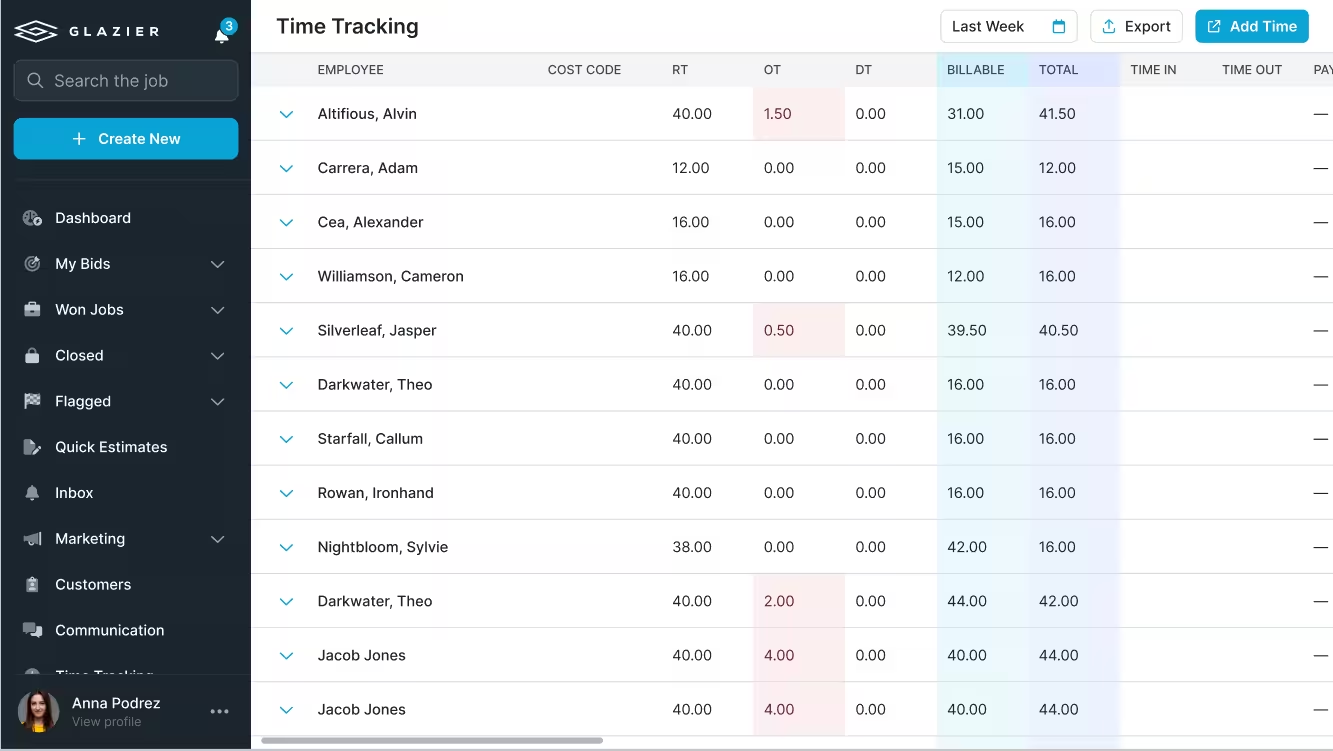
Punch cards get lost, and a separate time app is one more system nobody updates. With geolocated time tracking, techs clock in on the same app they run the job from. On the commercial side they clock in within a radius of the job site.
Federal recordkeeping rules (29 CFR 516.2) require employers to keep each hourly worker's hours for every workday and every workweek, so hours captured on the job also serve as that record.
Hours land on the right job and cost code, and they export to your payroll solution. Nobody pulls punch cards back into the project at the end of the week.
Daily reports: a record of what happened on site
On commercial jobs, field reporting scattered across text, email and paper leaves no record when a question comes up two years later. Daily reports use a digital format and checklist you create. A tech or foreman generates a clean PDF from the field activity, signed off on site with photos.
Payment: collect before the crew leaves
A job that finishes unpaid turns into a 45-day receivable. With field payments, techs take a card on the phone, save it on file or send a pay link before they leave. You can also collect a deposit at the quote.
A four-window replacement, from measure to payment
Picture a job like this one. The numbers are made up for illustration.
- Monday, 8:30am: the office schedules a measure for Dana at 9:00. The work order carries the Measurement Checklist, with width, height and glass makeup set as required fields.
- Monday, 9:00am: Dana measures four openings on her phone, photographs each one and tags the rooms. She cannot finish the checklist with a field blank, so nothing comes back missing.
- Monday, 10:15am: the measure converts to an estimate and a quote of $4,120. It goes out before Dana leaves the driveway.
- Tuesday: the customer accepts. Dana's measure becomes four pending installs, each with its photo and size attached.
- The following Wednesday, 8:00am: the glass has been received. A different tech, Luis, is on the schedule for the install and sees the change on his phone.
- Wednesday: Luis clocks in on the job, installs the four openings and photographs each one. He slides to finish once all four read Done.
- Wednesday, 2:30pm: Luis takes the $2,060 balance by card on his phone. The customer had paid a deposit of $2,060 when she accepted the quote.
The outcome: the sizes were captured once and no truck went back for a missing number. A different tech installed from the same record, his hours landed on the job, and the job was paid the day it finished.
Want to see a four-window replacement go from the measure to the payment in one record? Book a Glazier demo and see the whole job in the product.
What glazing field operations software has to do
Give every tech the whole job. A tech should know where they are going, who the site contact is, and which drawings and openings they are working on, on the phone they already carry. A work order that lives on paper or in someone's inbox is the first place a job goes wrong.
Put time on the right job. Hours are only useful if they land against the job and its cost codes. Time tracking inside the same app, with the option to clock in only near the job site, removes the weekly exercise of pulling punch cards back into the project.
Tell the field exactly what to capture. A missed measurement or photo means sending a truck and a crew back out. Checklists built per type of work make sure the information comes back complete the first time.
Close the loop to the office. Measurements, photos, receipts and completions should reach the office as they happen, so the next step can start the same day instead of when the paperwork comes back.
The handoffs that decide whether it was worth it
Glass jobs pass through several hands, and field software earns its cost at the handoffs:
- Measure to quote. Measurements and photos captured digitally can become the estimate and the quote without being retyped from a notebook.
- Quote to install. When the measure travels with the job, any tech can install it with full context, even if someone else measured.
- Order to site. Material scheduled to arrive, checked for size and breakage at the truck, and matched to the job avoids the missing piece discovered halfway through an install.
- Shop to truck. Fabrication scheduled like any other work, and pick lists built from the material reserved for the job, mean the truck leaves with what the install needs.
Ask any vendor of glass field operations software to walk through one real job across all four. A field app that stops at the schedule leaves the expensive parts on paper.
Residential and commercial crews work differently
Residential and service crews win work at the door. The field tool needs to measure, quote and collect a deposit or payment on site, then notify the office the moment the job is sold. Speed matters more than anything else.
Commercial crews work from floor plans and shop drawings, receive material on site and report progress against a larger schedule. The field tool needs to tie each task to the exact drawing, handle receiving and track completion across a long project.
Many shops do both. The question is whether one system handles measure, install and fabrication as the same kind of scheduled work, or whether you end up running two field processes.
If you are not ready for software yet
You can get part of the benefit on paper. Use one work order template for every job with a fixed list of what to measure and photograph, keep it with the job from measure to install, and have techs record their hours against a job number every day rather than at the end of the week. It will not remove the retyping, but it will stop the most common revisits.
To see your own crews' week run through Glazier, book a Glazier demo and bring a real job.
Frequently Asked Questions
What is glazing field operations software?
Glazing field operations software runs the work that happens away from the office: where crews go, what they install, their time and site records. A good system gives the tech the job, the drawings and a checklist on their phone, and sends measurements, photos, hours and completions back to the office as they happen.
How is field software for glass different from general field service software?
Glass work has more handoffs. A measure becomes a quote, the quote becomes an order, the order becomes shop work and then an install, often done by a different tech.
General field service tools track visits. Glass shops need the measurements, openings and glass specification to travel with the job from one step to the next.
Do residential and commercial glazing crews need the same field software?
Residential and commercial glazing crews need the same foundation but different workflows. Service and residential crews measure, quote and take payment at the door.
Commercial crews work from shop drawings and floor plans, receive material on site and report progress against a larger project. One system can handle both if it treats measure, install and fabrication as scheduled work of the same kind.
What should field time tracking do in glazing?
Put the hours on the right job without anyone retyping them. When techs clock in on the app they already use, ideally within a radius of the job site, the time lands against the job and its cost codes, and it can go straight to payroll instead of being pulled back from punch cards.
Explore Our Success Stories
Streamline your glazing operations.
Book a demo today and find out how Glazier can transform your glass business.
The all-in-one platform built for glass & glazing — quoting to cash, powered by AI.