
Management
Glass Ordering Software: How Glazier Orders for Every Job
Glass ordering software should build the order from the job. Here is how Glazier ties the supplier quote, purchase order and pick list to one job record.
11
min read
•
October 12, 2026
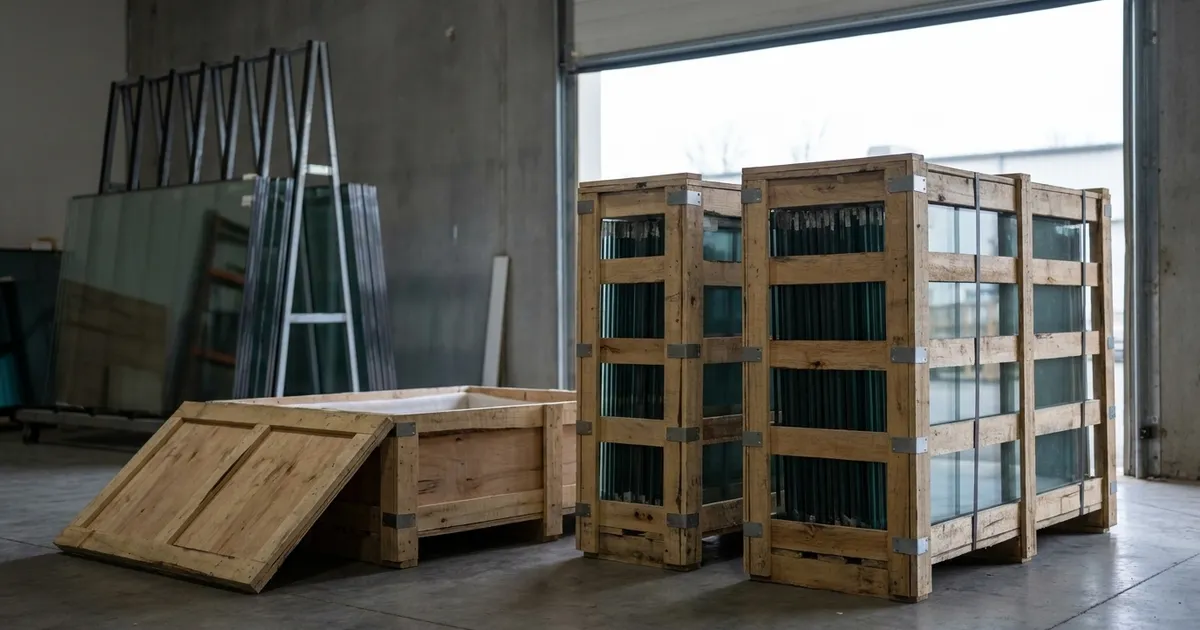
Glass shops and glazing contractors that order cut-to-size glass for every job need purchase orders that come from the job. Glazier runs the supplier quote, the purchase order, the receiving and the pick list from one job record. This page covers what to look for in glass ordering software and how we handle each step.
What to look for in glass ordering software
Six things separate glass ordering software from a purchase order template.
- Supplier quotes next to the order. You should see who quoted, who confirmed and which prices are still good, then turn the right quote into a purchase order.
- Orders built from the job. The glass specification is already on the job. Nobody should retype it into a purchase order.
- Status and arrival dates on every order. On a large job you need to know what is confirmed, what is on the way and when it lands, measured against the install date.
- Receiving at the truck. The person unloading needs the order in hand, to check sizes, record breakage and file the packing slip.
- Stock tied to jobs. Material on the shelf should be reserved to a job and picked from a list, so you stop reordering what you already own.
- Committed cost on the job. A purchase order should post to the job's budget when it is placed, not when the invoice shows up.
How Glazier handles glass ordering
In Glazier, the glass order is part of the job. The quote request, the purchase order, the delivery, the pick list and the cost all sit on one record. Here is how each step works.
Supplier quote requests that stay with the job
Pricing scattered across a hundred emails makes it hard to know who sent what and which prices are still good. In Glazier, our supplier quote requests live on the job. You import GDS and PartnerPak files or create a request from the job, then track each quote's total and valid-until date.
When you are ready to order, you convert the quote to a purchase order.
.avif)
Purchase orders built from the job
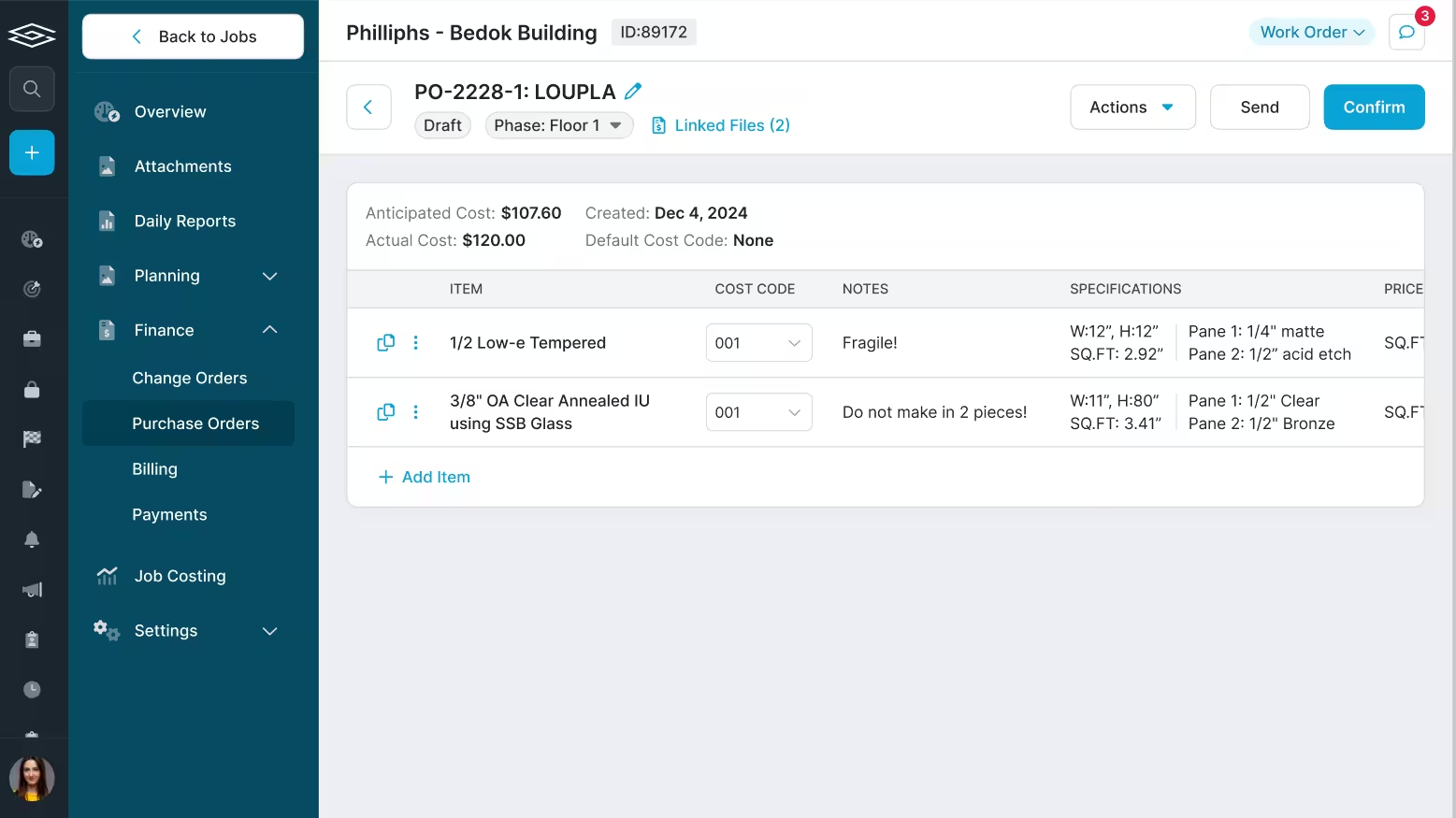
Retyping a spec that the job already holds is how a scribbled measurement turns into a misorder. In Glazier, our purchase orders are built from the job's line items. You order glass and hardware straight from the job and send the order directly to your supplier.
Each line carries its cost code, a note for the supplier and the glass specification.
Every purchase order tracked to arrival
Most shops keep purchase orders in an email folder with no status. On a large project with hundreds of them, that causes delays further down the line.
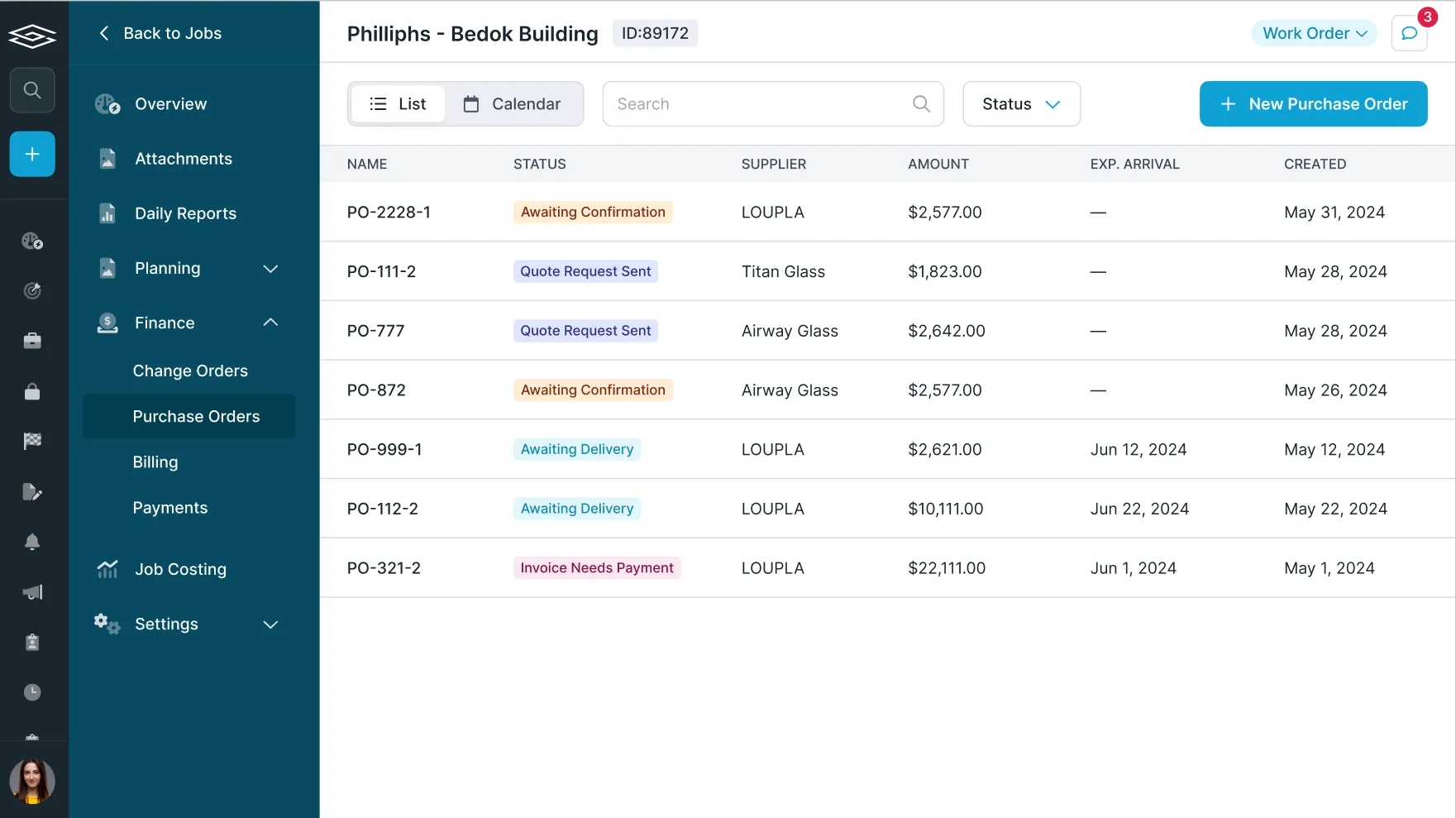
Our commercial purchase order tracking lists every order on the job with its status and expected arrival date. You send and confirm each order with an arrival date, and you plan purchase orders against install dates. Our guide to tracking purchase orders goes further on the habit.
Supplier price sheets and purchase orders read for you
Keying a supplier's price sheet or purchase order line by line is slow work. Our AI PO parsing and pricing upload reads supplier POs and price sheets and files the line items for you.
Receiving at the truck
Receiving often happens offline on sheets, and nobody is quite sure what is coming in or when. In Glazier, our PO receiving happens in the app, so the person at the truck has the full picture.
They see what is scheduled to arrive and when, check sizes, record breakage and receive in real time. They can also upload packing slips and bills of lading.
Stock on the shelf, reserved to the job
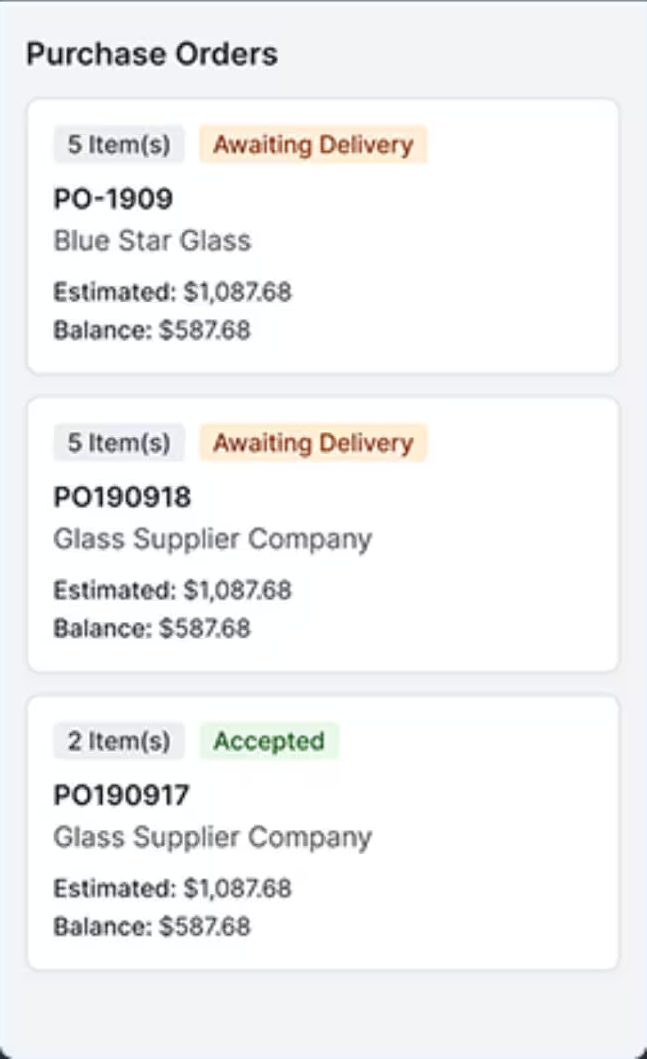
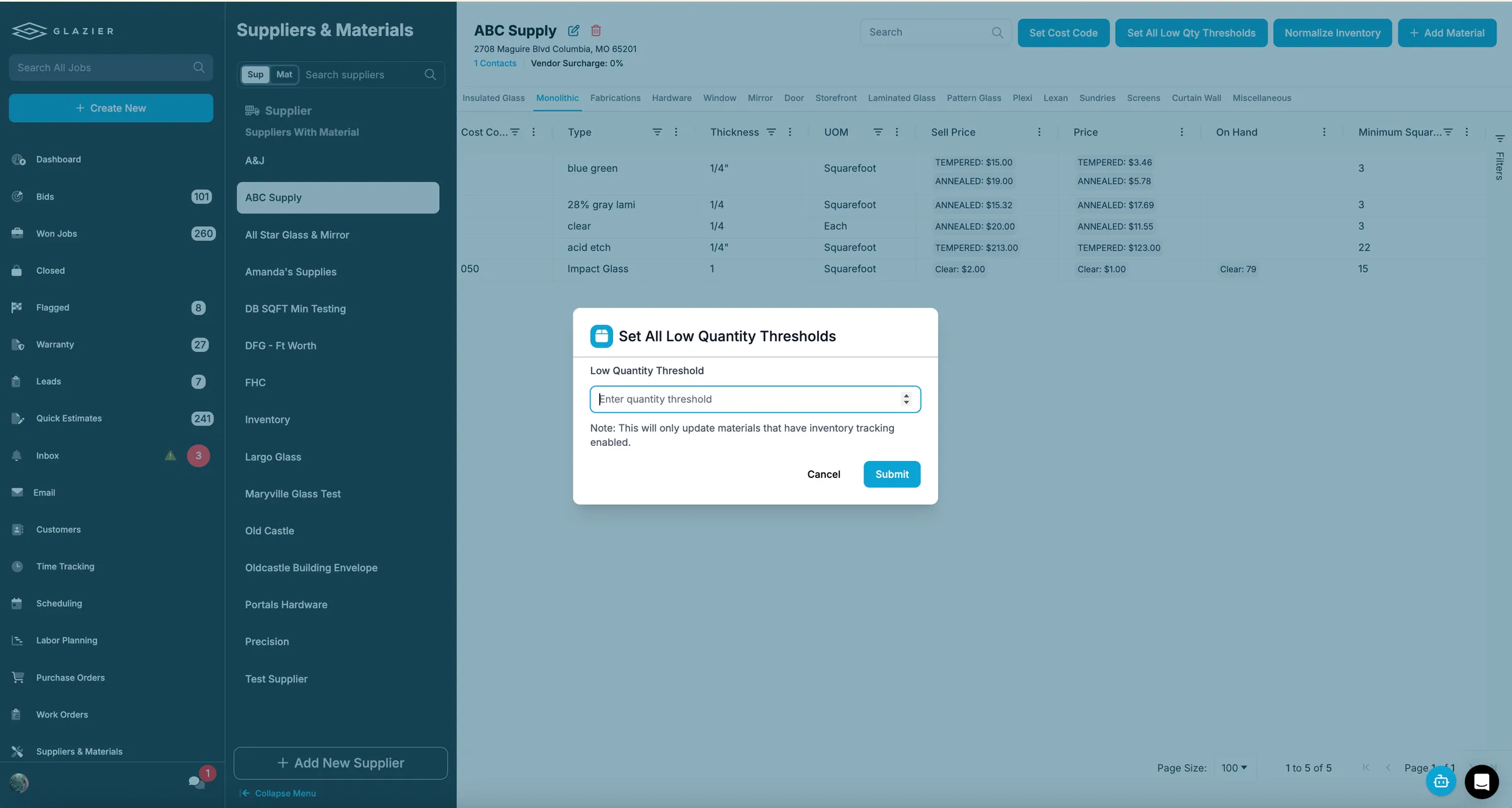
Parts sitting in the back get reordered because nobody knows they are there. In Glazier, our inventory management lets you reserve inventory to a specific job. It warns you before you run short, with low-inventory notifications and minimum thresholds.
Service shops get the same tools in our residential and service project management.
Pick lists for what goes on the truck
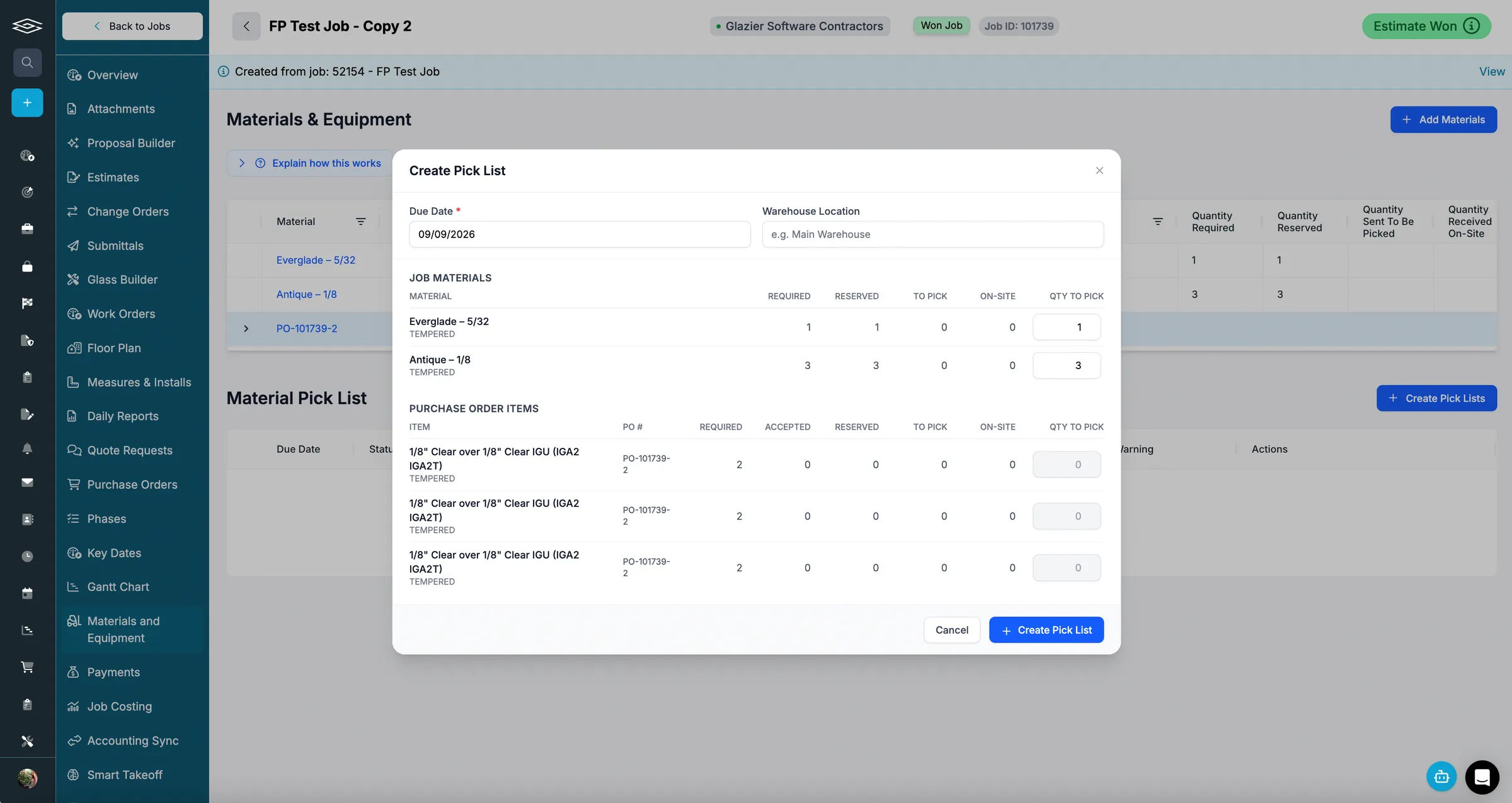
A part missing at the site means a second trip. Our digital pick lists tell the shop exactly what to pull and load for each job. They are generated from reserved material and purchase orders, and each item is checked off as it is picked and loaded.
The office sees what has arrived, what is reserved, what is loaded and what is on site.
Committed cost on the job when you order
A glass order can be on time and still push a job over budget. In Glazier, our job costing posts committed costs at the purchase order and actual costs at payment. It breaks out glass, metal, labor and freight and compares them with the original budget live.
You see the effect of an order the day you place it. For the labor side of the same job, see our guide to glass job costing software.
.avif)
A worked example: one storefront glass order
Picture a commercial storefront job for a two-storey clinic, with $19,500 budgeted for glass.
The estimator sends the glass to one supplier and the aluminum to another from the job. The glass quote comes back confirmed at $18,400.
The aluminum quote, at $9,200, still reads sent. Both sit on the job, not in two inboxes.
When the job is awarded, the estimator converts the glass quote to a purchase order. The supplier confirms with an arrival date of March 18, and the install is planned for March 25. The order shows as committed cost of $18,400 on the job the day it is placed.
On March 18, the person at the truck opens the purchase order and sees 24 lites scheduled. They check sizes and record one broken lite, then upload the packing slip. The office raises a new purchase order for that lite at $640.
The shop builds a pick list from the reserved material and the received order, and the crew loads the truck. Committed glass cost now stands at $19,040 against the $19,500 budget, so the job is $460 under on glass, and nobody had to reconcile a spreadsheet to know it.
Want to see a glass order go from the supplier quote to the pick list on one job record? Book a Glazier demo and see the whole job in the product.
Glass ordering software and glass management software
The two terms are used interchangeably and they are not the same scope. Ordering is one function. Glass management software describes a system covering some or all of estimating, ordering, scheduling, field records and billing for a glazing business.
The practical question when comparing them is not which has more features. It is whether ordering shares a job record with the rest, or whether it is a separate module that exchanges files. A separate module means the reconciliation work continues; it has just moved inside one vendor's product.
Which of the four jobs a glass business is actually buying is a question one tier up, and it decides which of these seams you ever have to care about.
What is glass ordering software?
Glass ordering software is the part of a glazing contractor's system that turns measured openings into supplier orders and keeps those orders attached to the job they belong to. It covers the cut list, the purchase order sent to the fabricator or supplier, the acknowledgement and lead time that come back, the receipt against what was ordered, and the remake when a lite arrives wrong or breaks on site.
The definition matters because two adjacent categories get sold as the same thing. Glass estimating software prices the work before it is won.
Glass management software is the broader system that may include scheduling, field, and billing. Ordering sits between them and is where the money is actually committed.
What it has to handle that generic purchasing does not
Ordering glass is not ordering stock. A purchase order for fasteners is a part number and a quantity.
A purchase order for glass is a cut list with dimensions, thicknesses, coatings, edgework and tempering, tied to an opening on a specific elevation of a specific job, against a supplier lead time that decides whether next month's install date survives. Generic purchasing software handles the first case well and the second one badly, which is why most glazing contractors end up running orders out of a spreadsheet next to whatever system they bought.
Dimensions and specification, not SKUs
Every line is a size, and sizes are not interchangeable. The order has to carry width, height, thickness, make-up for insulated units, coating, tempering or lamination, and edgework, in the form the supplier reads. A field that says "qty 12" is not an order.
Tolerance and the difference between measured and ordered
Field measurements arrive with a deduction applied. Where that deduction lives decides who is responsible when a lite does not fit. Software that stores only the ordered size loses the ability to answer whether the mistake was the measure or the order.
Supplier lead times as a schedule input
A ten-day lead on a tempered unit is not a purchasing detail, it is a constraint on the install date. If the ordering system and the schedule are separate, someone reconciles them by hand every week, and the first time that reconciliation is skipped is the first time a crew arrives without glass.
Breakage and remakes as a normal path
Glass breaks. A remake is not an exception to be handled outside the system; it is an order against the same opening, with its own lead time, and it needs to be visible as such rather than re-keyed as a fresh purchase.
Receiving against the order, at the lite
Partial deliveries are routine. Receiving has to happen line by line, so that what is outstanding is a list of specific lites and not a percentage.
Where the order has to reconnect to the job
The test of glass ordering software is not the order screen. It is whether an owner can answer three questions without exporting anything.
What did we commit on this job, against what we estimated. What is outstanding from suppliers, by install date rather than by purchase order. And which openings on this elevation are still unglazed, and why.
Each of those crosses a boundary. The first joins ordering to the estimate.
The second joins it to the schedule. The third joins it to the field. Ordering software that lives on its own can produce a tidy purchase order and still leave every one of those questions to a spreadsheet, which is the state most contractors are already in.
To see a glass order go from supplier quote to delivery to job cost on one record, book a Glazier demo.
Frequently Asked Questions
Can I turn a supplier quote into a purchase order?
Yes. In Glazier you convert a quote request to a purchase order when you are ready to order. You track each quote's total and valid-until date until then.
Can I build a purchase order from the job instead of retyping it?
Yes. Glazier builds purchase orders from the job's line items, so the glass specification is not typed twice. You send the order straight to your supplier from the job.
Can I receive glass against a purchase order at the truck?
Yes. Glazier lets the person at the truck see what is due, check sizes and record breakage in the app. They can also upload packing slips and bills of lading.
Does glass ordering software connect to QuickBooks?
Yes. Glazier syncs purchase order invoices to QuickBooks. Our commercial purchase order tracking lets you upload invoices and sync them.
Does Glazier track stock on the shelf?
Yes. You can reserve inventory to a specific job in Glazier and get low-inventory warnings. Reserved material feeds into pick lists for the shop.
Does Glazier handle ordering for both commercial and service work?
Yes. Glazier has purchase orders for residential and service jobs and purchase order tracking for commercial jobs. Both are part of the same platform.
Explore Our Success Stories
Streamline your glazing operations.
Book a demo today and find out how Glazier can transform your glass business.
The all-in-one platform built for glass & glazing — quoting to cash, powered by AI.