
Management
Glass Shop Management Software: Quote to Paid in One System
What glass shop management software has to cover: quoting, work orders, scheduling, measure and install, and billing, in one system built for glass.
13
min read
•
October 12, 2026
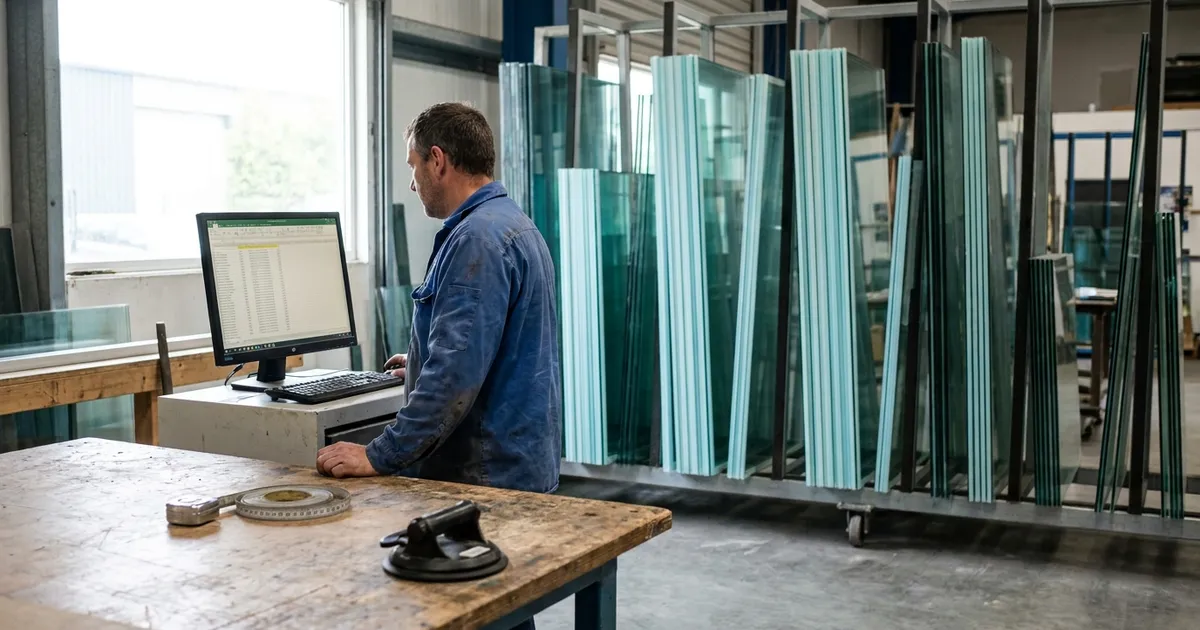
Glass shop management software runs a glass shop's whole job in one place, from the quote to the paid invoice. Glazier is built for glass and glazing shops, so pricing, work orders, scheduling, glass orders and billing carry from one step to the next without re-entry. Below is what to look for, and how Glazier handles each stage of a job.
What to look for in glass shop management software
Ask any vendor to show you these on one of your own jobs. Each one is something Glazier does.
- Glass-specific pricing. Quotes priced from your own supplier pricing, with monolithic and IGU, tempered, annealed, laminated and pattern glass, holes, edgework and united-inch rules. See glass-specific pricing.
- A quote that becomes the job. An accepted quote turns into a digital work order with the measure sheet and customer details, so nobody re-keys it.
- Measure, fabrication, install on one calendar. Smart scheduling pushes changes to your crews' phones.
- Glass ordered from the job. A purchase order built from the job's own line items and sent to your supplier.
- Stock you can see. Inventory reserved to a job, with low-inventory notifications.
- Billing that closes the job. An invoice generated from the job, field payments and an accounting sync to QuickBooks Online or Desktop.
How Glazier runs a glass shop
We built Glazier as glass shop management software, so a job moves through one record from the first call to the paid invoice. Here is how each stage works, using a frameless shower sold at the front counter as the example.
Leads: one pipeline, with an owner on every lead
Leads come in from calls, your website and referrals. Our lead and bid pipeline shows every lead and open quote in one place, with an owner and a next step on each record. Anything that sits too long gets an automatic follow-up.
A website form we build for your site drops requests straight into your leads area. A homeowner who asks about a shower at 11pm is in the pipeline when you open Glazier in the morning.
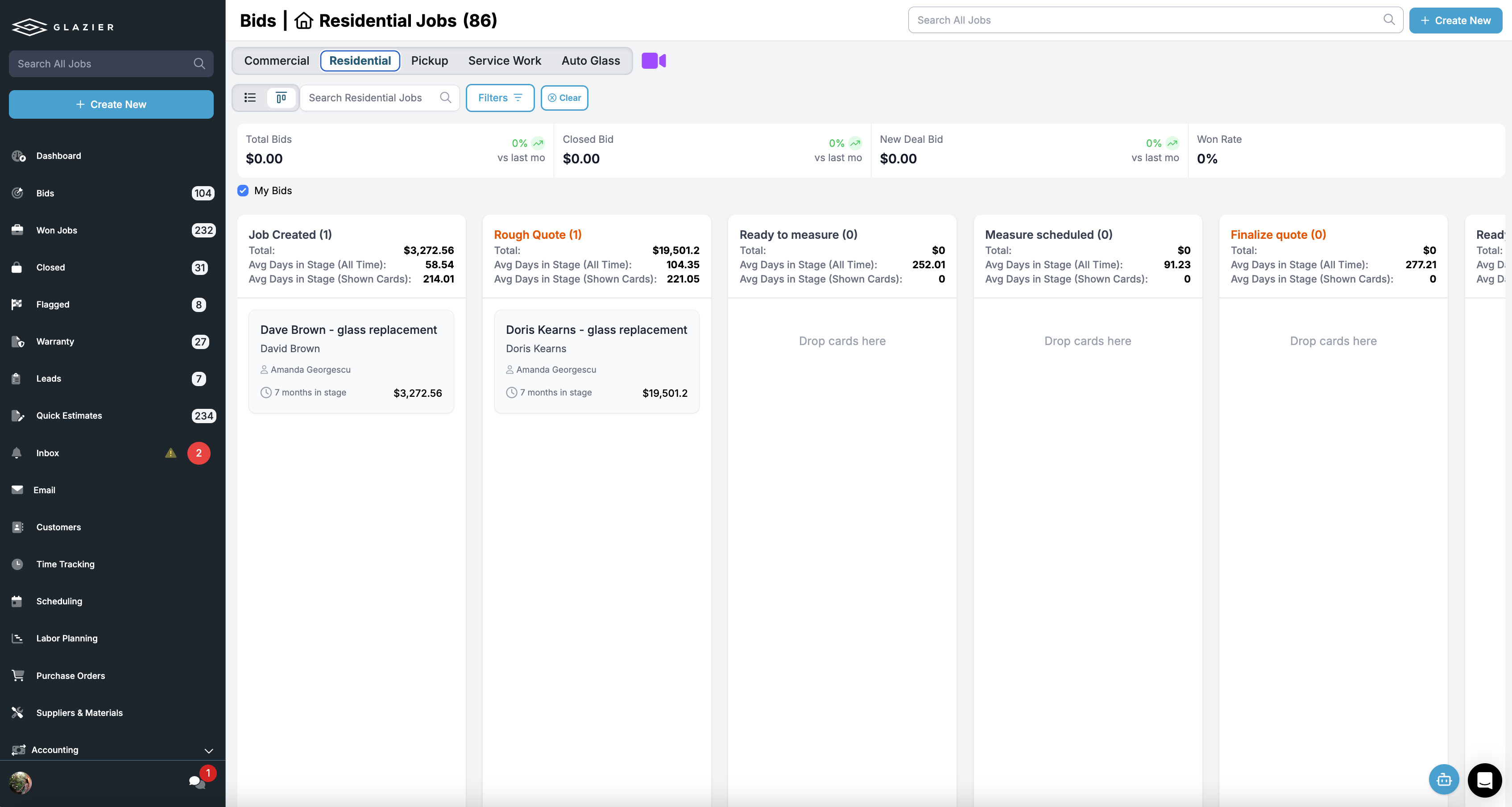
Quoting: priced from your own glass pricing
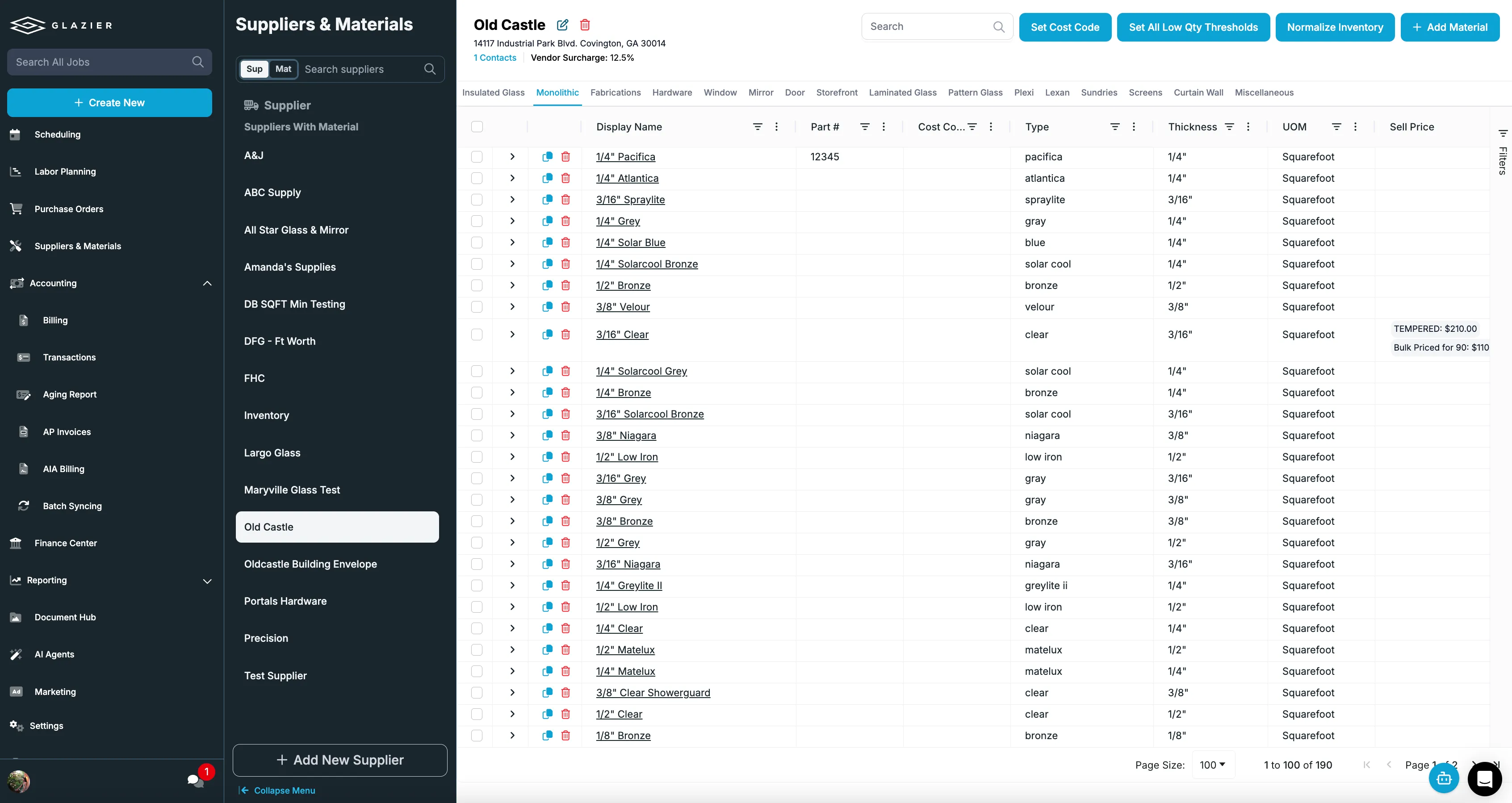
Quotes come out the same no matter who builds them, because the pricing lives in Glazier. You set up monolithic versus IGU, tempered, annealed, laminated and pattern pricing, plus holes, perimeter edgework and united-inch rules. Prices come straight off your supplier pricing at a consistent margin.
For the frameless shower, the glass and shower builder lets you design it in 3D with your own dimensions and your own hardware. You can produce DXF files for your supplier and drop the design into the customer quote. Then you send a branded quote by text or email in a few clicks.
One of our customers, Brad's Glass Company, put it this way: "We used to type everything in by hand. Now we have templates. I'd say it saves us 45 minutes to an hour per quote." Read the full customer story.
Walk-ins and phone calls: the same number every time
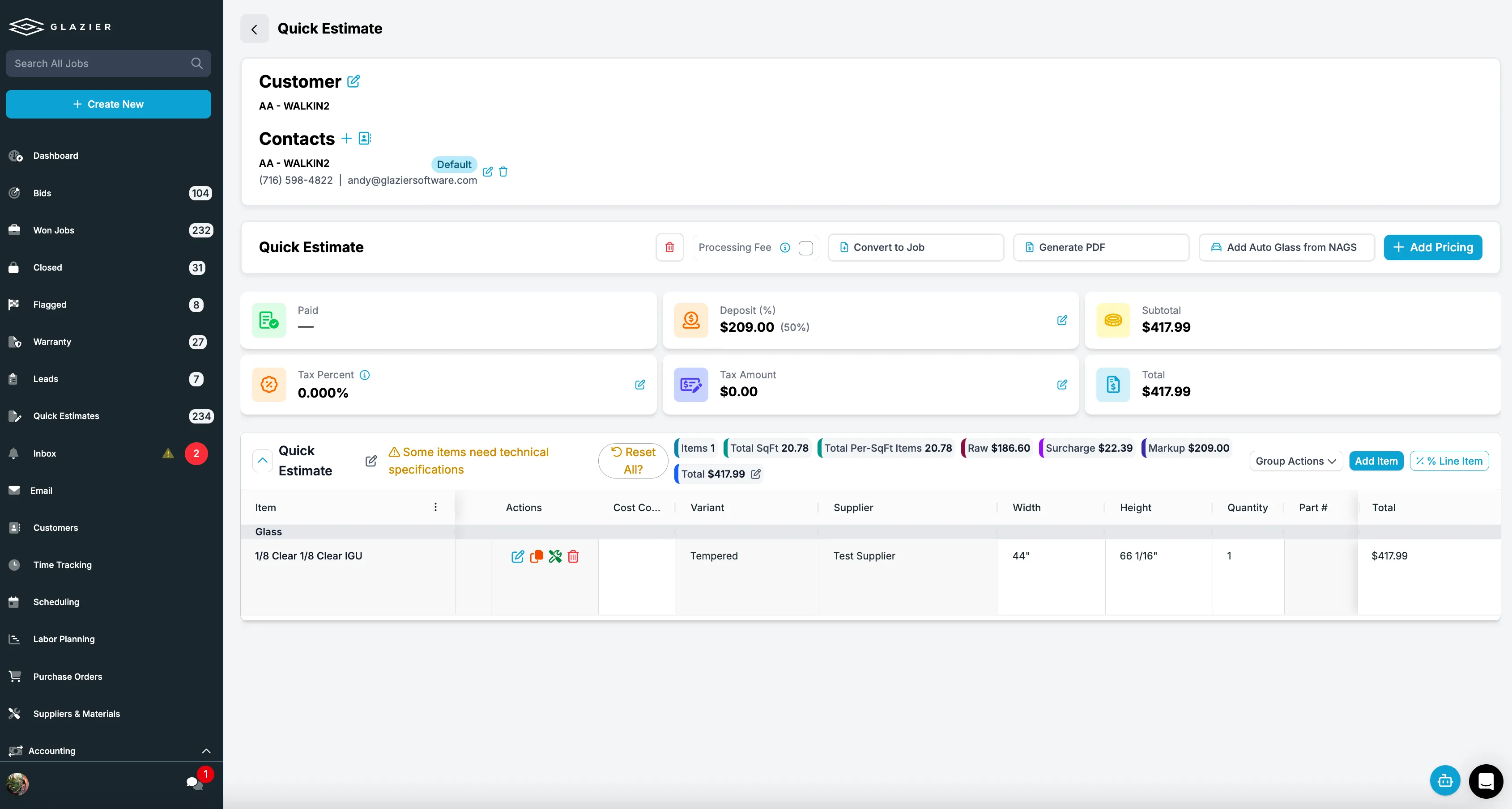
Someone calls about a piece of shop work, like a picture frame. A quick estimate lets you pick the glass type and makeup and price it in seconds. You save it, and when the customer comes back next month and talks to someone else, the number is the same.
Work orders: the accepted quote becomes the job
When the customer accepts the shower quote, it becomes a digital work order. The work order carries your checklists, the measure sheet, the scope, photos and the customer's details. Nobody re-keys the job, and you can print a paper backup when you want one.
Measure and install: what the tech captures travels with the job
Your tech measures with the measure workflow. Measurements and photos are captured digitally and linked to real pricing, so the quote can go out the same day with no revisit. Custom checklists with required fields mean the information comes back complete the first time.
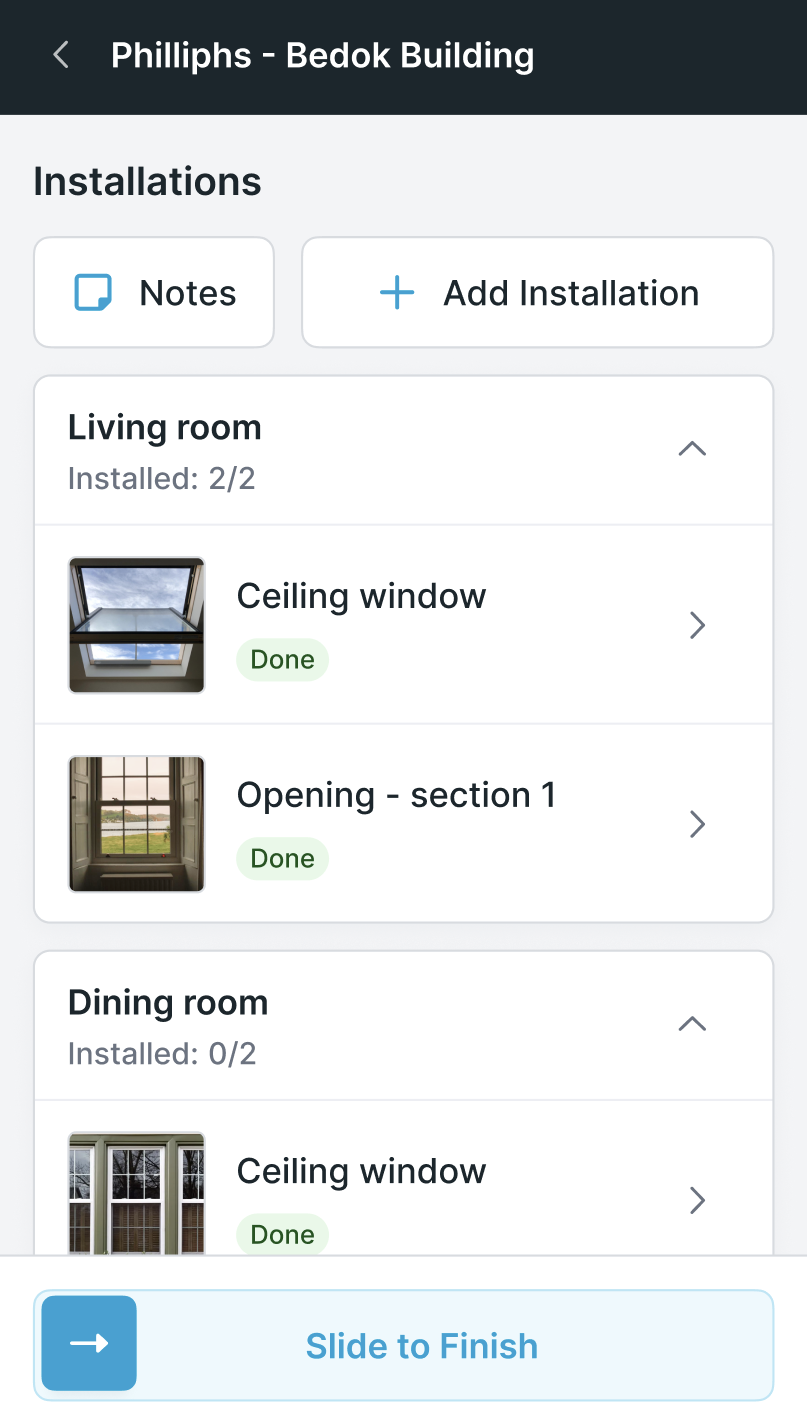
The install workflow links the measure to the install. Every measured opening becomes a pending install with the full record attached, so a different tech can pick up the job with full context. You can require photos of the completed install before close-out.
Scheduling: measure, fabrication and install on one calendar
Smart scheduling is Google-integrated and tied to your crews' phones. Changes you make push to the crew right away, and AI route optimization cuts windshield time on service work.
In the example, the glass arrives at the shop and the install goes on the calendar. The crew sees the change on their phones, and nobody has to call to say the glass is in.
Ordering glass: the purchase order comes from the job
A scribbled measurement turns into a misorder. In Glazier you build the purchase order from the job's own line items and send it directly to your supplier. Receiving gets checked off in the shop or in the field.
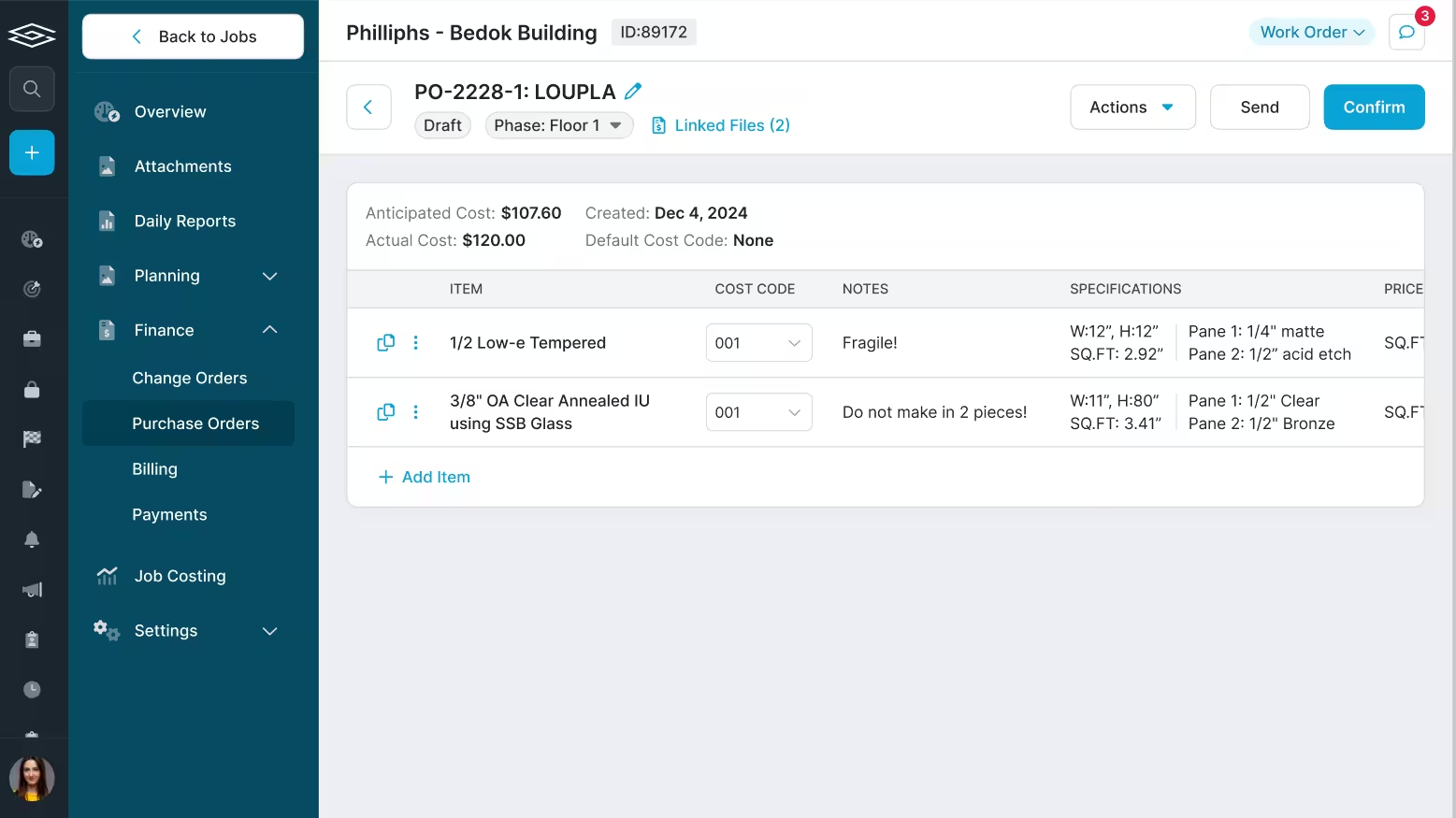
For the shower, the tempered glass goes to your supplier from the same line items you quoted. Nobody retypes the glass sizes.
Shower doors and enclosures fall under the federal safety glazing standard, 16 CFR Part 1201, so the order has to specify safety glazing such as tempered glass, not ordinary annealed glass.
Hardware and pick lists: know what is already on the shelf
Hinges and clamps sitting in the back get reordered because nobody knows they are there. In Glazier you reserve inventory to a specific job and set minimum thresholds, so you get a low-inventory notification before you run short.
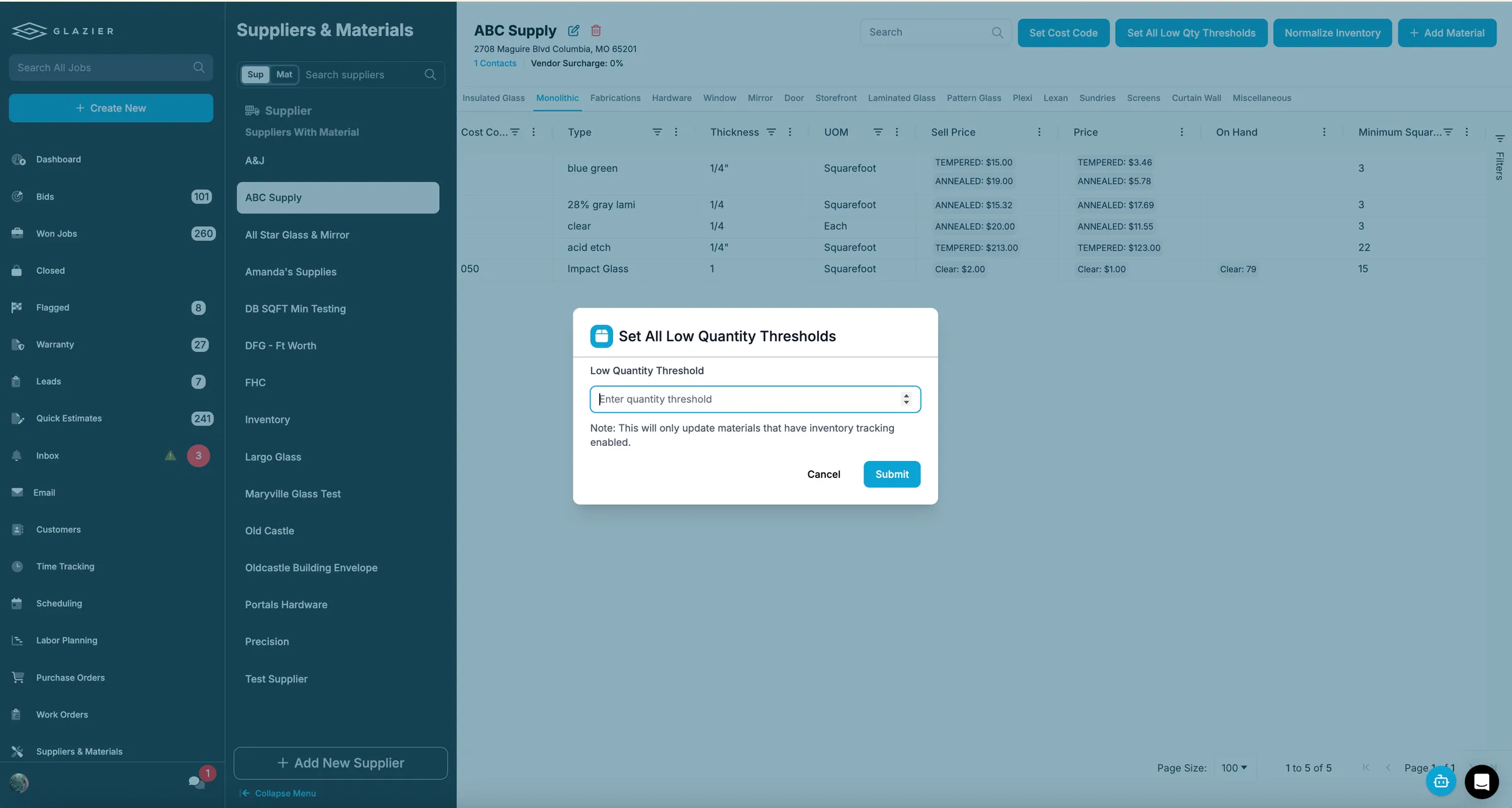
Reserved material feeds a pick list that tells your shop tech what to pull and load for each job. For the shower, the hinges and clamps are already reserved to the job, so they land on the pick list before the glass arrives.
The shop: fabrication scheduled like any other job
Fabrication gets its own workflow. It is scheduled the same way as a measure or an install. The shop sees what is due and in what order, and the office knows when work will be ready.
When the shop finishes, completion is reported for the steps that follow.
Invoicing and payment: the job becomes the invoice
At the end of the install, the invoice is generated from the job. Line items, materials and labor roll in, so billing is not a second round of data entry. It goes out branded by email or text, and balances are tracked through to close.
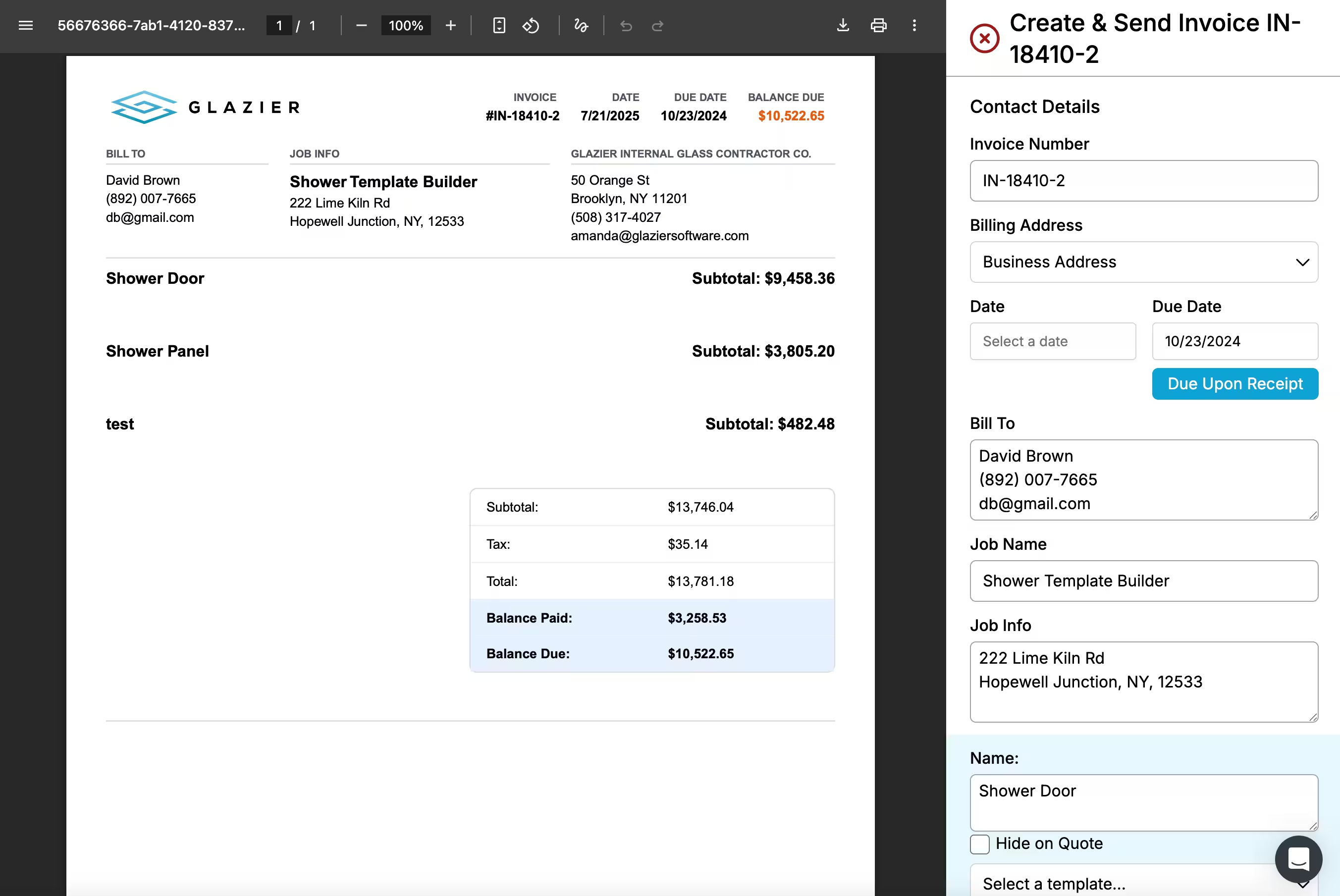
Your tech can take a card at the door, save it on file or send a pay link through field payments, so a finished job does not sit unpaid. Payments, invoices and line items sync to QuickBooks Online or Desktop through our accounting sync, with no exporting and no re-keying.
Repeat customers: every past job one search away
When the same customer calls months later about a second shower, historical jobs let you look up what you did, when and for how much, with the specs, photos and pricing kept. You quote the repeat job in minutes. If the call is a callback, warranty tracking shows whether the work is still covered and turns it into a new job in one step.
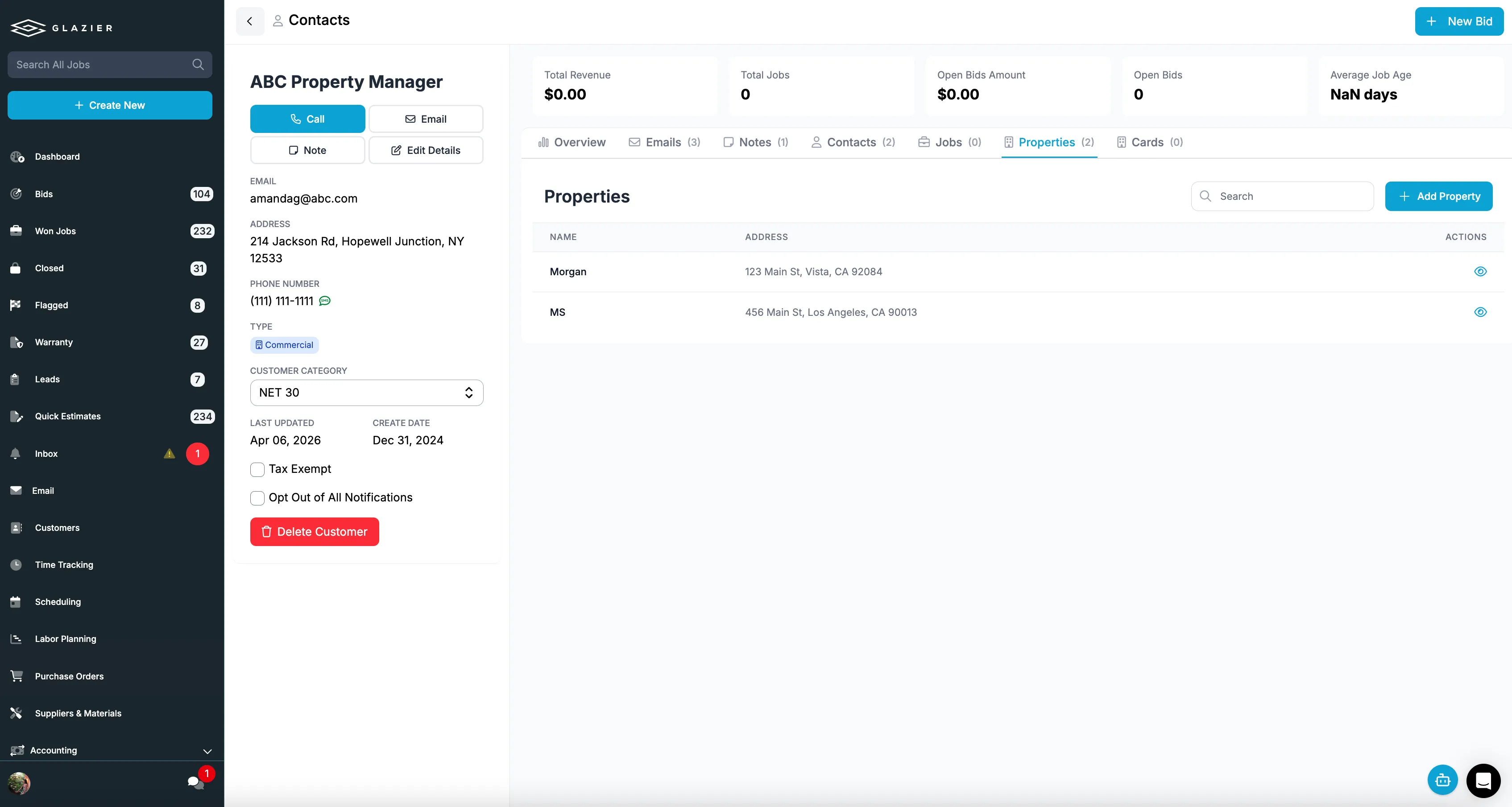
Shops that do auto glass can use our NAGS integration too.
A worked example: a frameless shower, from web form to paid invoice
Here is one job end to end. The numbers are made up for illustration.
- Tuesday, 10:40pm: a homeowner sends the website form asking about a 60-inch frameless shower with a door and one fixed panel. It is in your leads area when you open Glazier on Wednesday.
- Wednesday, 9:15am: you build it in the glass and shower builder with 3/8-inch clear tempered glass and your own hardware, drop it into a branded quote and text it. The quote is $3,480.
- Friday: the customer accepts. The quote becomes a work order with the measure sheet attached.
- Monday: your tech measures on site and captures the sizes and photos on the phone. The sizes are entered once.
- Monday afternoon: the purchase order for the two tempered pieces goes to your supplier from the job's own line items. Two hinges and a clamp from your shelf are reserved to the job and appear on its pick list.
- The following Thursday: the glass arrives. You put the install on Friday at 8:00am and the crew's phones update.
- Friday: the crew installs, takes photos and collects the $3,480 by card at the door. The invoice came from the job, and the payment syncs to QuickBooks.
The outcome: the measurements and glass specs were typed once, the supplier order and the invoice both came from the same record, and the job was paid the day it finished.
Want to see a shower job go from a web form to a paid invoice in one record? Book a Glazier demo and see the whole job in the product.
Glass shop software versus general field service software
General field service software is built for trades where the job is a visit: book it, do it, invoice it. It can schedule a tech and send an invoice, and for some shops that is enough to start.
Glass work is different in three ways that matter:
- Pricing. The price depends on glass makeups, fabrication and edgework, which generic line items cannot calculate.
- Two visits. Most jobs need a measure and an install, with an order to a supplier in between.
- Made to size. A wrong measurement costs you a remake, not just a return trip.
Glass shop software is built around those three facts. General software leaves you to work around them.
What glass shop management software has to cover
A glass job has more steps than most service work, and each one is a place for a job to stall. The software has to carry the job through all of them:
- Quoting that understands glass. A quote has to price glass makeups, fabrication and edgework from your own price book, not from a generic line item. It should also work from the field, from a phone call and from your website, so every quote comes out the same way.
- Work orders that follow the job. Once a quote is accepted it should become a work order without re-entry, carrying the measurements, the glass specification and the customer's details forward.
- Scheduling for measure and install. Most glass jobs need a measure visit before anything can be ordered, then an install visit after the glass arrives. The schedule has to hold both, and show which crew is where.
- Ordering tied to the job. Purchase orders to your supplier should come from the work order, so you can see what has been ordered for each job and what is still waiting.
- Billing and payments. An install that is finished but not invoiced is money you have earned and not collected. Invoicing, taking payment in the field and syncing to your accounting software close that gap.
Where glass shops lose time today
Most shops start with a mix of tools that each do one part well enough: a spreadsheet for pricing, a whiteboard or shared calendar for the crews, the supplier's portal for orders, and accounting software for invoices.
That holds together while the owner is the one keeping it all in their head. It starts to slip when the shop adds a second estimator, a second install crew, or a second location.
The time rarely goes on any single step. It goes in the handoffs between them.
A quote gets accepted by phone, and someone has to remember to create the job. A measure comes back with changed dimensions, and the price has to be redone by hand.
Glass arrives at the shop, but the install crew's schedule does not know it has. A job is finished on Friday and invoiced the following Wednesday, if someone notices.
Each of those is a moment where information already existed and had to be carried by a person from one tool to another. The value of a single system is that it carries it for you.
Choosing a system for your glass shop
Before you book demos, write down how a typical job moves through your shop today, step by step, and who touches it at each step. Then ask each vendor of a glass business management system to walk that exact job through it. A few things to check:
- Can it price a real job from your own price book, including edgework?
- Does an accepted quote become a work order and a purchase order without re-typing?
- Does the schedule handle a measure visit and an install visit for the same job?
- Can a tech collect payment in the field?
- Does it sync with your accounting software? If you use QuickBooks, see how a QuickBooks integration works for glass companies.
If you are not ready to change systems, you can still close the biggest gap by hand: keep one list of every job with its status, from quote to paid, and review it every morning. It is slower than software, but it makes the stalled jobs visible, which is most of the benefit.
To see a job from your own shop run through Glazier, book a Glazier demo.
Frequently Asked Questions
What is glass shop management software?
Glass shop management software is one system that runs a glass shop from the first call to the paid invoice. It covers quotes priced from your glass price book, work orders, the schedule for measure and install crews, purchase orders to suppliers, and billing. The difference from general field service software is that it understands glass makeups, fabrication and measurements.
What is the difference between glass shop software and general field service software?
General field service software schedules a tech and sends an invoice; glass shop software also handles glass makeups, edgework pricing and the measure. General software does not know the difference between tempered and laminated glass, or that a job needs a measure visit before it can be ordered.
What should a glass business management system connect to?
At minimum, it should connect to your accounting software, so invoices and payments are not typed in twice. After that, it should connect to your supplier ordering, through purchase orders tied to each job, and to your website, so web leads and quote requests land in the same place as phone calls.
How do I know my shop has outgrown spreadsheets?
You have usually outgrown spreadsheets when quoted prices stop matching, glass goes unordered, or finished installs go uninvoiced unnoticed. It tends to start when a second person begins quoting. Each of those is information that exists but lives in different places.
Explore Our Success Stories
Streamline your glazing operations.
Book a demo today and find out how Glazier can transform your glass business.
The all-in-one platform built for glass & glazing — quoting to cash, powered by AI.