
Management
Glass Repair Software: How Glazier Runs a Service Job
Glass repair software should carry a job from first call to warranty without re-keying it: measure, quote, order, dispatch, pay. Our checklist.
13
min read
•
October 12, 2026

Glass repair software carries a service job from the first phone call to the last warranty callback without anyone typing it in twice. Glazier is software built for glass and glazing shops, and its residential and service platform keeps the customer, measure, quote, glass order, visit, payment and warranty on one job record. Below is what to look for, and how Glazier handles each stage of a repair job.
What to look for in glass service software
When you compare systems, ask to see a repair job go from call to paid on a real example.
- Field quoting and payment. The tech should be able to quote, get a signature and collect on site.
- Glass-specific pricing. The system should price glass by how it is sold, not as a generic line item.
- One record per job. Measurements, quote, PO, schedule and invoice should share the same job.
- Automatic follow-up on open quotes. If follow-up depends on someone remembering, it will not happen.
- Warranty tracking. Callbacks should open with the original job in front of the person answering.
- Auto glass support, if you do it. If vehicle glass is part of your work, check for parts and pricing data built in.
- Accounting sync. Payments should reach your books without re-entry.
How Glazier handles glass repair and service work
In Glazier, a repair or service job is one record from the first call to the warranty callback. Our residential and service platform moves it through each stage below, using a cracked shower door as the example.
Intake: every call and web lead in one pipeline
Leads come in from calls, your website and referrals. In our lead and bid pipeline, every lead and open quote sits in one view with an owner and a next step on it, and anything that sits too long gets an automatic follow-up.
A website form we build for you drops requests straight into the same pipeline, including the ones that arrive at night.
Say a homeowner fills in your form at 11pm about a cracked shower door. By morning the request is in the pipeline with the customer's details attached, so the office can give it an owner and call first thing.
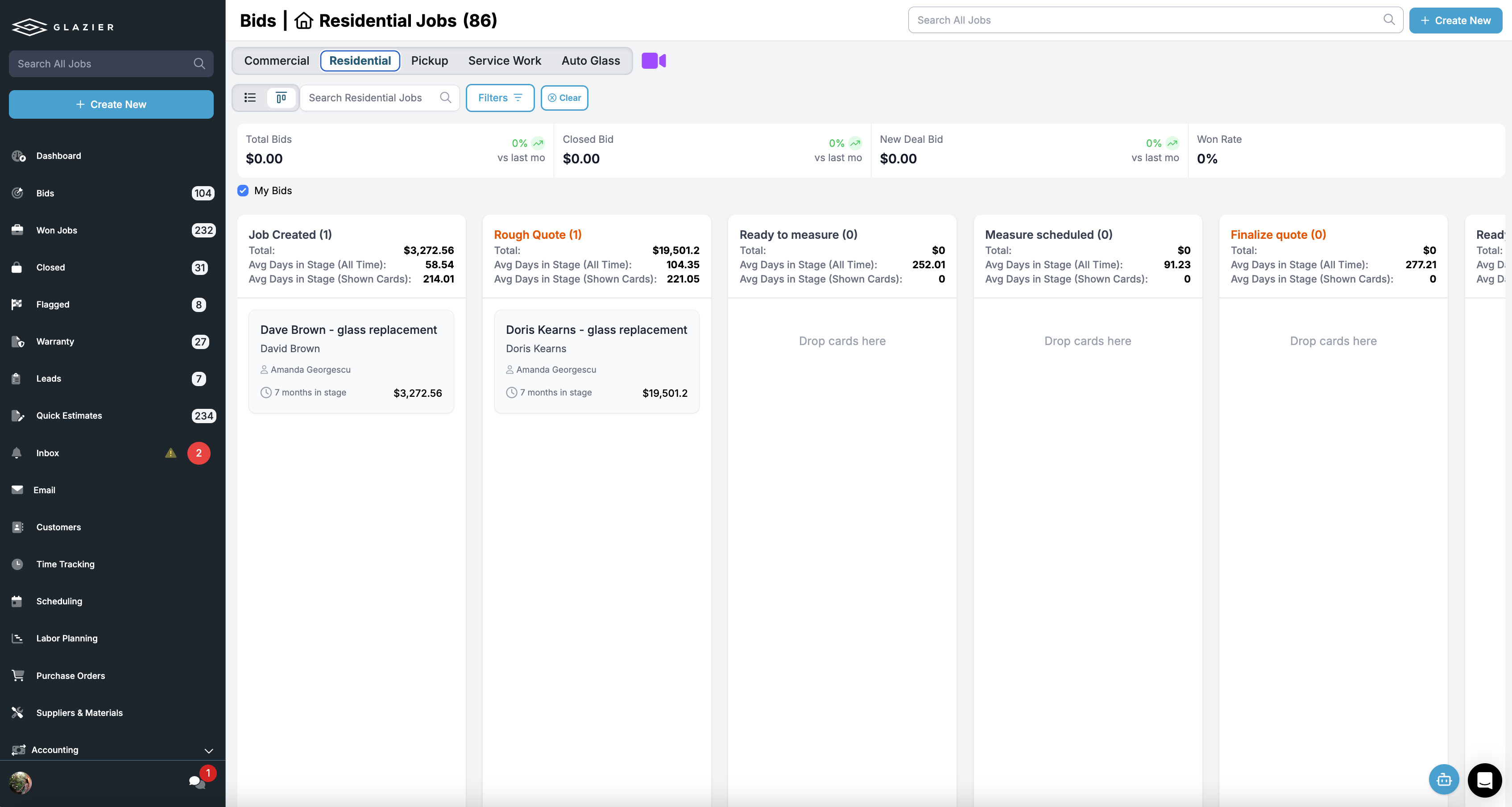
Measure: sizes and photos captured on the phone
Our measure workflow captures measurements and photos digitally and links them to real pricing, instead of on a slip that has to make it back to the office. The tech can quote and take payment on site, or notify the office the second the measure is done.
For a shower or any odd opening, field drawing lets the tech sketch on the phone, and the sketch attaches to the job record. Custom checklists make fields required, so the measure comes back complete the first time.
On the shower door call, the tech photographs the opening, enters the sizes and sketches the hinge side. Nobody retypes a number later, and nobody drives back for a missing one.
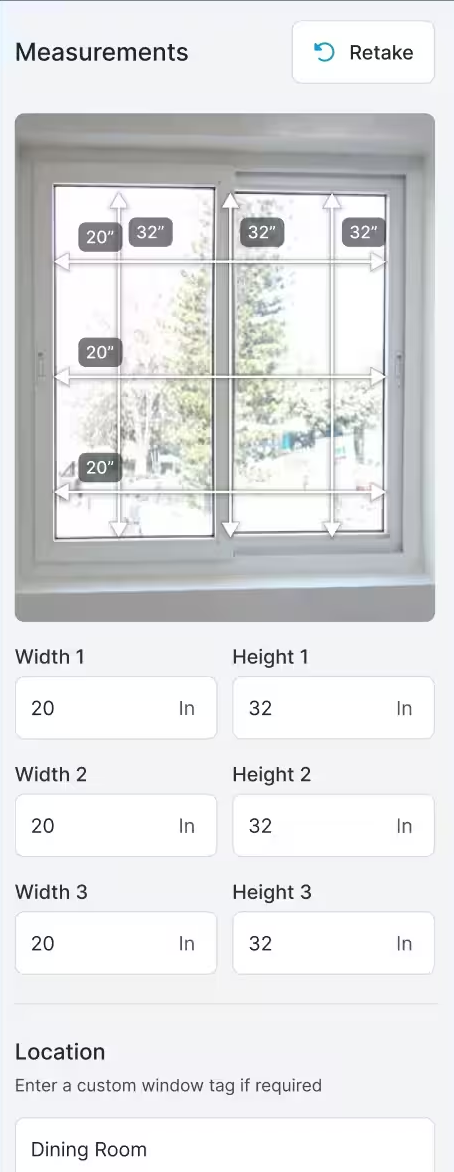
Quote: priced the way glass is sold
Measurements convert to glass pricing by square footage, with your labor and template defaults applied. Glass-specific pricing covers monolithic and IGU, tempered, annealed, laminated and pattern glass, plus holes, calculated perimeter edgework and united-inch rules, all priced off your supplier pricing at a consistent margin.
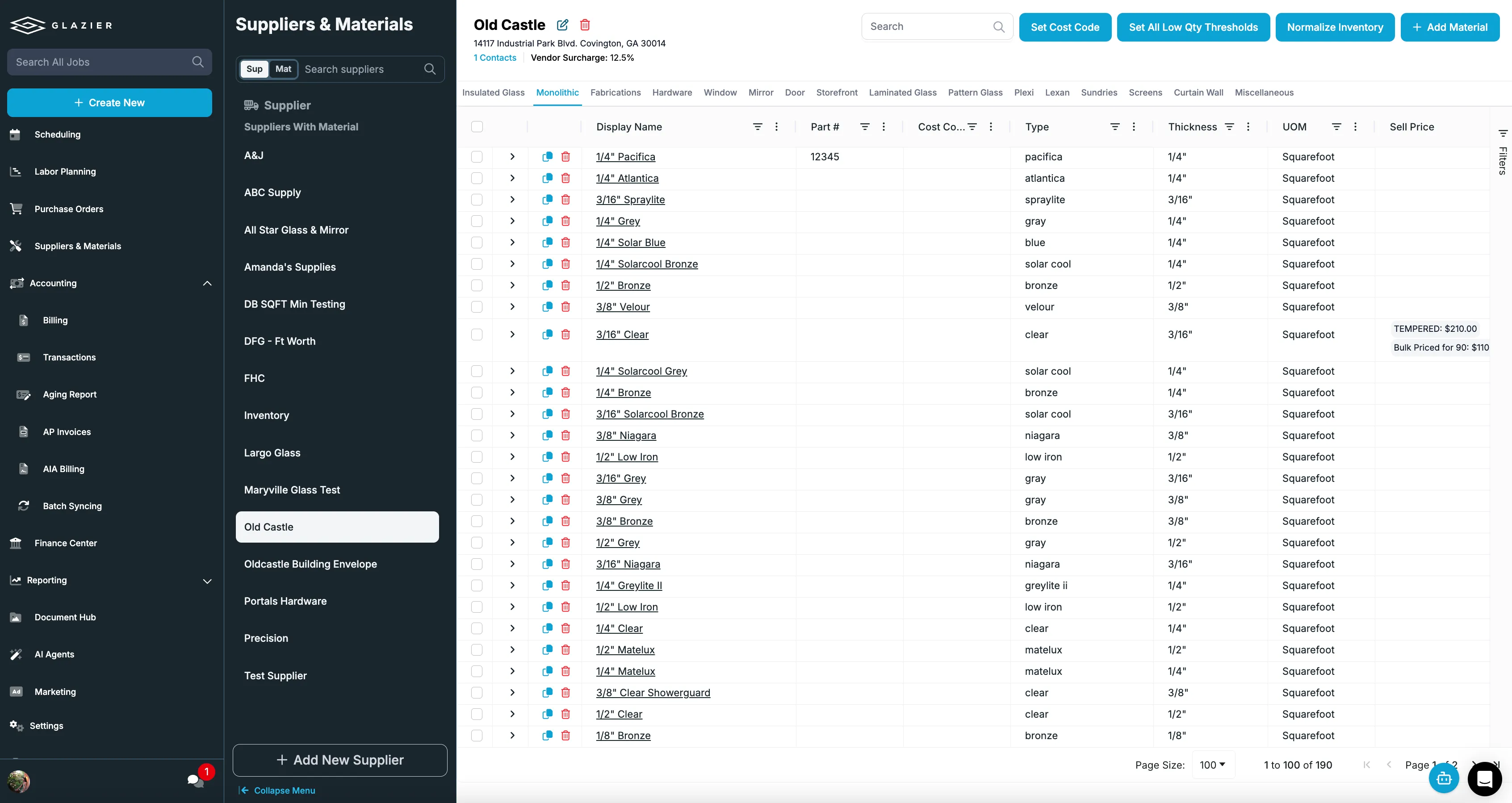
For showers, our glass and shower builder designs the job in 3D with your dimensions and your hardware, produces DXF files for your supplier and drops the design into the customer quote.
With field estimates, the tech texts or emails a branded quote from the driveway and takes a deposit on the phone. In the example, the homeowner approves the new shower door while the tech is still there.

Cathy Alexander, Chief Administrative Officer at AM Richards Glass Co, puts it this way: "I found that when they do estimates in the field, they get approved right away. In the past, they'd get busy, come back a week or two later, and we'd lose the job." Her customer story has more.
Walk-ins and phone calls get the same pricing through quick estimates, which you save and convert to a job when the customer proceeds. When a customer wants choices, web quotes send a live link where they toggle options and add-ons, watch the total update, and sign and pay. Every open quote also gets followed up on automatically.
Order glass: the approved quote becomes a PO
Once the customer approves, you order glass and hardware straight from the job instead of retyping a spec that was already captured. Purchase orders are built from the job's line items, sent directly to your suppliers, and receiving is checked off in the shop or the field. Our guide to tracking purchase orders goes deeper.
Our inventory management also reserves hardware and parts to a specific job and warns you before you run short, and pick lists tell your shop techs what to pull and load.
On the shower door job, the glass goes to the supplier from the quote's own line items, and the hinges and handle already on your shelf are reserved to the job.
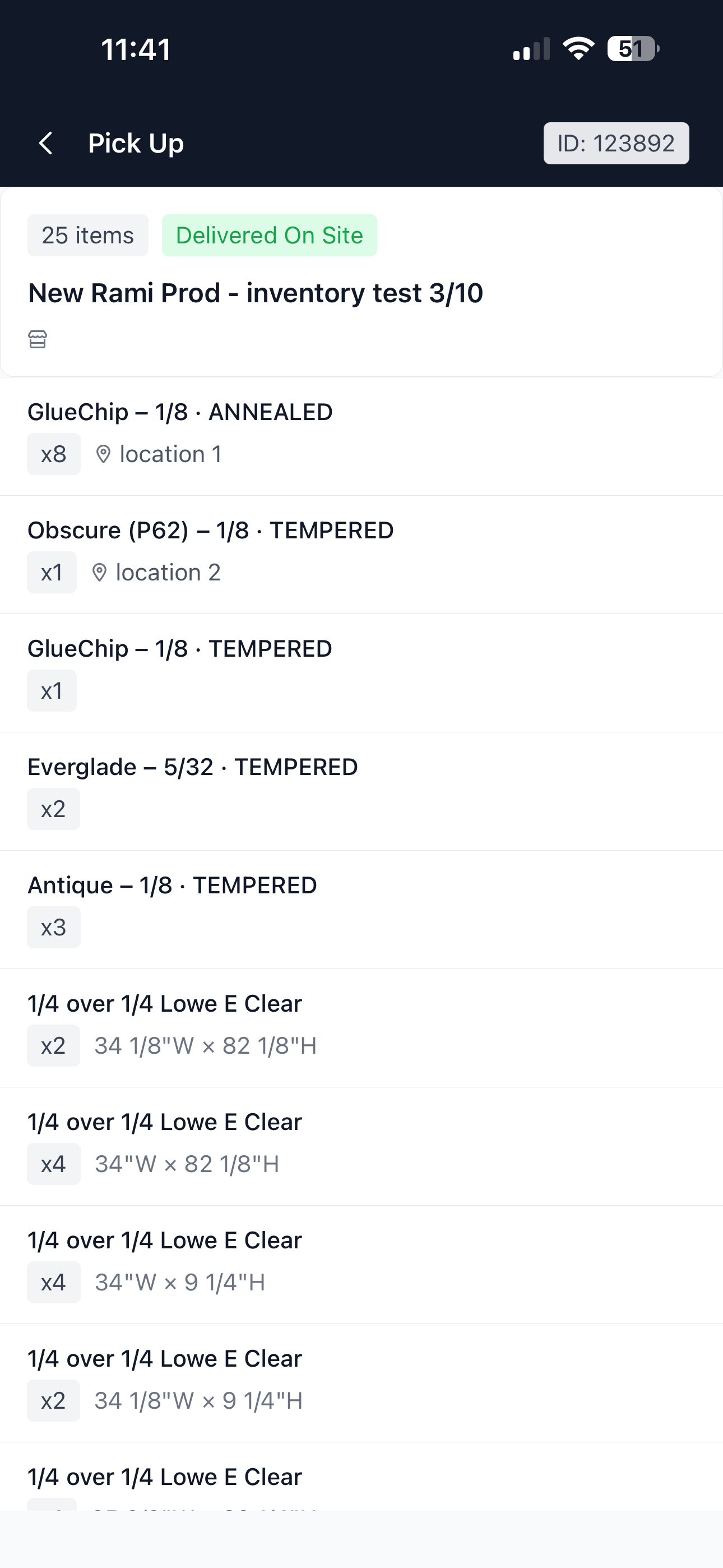
Schedule and install: the right tech with the full record
Smart scheduling is Google-integrated scheduling and dispatch with route optimization that cuts windshield time. Changes reach the crew's phones the moment you make them.
Digital work orders carry your checklists and measure sheets, with scope, photos and customer details attached. Through our install workflow, measure data carries into the install automatically, any tech can pick up the job with full context, and you can require photos of completed installs before close-out.
Say the installer is not the tech who measured. They open the job on their phone and see the photos, the sizes and the sketch from the first visit.
Geolocation time tracking lets techs clock in on the same app they run the job from, with hours tied to the correct job and cost code.
Collect and invoice: paid before the truck leaves
With field payments, techs take a card at the door, save it on file or send a pay link before they leave, and you can collect deposits at the quote. That means fewer finished jobs sitting unpaid.
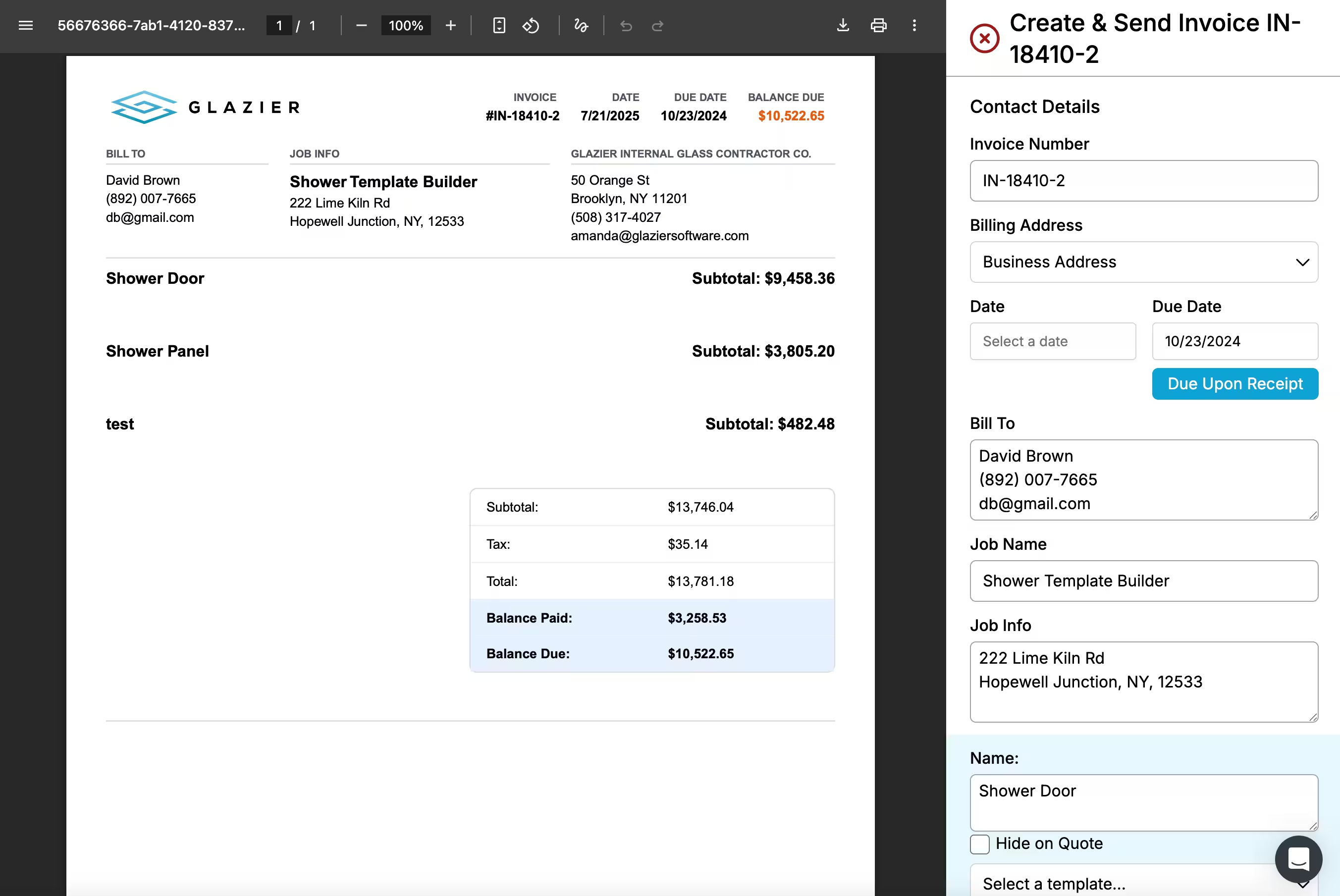
The job then becomes the invoice. Line items, materials and labor roll in from the job, and the invoice goes out branded by email or text.
Payments and line items sync to QuickBooks Online or Desktop automatically, as our guide to QuickBooks integration for glass companies covers. Job costing then shows material, labor and overhead per job, live while the job is still open.
At the end of the shower door visit, the tech takes the card on the phone. The payment reaches QuickBooks without anyone retyping it.
Callbacks and repeat customers: the warranty stays on the job
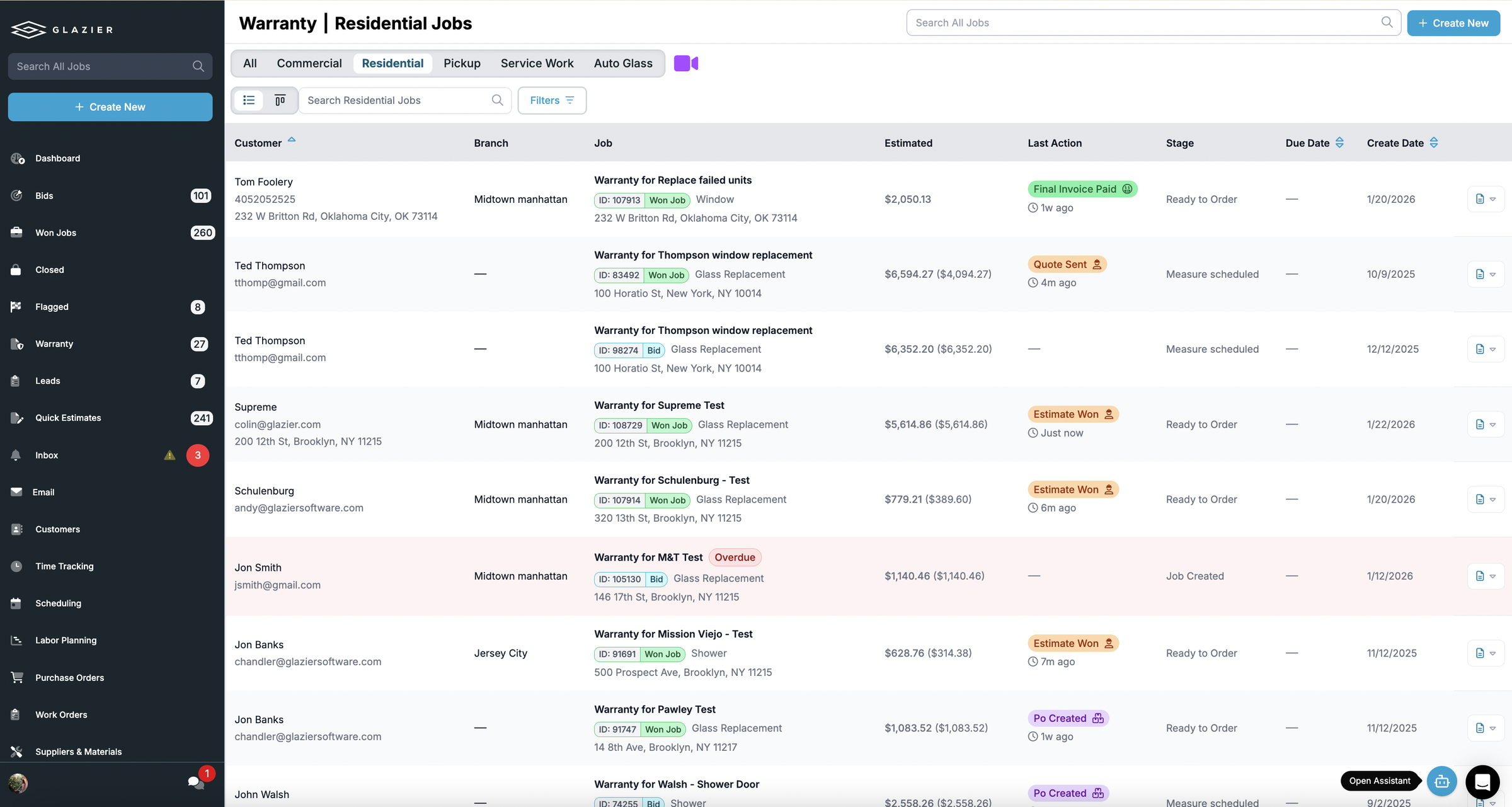
Warranty tracking answers a callback with facts. Search the job, see what was installed and whether it is still covered, and convert the callback into a new job in one step.
Say the same homeowner calls two years later about that shower door. Whoever answers finds the original job and sees what was installed and whether it is still covered.
Historical jobs keep the full job history per customer and property, with specs, photos and pricing retained, so you can quote the repeat job in minutes.
A worked example: a cracked shower door, call to paid
The numbers are made up for illustration, to show the stages above end to end.
At 11:04pm on Tuesday, a homeowner fills in your website form about a cracked 3/8 inch tempered shower door. The request is in the pipeline by morning.
At 8:15am on Wednesday, the office gives the lead an owner and books the measure for 10:30. At 10:40 the tech uses the measure workflow to photograph the opening, enter 28 inches by 70 inches and sketch the hinge side.
At 10:50am the tech builds a field estimate from the driveway. The 28 by 70 opening is 13.6 square feet, so at a supplier price of $18.00 per square foot the glass is $244.80. With $85.00 of hinges and a handle from your shelf and 2.5 hours of labor at $95.00, the quote is $567.30 before tax.
At 10:58am the homeowner approves the quote and pays a $283.65 deposit on the phone while the tech is still there. At 11:20 the office sends the glass to the supplier as a purchase order built from the quote's line items, and the hinges and handle are reserved to the job.
Friday to Monday: the install and the payment
The glass arrives on Friday and receiving is checked off. On Monday at 9:00 a different tech opens the job and sees the first visit's photos, sizes and sketch. The install photos are added before the job is closed out.
At 11:30am on Monday, the tech takes the remaining $283.65 by card at the door with field payments, and the invoice goes out from the same job. The payment syncs to QuickBooks.
Outcome: the job closes paid on install day, the sizes were entered once, and the job stays searchable with its warranty record for any callback.
Want to see a repair job go from a late-night web form to paid at the door? Book a Glazier demo and see the whole job in the product.
What glass repair software has to handle
Repair and service work is where a small glass shop wins or loses on speed. The customer has a broken window, a cracked shower door or a failed insulated unit, and is calling more than one shop.
The shop that quotes first and shows up when it said it would usually gets the job. Glass service software exists to make that routine rather than heroic.
A job passes through the same stages whether it is one cracked lite or a full replacement. Here is what each stage needs from your software.
| Stage | What the software must do | What goes wrong without it |
|---|---|---|
| Call intake | Capture the customer and the job once | The call slip is re-keyed into an order book, then a PO, then an invoice |
| Measure | Record sizes and photos in the field | Measurements arrive late or unreadable and the glass is misordered |
| Quote | Price the glass the way it is sold | Quotes go cold while the customer calls the next shop |
| Order glass | Turn the job into a purchase order | Specs are copied by hand and the order is wrong |
| Schedule | Put the right tech on the right job | Whiteboards, paper calendars and missed visits |
| Payment | Collect on site | Invoices chase customers for weeks |
| Warranty | Keep the warranty with the job | A callback arrives and nobody can find the original work |
Call intake: enter the job once
The cheapest mistake to prevent is the one at the front desk. When a call becomes a slip, then an order book entry, then a PO, then an invoice, every handoff is a chance to get a size or an address wrong. Glass service software should take the call into a single job record that every later step reuses.
Measure: the step that causes misorders
Most expensive errors in replacement work start at the measure. A tech writes sizes on a slip that is hard to read, and a lite is cut to the wrong dimension.
The fix is capturing measurements and photos in the field on a phone, so they reach the office as typed numbers attached to the job.
Quote: price glass the way glass is sold
A generic line item does not describe tempered glass, a shower enclosure or an insulated unit. Glass quoting software should price by glass type and configuration, produce a quote the customer can sign, and let a tech build it at the door.
Shower doors and enclosures fall under the federal safety glazing standard, 16 CFR Part 1201, so a quote for one has to specify safety glazing such as tempered glass, not ordinary annealed glass.
Open quotes also need an owner. A repair quote that nobody follows up on is the easiest revenue to lose, because the customer rarely says no. They just call someone else.
Order glass: turn the quote into a PO
Glass replacement software has to do this step well. Once a quote is approved, the glass has to be ordered with the right specs and tied to the right job. If someone retypes it, you have created a new place for errors.
Schedule and dispatch the tech
Service work is mostly a routing problem. The right tech with the right glass has to reach the right address, ideally without crossing town twice. Scheduling should show the whole day on one screen, and dispatch should send each tech only the work scoped for them.
Payment: collect before the truck leaves
A repair that is finished but unpaid is still an open job. Software that lets the tech take payment or save a card on file at the end of the visit shortens the time between work done and money in. Payments and line items should flow to your accounting system on their own.
Warranty: keep the work attached to the job
Glass work comes back. A seal fails, a customer says a repair did not hold, a lite cracks again.
If the warranty details are not on the original job, someone has to dig through paper. A warranty record on the job means the person answering the callback sees what was installed, when, and by whom.
Why spreadsheets and whiteboards stop working
A spreadsheet and a whiteboard can run a three-person shop for a while. The problems show up as you add techs and volume:
- Quotes live in one place, orders in another, and the schedule on a wall.
- Nobody sees which open quotes need a call this week.
- Hours are guessed rather than logged, so you cannot tell which repairs actually made money.
- Each manual step caps how many jobs the office can handle.
We built Glazier to replace that patchwork with one job record.
To see a repair job go from call to payment in Glazier, book a Glazier demo.
Frequently Asked Questions
What is glass repair software?
Glass repair software runs a glass shop's service jobs on one job record, from the first call to payment and the warranty. It covers taking the call, measuring, quoting, ordering glass, scheduling a technician, collecting payment and tracking the warranty. The point is that the job is entered once and every later step reads from it.
Is glass replacement software different from glass repair software?
They overlap: a repair is often the replacement of one lite, so both need a measure, a quote, a glass order and an install. What changes is the mix: service shops lean on quick quotes, field payments and callbacks, while larger replacement jobs lean on measure accuracy and ordering.
What should glass service software do in the field?
It should let a technician measure, quote, take a signature and collect payment on site, with nothing retyped later. It should also record hours against the right job and send measurements and photos back to the office. If the tech has to phone the office for specs, the software is not doing its job.
How do I stop losing quotes on repair and replacement work?
Quote at the door when you can, and follow up on every quote that stays open. Most lost service quotes were never refused; the customer called the next shop while the first quote sat unanswered.
Explore Our Success Stories
Streamline your glazing operations.
Book a demo today and find out how Glazier can transform your glass business.
The all-in-one platform built for glass & glazing — quoting to cash, powered by AI.